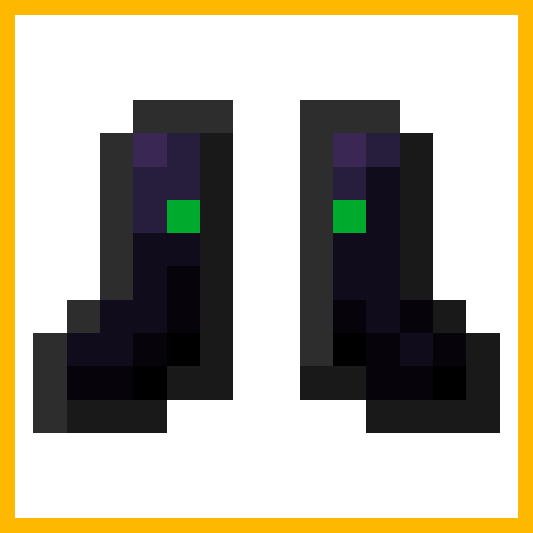
Jet Boots
Have you heard about jetpacks, they are so 2017
Screenshots


About this Mod
Jet boots (Could be called The Guardian mod)
Have you ever wanted to fly with ease then get ready to strap on the jet boots.
These boots gives you the ability to fly like in creative, but hold on they have a secondary flight mode where you can fly like you have a jet powered Elytra on.
They use FE to fly, the amount of power draw is configurable.
They can be leveled up and have a few different upgrades.
This mod requires BML version 1.1.2 or above.
There are a few upgrade types, these are applied at a smithing table
- Engine
- Thruster
- Shock absorber
- Muffled
- Underwater
The boots gain more armor, thoughness, battery capacity and lowered energy consumption when they level up, the same applies to the other equipment.
They level up by being used and gain soulbound at high levels.
There are two keybinds for the jet boots, one to change the flight mode (default key is V) and one to change speed (default key is G).
There is also a special helmet added.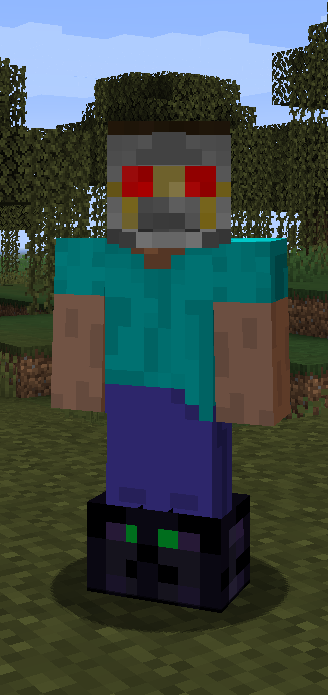
It has two modes, materialized and dematerialized.
While materialized the helmet can be seen on the player and protects against damage and air loss and can also provide night vision.
The helmet has two keybinds, one to materialize and dematerialize it (default key is ALT+H) and one to toggle night vision (default key is H).
Available Versions
How to Install Jet Boots on Your Server
Order Server
Order a Minecraft Java server with at least 3 GB RAM (4 GB recommended).
Set forge Loader
In the panel under "Egg", select the forge loader and matching Minecraft version (1.20.1).
Install Mod
Open the mod browser in the dashboard and search for " Jet Boots". Click "Install" – done! Alternatively, upload the .jar via SFTP to the /mods folder.
Compatibility
Mod Loaders
Minecraft Versions
1.20.1, 1.19, 1.18.2
Server-side
✓ RequiredRecommended RAM
4 GB(min. 3 GB)Frequently Asked Questions
Jet Boots server crashes on startup – what to do?
Most common cause: wrong forge version or insufficient RAM. Check the server log (latest.log) for "OutOfMemoryError" or "Mixin" errors. With Mado Hosting: ensure at least 3 GB RAM is allocated and the loader matches the mod version (1.20.1). You can switch loaders with one click in the panel.
Is Jet Boots compatible with forge?
Jet Boots officially supports forge for Minecraft 1.20.1, 1.19, 1.18.2. The Mado dashboard automatically detects incompatible loader combinations.
Server lagging with Jet Boots – how to optimize performance?
Recommended RAM: 4 GB (per 8 players). Use /spark profiler to check if Jet Boots consumes the most tick time. Common fixes: reduce server view-distance to 8-10, install "performant" or "starlight" as supplementary mods on Forge. With Mado Hosting, your server runs on NVMe SSDs with dedicated CPU cores for minimal latency.
Similar Mods




![[TaCZ] Timeless and Classics Zero](https://cdn.modrinth.com/data/SzzJttH8/fd27766d2bb8390d284696b1dbd358f87e081439_96.webp)

Rent Modded Server
Install Jet Boots with just one click on your server.