
JJBA Cosplay
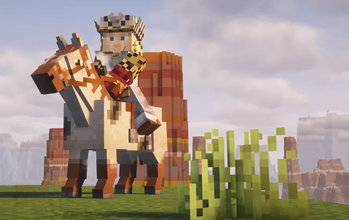
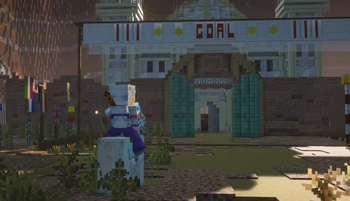
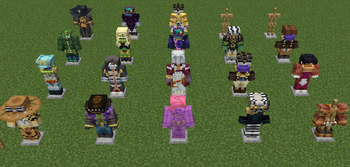
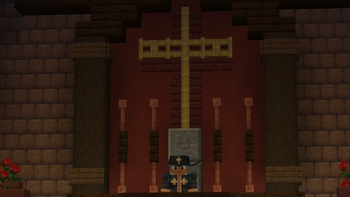
This mod adds many different costumes from Jojo's Bizarre Adventure by Hirohiko Araki. This mod adds the costumes as tiered armor sets
Screenshots
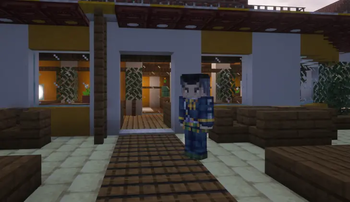
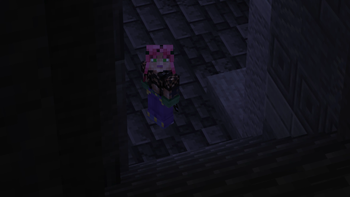
About this Mod
JJBA Cosplay
Is a mod developed by members of the Jcraft Team! This mod takes all of the different costume elements from jcraft and makes it a separate mod! This mod works without having Jcraft installed! JJBA Cosplay is currently on 1.20.1 for both Forge and Fabric with plans to port to later versions! JJBA Cosplay has a tiered armor system which can be upgraded in the anvil. So a cosplay item can have the protection of Diamond or Netherite Armor!
Developed By:
Ayutac
Models + Textures By:
Rec0rd, Mr. Garlic, Bagwet
Cosplay List
Spoiler
p1 - Phantom Blood
- Johnathan Joestar
- Dio Brando
- Straizo Poncho
p2 - Battle Tendency
- joseph joestar
- kars headwrap
p3 - Stardust Crusaders
- jotaro kujo
- avdol
- kakyoin
- polnareff
- DIO
- Vanilla Ice
p4 - Diamond is Unbreakable
- Okuyasu
- Jotaro (morioh)
- Yoshikage Kira
- Kosaku Kawajiri (disguise)
- Kosaku Kawajiri(matured)
p5 - Golden Wind
- Giorno Giovanna
- Panacota Fugo
- Diavolo
- Doppio
- Risotto Nero
p6 - Stone Ocean
- jotaro (Florida)
- Pucci
p7 - Steel Ball Run
- Johnny Joestar
- Gyro Zeppeli
- Mountain Tim
- Diego Brando
- Ringo Roadagain
- Funny Valentine
- cowboy
Extras,
- Heaven Ascended DIO,
- DIO (Over heaven)
Available Versions
How to Install JJBA Cosplay on Your Server
Order Server
Order a Minecraft Java server with at least 3 GB RAM (4 GB recommended).
Set fabric Loader
In the panel under "Egg", select the fabric loader and matching Minecraft version (1.20.1).
Install Mod
Open the mod browser in the dashboard and search for "JJBA Cosplay". Click "Install" – done! Alternatively, upload the .jar via SFTP to the /mods folder.
Compatibility
Mod Loaders
Minecraft Versions
1.20.1
Server-side
✓ RequiredRecommended RAM
4 GB(min. 3 GB)Frequently Asked Questions
JJBA Cosplay server crashes on startup – what to do?
Most common cause: wrong fabric version or insufficient RAM. Check the server log (latest.log) for "OutOfMemoryError" or "Mixin" errors. With Mado Hosting: ensure at least 3 GB RAM is allocated and the loader matches the mod version (1.20.1). You can switch loaders with one click in the panel.
Is JJBA Cosplay compatible with fabric and forge?
JJBA Cosplay officially supports fabric, forge for Minecraft 1.20.1. Note: Forge and Fabric mods are NOT cross-compatible – pick one loader and stick with it. The Mado dashboard automatically detects incompatible loader combinations.
Server lagging with JJBA Cosplay – how to optimize performance?
Recommended RAM: 4 GB (per 8 players). Use /spark profiler to check if JJBA Cosplay consumes the most tick time. Common fixes: reduce server view-distance to 8-10, install "performant" or "starlight" as supplementary mods on Forge. With Mado Hosting, your server runs on NVMe SSDs with dedicated CPU cores for minimal latency.
Similar Mods




Rent Modded Server
Install JJBA Cosplay with just one click on your server.