
Journey HUD
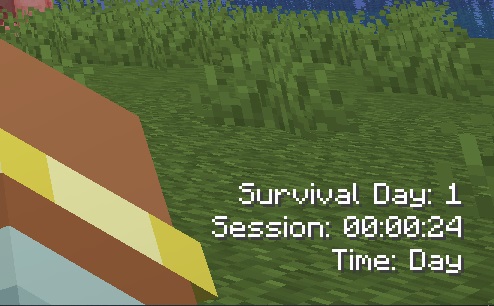
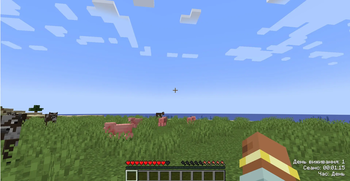
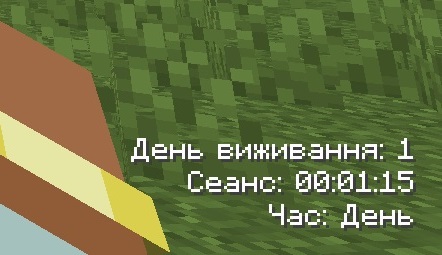
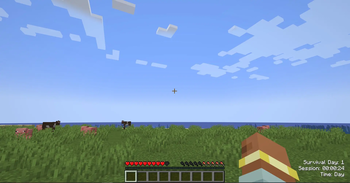
Journey HUD is a lightweight client-side HUD mod for Minecraft that displays useful gameplay information directly on the screen without opening menus or using commands.
Screenshots
About this Mod
Journey HUD is a lightweight client-side HUD mod for Minecraft that displays useful gameplay information directly on the screen without opening menus or using commands.
The mod focuses on providing real-time information about your survival progress and current session in a clean and minimal interface. Instead of relying on chat commands, all settings are managed through a built-in configuration menu.
Journey HUD is designed to track your personal survival journey, showing how long your character has lived since the last death, along with other helpful session data.
The mod is fully optimized for performance and built for both singleplayer and multiplayer.
Mod Features Displays Survival Day — number of in-game days survived since last death. Shows current session duration (playtime in the current world session). Displays time of day (morning, day, evening, night). Optional coordinates display (X / Y / Z). Fully customizable HUD layout: Enable/disable individual elements Change HUD position (corners of the screen) Adjust offsets from screen edges Appearance customization: Text color control Format customization for displayed values Built-in Config Menu (GUI) — all settings are managed visually in-game Fully client-side implementation (safe for singleplayer and multiplayer) Multi-language support (excluding Russian language) Configuration All mod settings are available through the in-game Config Menu.
No commands are required.
You can customize:
HUD visibility Position and offsets Text color Displayed elements Format of survival day text
Available Versions
How to Install Journey HUD on Your Server
Order Server
Order a Minecraft Java server with at least 3 GB RAM (4 GB recommended).
Set forge Loader
In the panel under "Egg", select the forge loader and matching Minecraft version (1.20.1).
Install Mod
Open the mod browser in the dashboard and search for "Journey HUD". Click "Install" – done! Alternatively, upload the .jar via SFTP to the /mods folder.
Compatibility
Mod Loaders
Minecraft Versions
1.20.1
Server-side
✗ UnsupportedRecommended RAM
4 GB(min. 3 GB)Frequently Asked Questions
Journey HUD server crashes on startup – what to do?
Most common cause: wrong forge version or insufficient RAM. Check the server log (latest.log) for "OutOfMemoryError" or "Mixin" errors. With Mado Hosting: ensure at least 3 GB RAM is allocated and the loader matches the mod version (1.20.1). You can switch loaders with one click in the panel.
Is Journey HUD compatible with forge?
Journey HUD officially supports forge for Minecraft 1.20.1. The Mado dashboard automatically detects incompatible loader combinations.
Server lagging with Journey HUD – how to optimize performance?
Recommended RAM: 4 GB (per 8 players). Use /spark profiler to check if Journey HUD consumes the most tick time. Common fixes: reduce server view-distance to 8-10, install "performant" or "starlight" as supplementary mods on Forge. With Mado Hosting, your server runs on NVMe SSDs with dedicated CPU cores for minimal latency.
Similar Mods




Rent Modded Server
Install Journey HUD with just one click on your server.