
Jumnye
Jumnye – A Minecraft mod that introduces new potions, ores, tools, mobs, and structures, enhancing exploration and gameplay with fresh content.
Screenshots



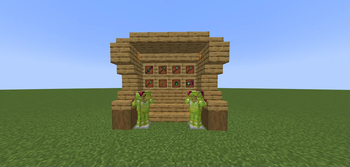
About this Mod
What is Jumnye?
Jumnye is an expansive Minecraft mod designed to enrich your gameplay experience by adding a variety of new elements. Players can look forward to discovering unique mobs, ores, tools, potions, bosses, and even music discs, all carefully integrated into the Minecraft world to provide new challenges and rewards.
🛠️ Beta State Notice
The mod is currently in beta development. If you encounter any bugs or issues, please report them on our Discord server: https://discord.gg/wBysnXxbCU.
📖 About the Mod
The Jumnye mod offers a comprehensive expansion to your Minecraft adventure:
New Mobs: Encounter fresh and exciting creatures in various biomes, each with their own unique behavior and drops.
Ores & Tools: Discover new ores that unlock powerful crafting materials, allowing you to create stronger tools and equipment.
Potions: Brew custom potions that introduce new effects to give you an edge in combat or exploration.
Bosses: Face off against formidable new bosses, each with their own mechanics and challenges to test your skills.
Music Discs: Collect brand-new music discs with original tunes to enhance your Minecraft world’s atmosphere.
Available Versions
How to Install Jumnye on Your Server
Order Server
Order a Minecraft Java server with at least 3 GB RAM (4 GB recommended).
Set forge Loader
In the panel under "Egg", select the forge loader and matching Minecraft version (1.20.1).
Install Mod
Open the mod browser in the dashboard and search for "Jumnye". Click "Install" – done! Alternatively, upload the .jar via SFTP to the /mods folder.
Compatibility
Mod Loaders
Minecraft Versions
1.20.1
Server-side
✓ RequiredRecommended RAM
4 GB(min. 3 GB)Frequently Asked Questions
Jumnye server crashes on startup – what to do?
Most common cause: wrong forge version or insufficient RAM. Check the server log (latest.log) for "OutOfMemoryError" or "Mixin" errors. With Mado Hosting: ensure at least 3 GB RAM is allocated and the loader matches the mod version (1.20.1). You can switch loaders with one click in the panel.
Is Jumnye compatible with forge?
Jumnye officially supports forge for Minecraft 1.20.1. The Mado dashboard automatically detects incompatible loader combinations.
Server lagging with Jumnye – how to optimize performance?
Recommended RAM: 4 GB (per 8 players). Use /spark profiler to check if Jumnye consumes the most tick time. Common fixes: reduce server view-distance to 8-10, install "performant" or "starlight" as supplementary mods on Forge. With Mado Hosting, your server runs on NVMe SSDs with dedicated CPU cores for minimal latency.
Similar Mods




![[TaCZ] Timeless and Classics Zero](https://cdn.modrinth.com/data/SzzJttH8/fd27766d2bb8390d284696b1dbd358f87e081439_96.webp)

Rent Modded Server
Install Jumnye with just one click on your server.