
Just Enough Crafting Tree
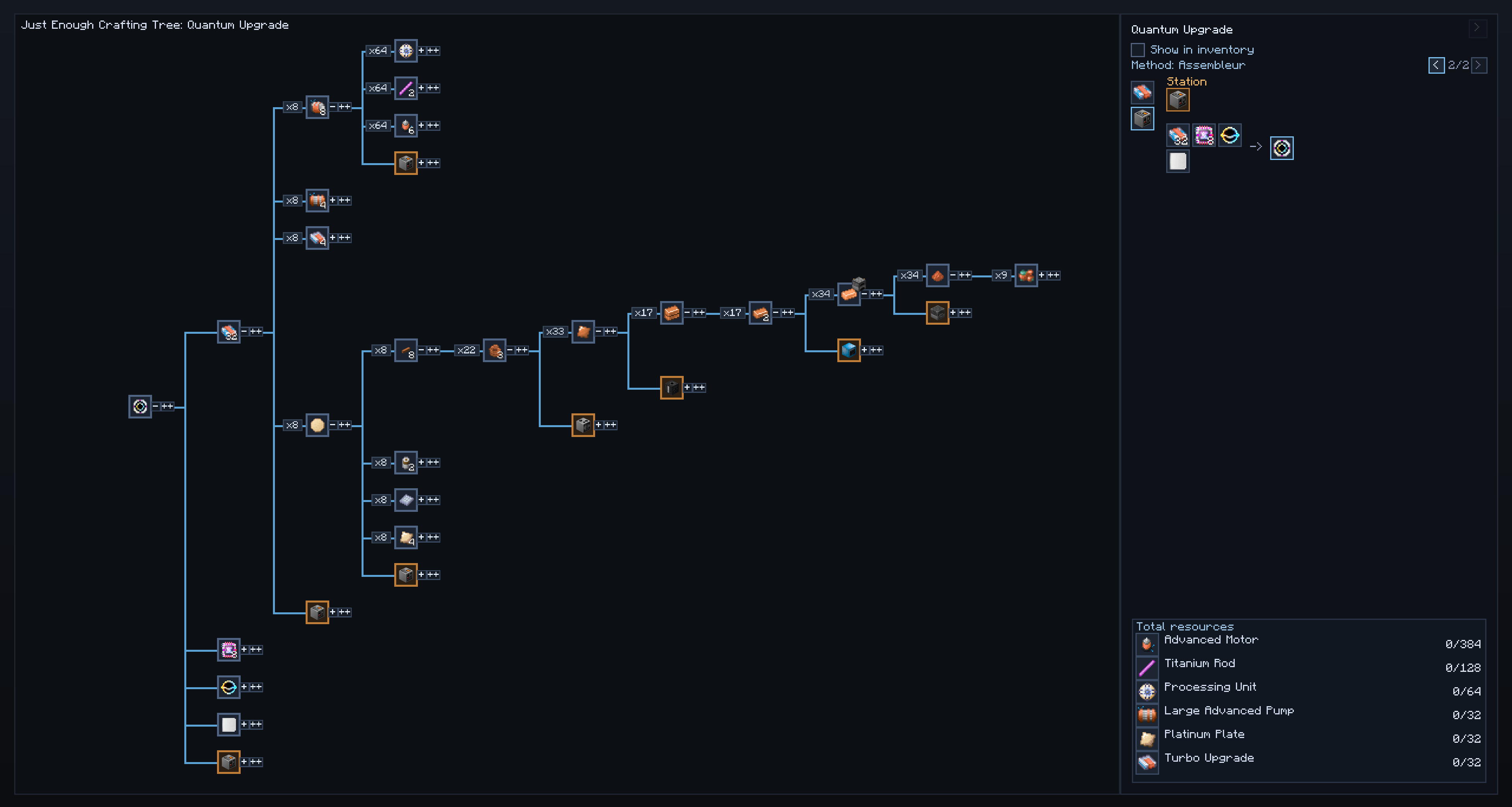
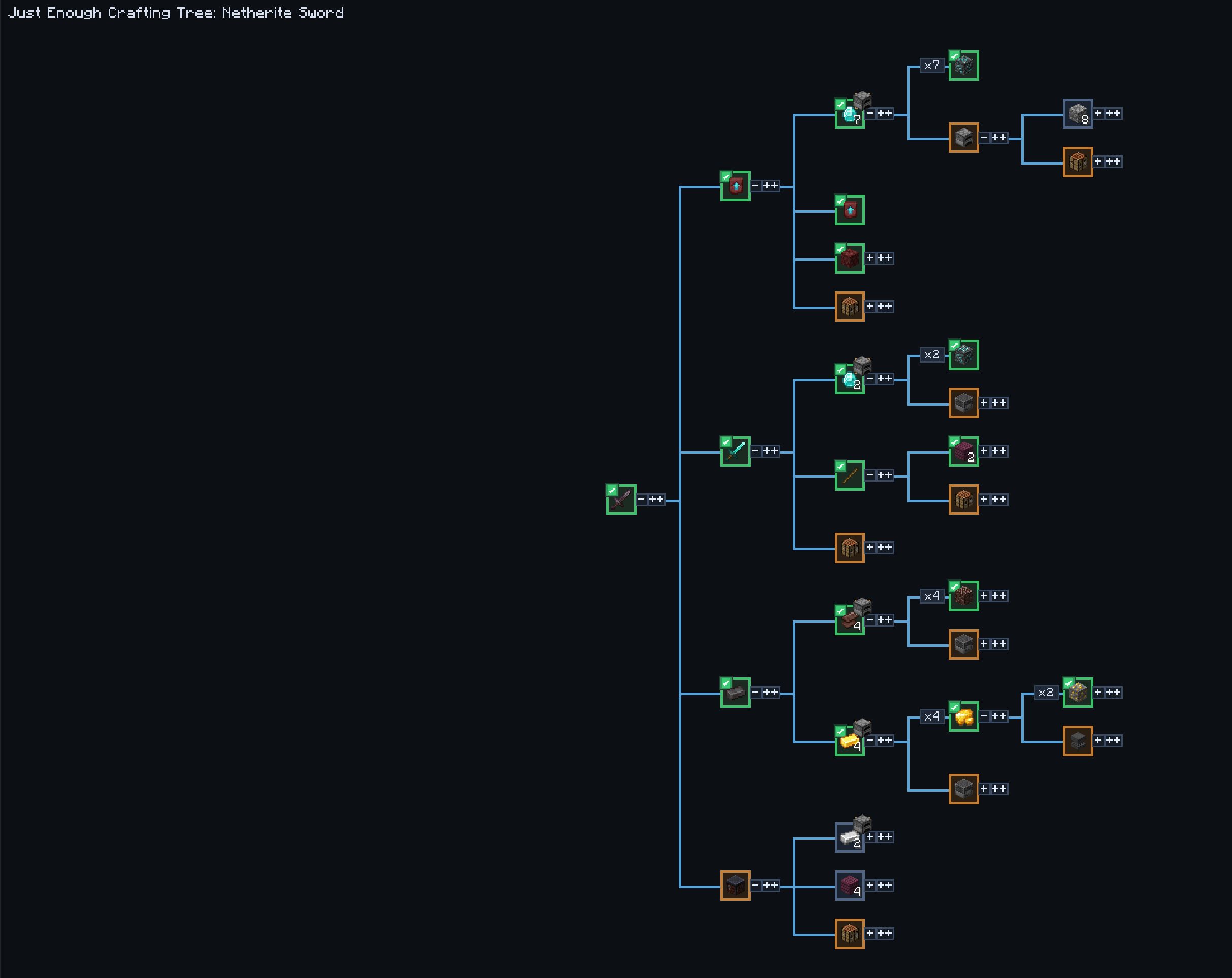
JECT adds a customizable crafting tree that shows all required recipes for any item from any mods.
About this Mod
Just Enough Crafting Tree
v2.0.0 is the latest version and the best one so far.
Just Enough Crafting Tree lets you open the full crafting tree of any item, inspect every dependency, and track the useful steps directly from your inventory while crafting.
Features
- Open the full recursive crafting tree of any item
- See exact quantities for every dependency
- Support for machine recipes and modded crafting chains
- Expand branches step by step or much faster for huge crafts
- View total required resources for the selected craft
- Mark sub-steps as done
- Track any craft directly in the inventory
- Follow only the currently useful step instead of reading the whole tree
- Open multiple tracked crafts at the same time
- Minimize, move, reorder, and restore tracked craft windows
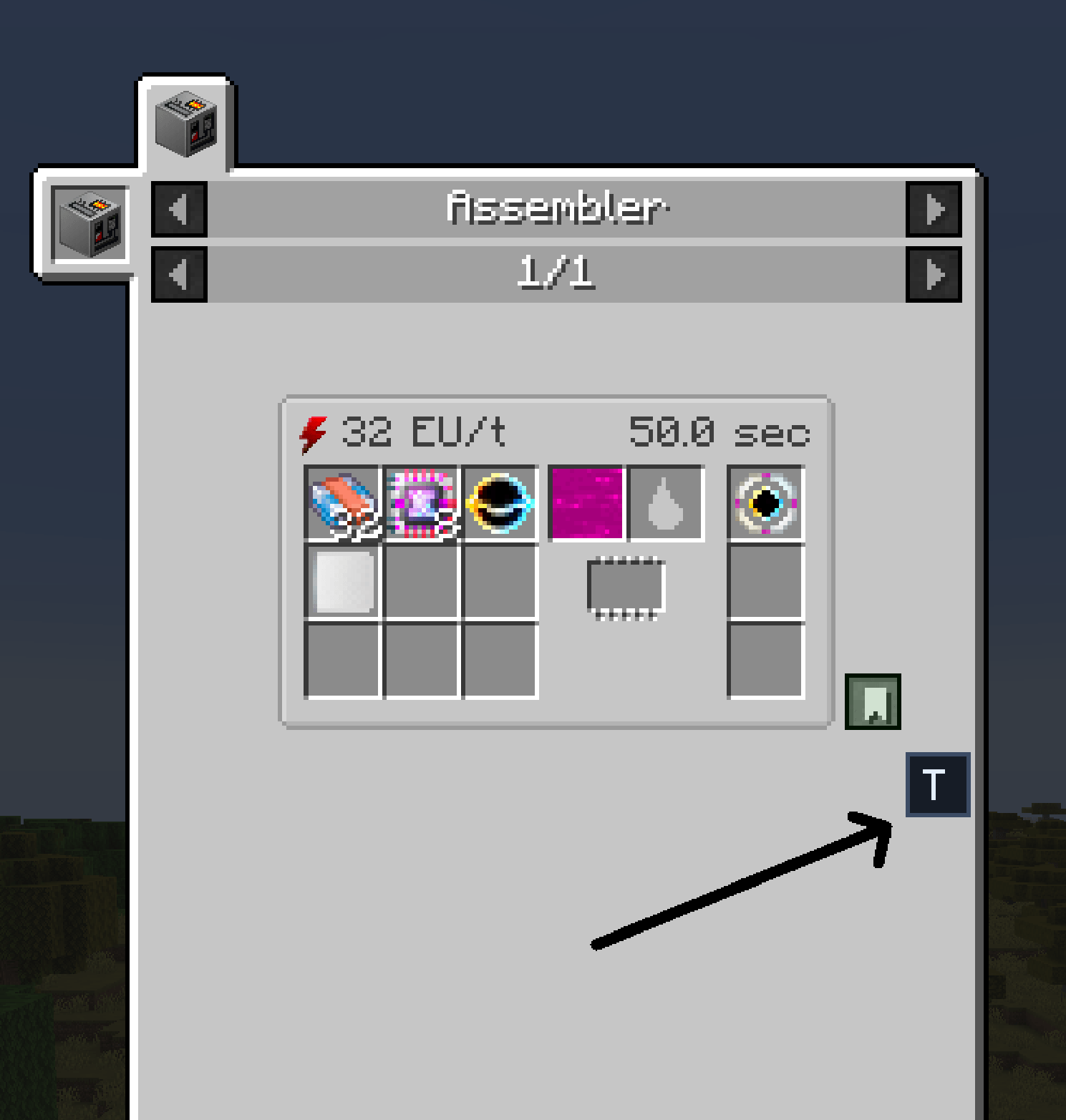
- Reopen the matching tree step from the inventory with the
Tbutton - Persistent inventory tracking windows between sessions
Inventory Tracking
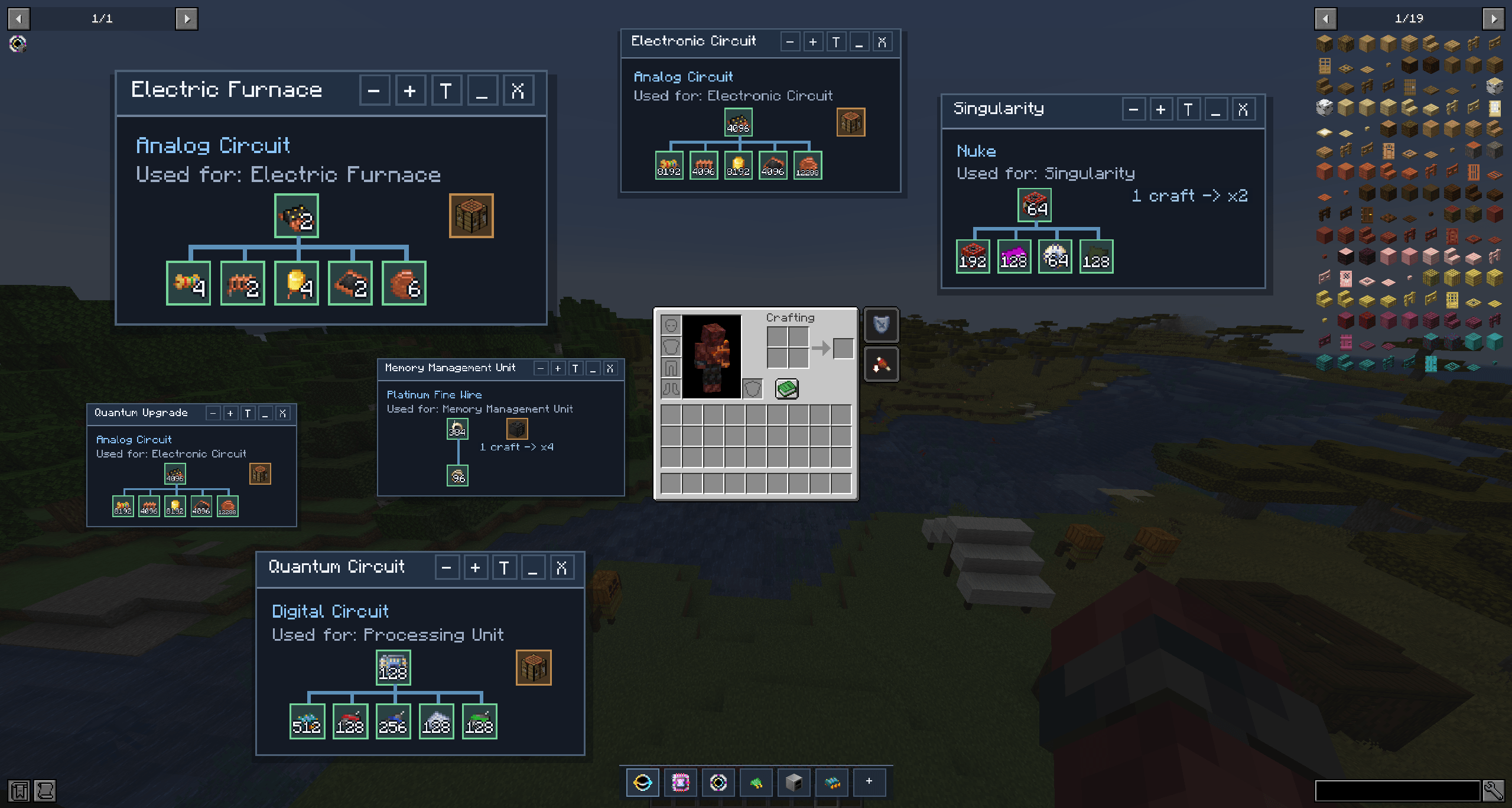
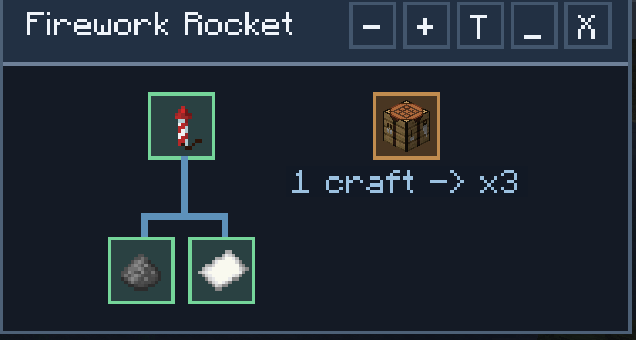
Tracked crafts appear as compact windows in the inventory so you can keep working without constantly reopening the full tree.
Each window shows:
- the current target step
- what it is used for
- the required machine
- the direct ingredients
- the output per craft when relevant
Recipe Screen Integration
From supported recipe screens, you can jump straight into the crafting tree for the displayed recipe.
Why Use It
This mod is made for players dealing with long crafting chains, large factories, heavy tech mods, or simply complex progression.
Instead of guessing what to do next, you always know:
- what is missing
- what is already done
- what machine is needed
- which step should be crafted right now
Available Versions
How to Install Just Enough Crafting Tree on Your Server
Order Server
Order a Minecraft Java server with at least 3 GB RAM (4 GB recommended).
Set fabric Loader
In the panel under "Egg", select the fabric loader and matching Minecraft version (1.21.1).
Install Mod
Open the mod browser in the dashboard and search for "Just Enough Crafting Tree". Click "Install" – done! Alternatively, upload the .jar via SFTP to the /mods folder.
Compatibility
Mod Loaders
Minecraft Versions
1.21.1
Server-side
✗ UnsupportedRecommended RAM
4 GB(min. 3 GB)Frequently Asked Questions
Just Enough Crafting Tree server crashes on startup – what to do?
Most common cause: wrong fabric version or insufficient RAM. Check the server log (latest.log) for "OutOfMemoryError" or "Mixin" errors. With Mado Hosting: ensure at least 3 GB RAM is allocated and the loader matches the mod version (1.21.1). You can switch loaders with one click in the panel.
Is Just Enough Crafting Tree compatible with fabric and forge and neoforge?
Just Enough Crafting Tree officially supports fabric, forge, neoforge for Minecraft 1.21.1. Note: Forge and Fabric mods are NOT cross-compatible – pick one loader and stick with it. The Mado dashboard automatically detects incompatible loader combinations.
Server lagging with Just Enough Crafting Tree – how to optimize performance?
Recommended RAM: 4 GB (per 8 players). Use /spark profiler to check if Just Enough Crafting Tree consumes the most tick time. Common fixes: reduce server view-distance to 8-10, install "performant" or "starlight" as supplementary mods on Forge. With Mado Hosting, your server runs on NVMe SSDs with dedicated CPU cores for minimal latency.
Rent Modded Server
Install Just Enough Crafting Tree with just one click on your server.