
JustLeveling Fork
Just Leveling adds a leveling system, skills and titles like in a RPG system.
Screenshots

About this Mod

Add aptitudes, skills, passives, item requirements, and player titles in a vanilla-friendly RPG progression system.
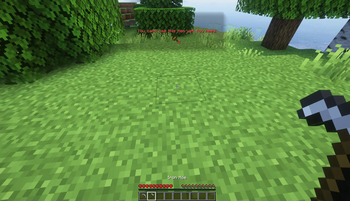
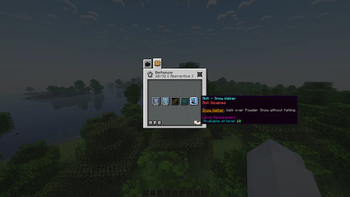
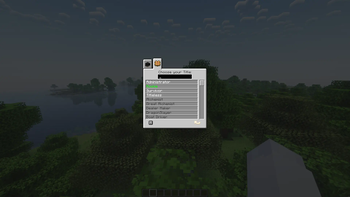
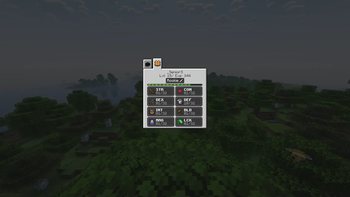
JustLeveling Fork lets players grow through eight aptitudes, invest in passive bonuses, toggle unique skills, unlock titles, and configure item/block/entity requirements for progression-focused modpacks. The main progression screen keeps aptitude levels, passives, skills, and titles in one place.
Features
- Eight aptitudes with configurable maximum levels.
- Passive bonuses for combat, movement, reach, mining, defense, magic, and luck.
- Toggleable skills for each aptitude, including utility and combat effects.
- Player titles that can be unlocked and displayed.
- Configurable item, block, and entity requirements.
- In-game configuration support.
- Built for client and server use.
- Current 1.21.1 builds support Fabric and NeoForge.
Optional Integrations
- Better Combat support.
- FTB Quests support.
- Questlog support.
- Modular Item API / Tetra-related item requirement support.
Dependencies
For Fabric 1.21.1, install Fabric API, Trinkets, YetAnotherConfigLib, and Cloth Config.
For NeoForge 1.21.1, install Architectury API. Optional integrations only need to be installed when you use those mods.
FAQ
How do I open the leveling screen?
Use the configured keybind in Minecraft's controls menu. The default key may vary between packs.
Do I need the original Just Leveling mod?
No. Use this fork by itself.
Can I use this in a modpack?
Yes.
How do I add or change item restrictions?
Edit the generated config files in .minecraft/config/JLFork/, especially justleveling-fork.lockItems.json5. The wiki has examples and accepted aptitude names.
A compatibility issue or restriction is missing. What should I do?
Open an issue with the item/block/entity ID and the mod it comes from so support can be added or documented.
Available Versions
How to Install JustLeveling Fork on Your Server
Order Server
Order a Minecraft Java server with at least 3 GB RAM (4 GB recommended).
Set fabric Loader
In the panel under "Egg", select the fabric loader and matching Minecraft version (1.21.1).
Install Mod
Open the mod browser in the dashboard and search for "JustLeveling Fork". Click "Install" – done! Alternatively, upload the .jar via SFTP to the /mods folder.
Compatibility
Mod Loaders
Minecraft Versions
1.21.1, 1.20.6, 1.20.5 (+5 more)
Server-side
✓ RequiredRecommended RAM
4 GB(min. 3 GB)Frequently Asked Questions
JustLeveling Fork server crashes on startup – what to do?
Most common cause: wrong fabric version or insufficient RAM. Check the server log (latest.log) for "OutOfMemoryError" or "Mixin" errors. With Mado Hosting: ensure at least 3 GB RAM is allocated and the loader matches the mod version (1.21.1). You can switch loaders with one click in the panel.
Is JustLeveling Fork compatible with fabric and forge and neoforge?
JustLeveling Fork officially supports fabric, forge, neoforge for Minecraft 1.21.1, 1.20.6, 1.20.5. Note: Forge and Fabric mods are NOT cross-compatible – pick one loader and stick with it. The Mado dashboard automatically detects incompatible loader combinations.
Server lagging with JustLeveling Fork – how to optimize performance?
Recommended RAM: 4 GB (per 8 players). Use /spark profiler to check if JustLeveling Fork consumes the most tick time. Common fixes: reduce server view-distance to 8-10, install "performant" or "starlight" as supplementary mods on Forge. With Mado Hosting, your server runs on NVMe SSDs with dedicated CPU cores for minimal latency.
Similar Mods




Rent Modded Server
Install JustLeveling Fork with just one click on your server.