
Kintsugi - Enchanting Reimagined
An overhaul to Minecraft's enchantment mechanics.
Screenshots
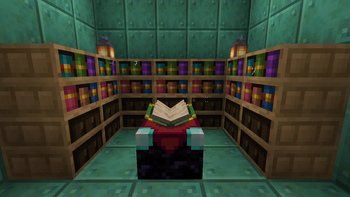
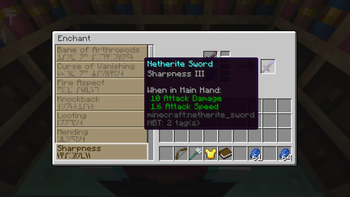
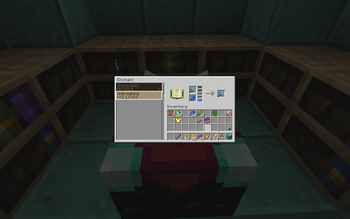
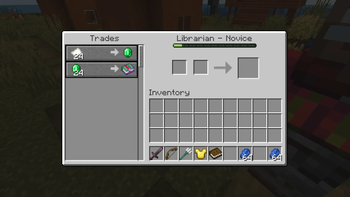
About this Mod
Kintsugi seamlessly replaces the way enchanting is done in Minecraft to make the enchanting table relevant again. Rather than relying on rolls of the dice, you can pick your enchantments.
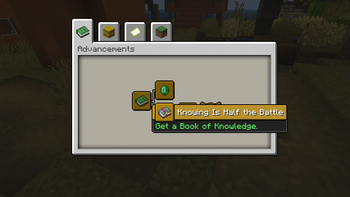
The caveat? You don't know very many to start with. Travel the world, acquire the lost books of knowledge and build your library of enchantments.
Summary
Kintsugi removes Minecraft's randomly assigned enchantment system. In its place, it introduces a brand new interface where you can pick and choose which enchantments you can place on an item.
At the start, you only have access to a small set of enchantments, but you'll be able to find special books in the world that grant knowledge for more. If you assemble these into a library around your enchanting table, you'll be able to apply more enchantments, and at higher levels.
These Books of Knowledge can be found in all sorts of places in the world. Some can be found in chests, some may be uncovered through fishing up treasures and the rest can be traded from different villagers.
Villagers no longer supply Enchanted Books, so there's no need to apply unethical tactics to get the enchantments you want.
Go into the world. Uncover treasures and seek lost knowledge.
Available Versions
How to Install Kintsugi - Enchanting Reimagined on Your Server
Order Server
Order a Minecraft Java server with at least 3 GB RAM (4 GB recommended).
Set forge Loader
In the panel under "Egg", select the forge loader and matching Minecraft version (1.20.1).
Install Mod
Open the mod browser in the dashboard and search for "Kintsugi - Enchanting Reimagined". Click "Install" – done! Alternatively, upload the .jar via SFTP to the /mods folder.
Compatibility
Mod Loaders
Minecraft Versions
1.20.1
Server-side
✓ RequiredRecommended RAM
4 GB(min. 3 GB)Frequently Asked Questions
Kintsugi - Enchanting Reimagined server crashes on startup – what to do?
Most common cause: wrong forge version or insufficient RAM. Check the server log (latest.log) for "OutOfMemoryError" or "Mixin" errors. With Mado Hosting: ensure at least 3 GB RAM is allocated and the loader matches the mod version (1.20.1). You can switch loaders with one click in the panel.
Is Kintsugi - Enchanting Reimagined compatible with forge?
Kintsugi - Enchanting Reimagined officially supports forge for Minecraft 1.20.1. The Mado dashboard automatically detects incompatible loader combinations.
Server lagging with Kintsugi - Enchanting Reimagined – how to optimize performance?
Recommended RAM: 4 GB (per 8 players). Use /spark profiler to check if Kintsugi - Enchanting Reimagined consumes the most tick time. Common fixes: reduce server view-distance to 8-10, install "performant" or "starlight" as supplementary mods on Forge. With Mado Hosting, your server runs on NVMe SSDs with dedicated CPU cores for minimal latency.
Similar Mods




Rent Modded Server
Install Kintsugi - Enchanting Reimagined with just one click on your server.