
KubePackages
Package manager for KubeJS
Screenshots
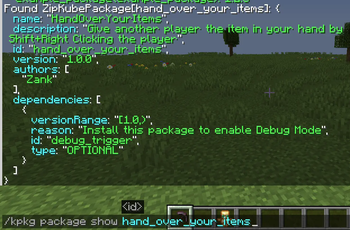

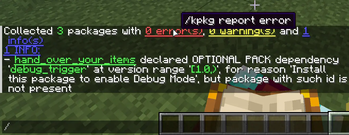
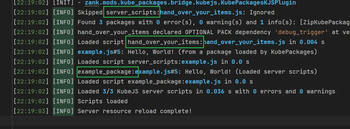
About this Mod
KubePackages
Package manager for KubeJS.
KubePackages introduces the concept of "package" for KubeJS, redefining how scripts are distributed. It allows scripts
to
be encapsulated like modules, loaded like resource packs, and distributed like mods.
This page provides a brief introduction to the core feature of KubePackages: the KubePackage. For more detailed
explanations and tutorials, please refer to:
WIKI
KubePackage (Yes, without the 's')
To support package management, distribution, and dependency management, KubePackages introduces "KubePackage" as the
carrier for the "package" concept. It provides a complete loading framework, enabling developers to build, integrate,
and publish KubeJS functionalities in a modular way. This resolves the issue of flattened script
loading, namespace pollution, and tight coupling between scripts.
Did you know that: Rhino's handling of variable scopes has always been quite peculiar. Combined with KubeJS's
flattened script loading, declaring variables with same name can easily lead to hard-to-find bugs.
KubePackage is not just a container for script files, but can also provide assets and data resources. Combined with
metadata with dependency info, KubePackage goes a step further than resource packs and data packs.
With KubePackage, developers can do more than just writing scripts and inadvertently reinventing the wheel. Instead,
they
can leverage reusable modules to improve development QoL. You can:
- Write scripts like developing mods: KubePackage provides independent dependency management and script scope.
- Load functionalities like installing mods: Using the JS binding named
KubePackages, you can easily check if
specific packages exist, integrate packages developed by others, communicate data between packages, and
quickly build complex projects. - Share your work like publishing mods: Export packages effortlessly as
.jarfiles,.zipfiles, or directories,
and
publish them directly as mods on CurseForge or Modrinth.
KubePackages aims to become the standard package management system for the KubeJS ecosystem and provide a unified standard for the entire community.
Available Versions
How to Install KubePackages on Your Server
Order Server
Order a Minecraft Java server with at least 3 GB RAM (4 GB recommended).
Set forge Loader
In the panel under "Egg", select the forge loader and matching Minecraft version (1.20.6).
Install Mod
Open the mod browser in the dashboard and search for "KubePackages". Click "Install" – done! Alternatively, upload the .jar via SFTP to the /mods folder.
Compatibility
Mod Loaders
Minecraft Versions
1.20.6, 1.20.5, 1.20.4 (+3 more)
Server-side
✓ RequiredRecommended RAM
4 GB(min. 3 GB)Frequently Asked Questions
KubePackages server crashes on startup – what to do?
Most common cause: wrong forge version or insufficient RAM. Check the server log (latest.log) for "OutOfMemoryError" or "Mixin" errors. With Mado Hosting: ensure at least 3 GB RAM is allocated and the loader matches the mod version (1.20.6). You can switch loaders with one click in the panel.
Is KubePackages compatible with forge?
KubePackages officially supports forge for Minecraft 1.20.6, 1.20.5, 1.20.4. The Mado dashboard automatically detects incompatible loader combinations.
Server lagging with KubePackages – how to optimize performance?
Recommended RAM: 4 GB (per 8 players). Use /spark profiler to check if KubePackages consumes the most tick time. Common fixes: reduce server view-distance to 8-10, install "performant" or "starlight" as supplementary mods on Forge. With Mado Hosting, your server runs on NVMe SSDs with dedicated CPU cores for minimal latency.
Similar Mods



Rent Modded Server
Install KubePackages with just one click on your server.