
Lapis Potion
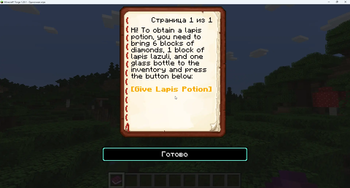
This Mod is adding lapis potion when you drink it you give full netherite set Need 6 diamond blocks 1 lapis block and 1 glass bottle in inventory then open the book and click on a yellow word.
Screenshots
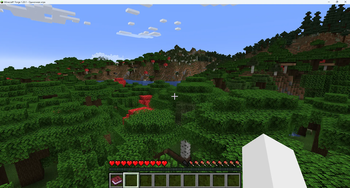
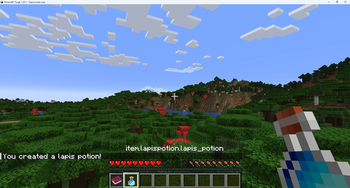
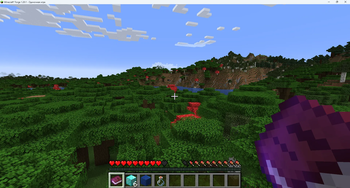
About this Mod
💎 What is Lapis Potion?
Lapis Potion is a small, balanced mod that adds a powerful endgame consumable to Minecraft.
When you drink the Lapis Potion, you instantly receive:
Full set of Netherite armor (helmet, chestplate, leggings, boots)
Netherite sword, pickaxe, axe, and shovel
All items come with enchants (Protection IV, Unbreaking III, Sharpness V, Efficiency V, and more)
Powerful status effects: Strength II, Resistance II, Fire Resistance, Night Vision, and Luck III
🧪 How to obtain it?
To craft the Lapis Potion, you need:
6 Diamond Blocks
1 Lapis Lazuli Block
1 Glass Bottle
Once you have all the ingredients in your inventory, open the book named "Lapis Potion" (given to you on your first join) and click on the golden text to claim your potion.
⚖️ Balance
The potion is designed to be powerful but fair:
6 Diamond Blocks = 54 diamonds — requires serious mining and exploration
Lapis Block — not always easy to find
The items and effects are temporary or require maintenance (armor durability, tool repairs)
The potion is single-use, so you'll need to gather resources again for another one
🖥️ Side Requirements
This mod is universal — it must be installed on both the client and the server to work properly, because it adds a new custom item.
📦 Download & Install
Download the .jar file
Place it in your mods folder (both client and server)
Launch the game with Forge 1.20.1
Enjoy!
Available Versions
How to Install Lapis Potion on Your Server
Order Server
Order a Minecraft Java server with at least 3 GB RAM (4 GB recommended).
Set forge Loader
In the panel under "Egg", select the forge loader and matching Minecraft version (1.20.2).
Install Mod
Open the mod browser in the dashboard and search for "Lapis Potion". Click "Install" – done! Alternatively, upload the .jar via SFTP to the /mods folder.
Compatibility
Mod Loaders
Minecraft Versions
1.20.2, 1.20.1
Server-side
✓ RequiredRecommended RAM
4 GB(min. 3 GB)Frequently Asked Questions
Lapis Potion server crashes on startup – what to do?
Most common cause: wrong forge version or insufficient RAM. Check the server log (latest.log) for "OutOfMemoryError" or "Mixin" errors. With Mado Hosting: ensure at least 3 GB RAM is allocated and the loader matches the mod version (1.20.2). You can switch loaders with one click in the panel.
Is Lapis Potion compatible with forge?
Lapis Potion officially supports forge for Minecraft 1.20.2, 1.20.1. The Mado dashboard automatically detects incompatible loader combinations.
Server lagging with Lapis Potion – how to optimize performance?
Recommended RAM: 4 GB (per 8 players). Use /spark profiler to check if Lapis Potion consumes the most tick time. Common fixes: reduce server view-distance to 8-10, install "performant" or "starlight" as supplementary mods on Forge. With Mado Hosting, your server runs on NVMe SSDs with dedicated CPU cores for minimal latency.
Similar Mods



![CobbleDollars [Cobblemon Addon]](https://cdn.modrinth.com/data/s7N7AsqL/684040a264fc1d7f9b856ec5d2da39767398c7ad.png)

Rent Modded Server
Install Lapis Potion with just one click on your server.