
laser gun
a laser gun useful for underwater fights
Screenshots
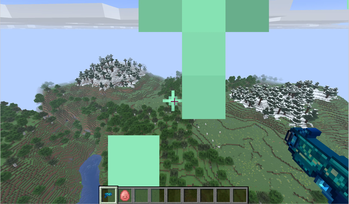
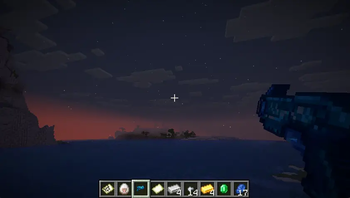
About this Mod
Laser Gun
Laser Gun is a Fabric mod for Minecraft 1.21.11 that adds a new guardian-themed ranged weapon: the Laser Gun.
The Laser Gun is designed for players who want a compact, vanilla-friendly weapon addition with a strong ocean-combat identity. It gives players a new way to fight underwater, explore ocean monuments, and enjoy a simple laser weapon in survival gameplay.
What does this mod add?
This mod adds one main item:
- Laser Gun
A new ranged weapon that fires custom laser projectiles. It is designed to be especially useful in underwater combat, making it a natural fit for ocean exploration, ocean monument raids, and battles against aquatic mobs.
Key features
- Adds a new Laser Gun item
- Fires custom laser projectiles
- Uses a hold-to-fire mechanic: hold right-click for 1 second to fire
- Each laser projectile deals 10 damage
- Designed to feel especially useful underwater
- Fits ocean exploration and monument combat
- Keeps the gameplay compact and vanilla-friendly
- Works well for survival players who want a small but meaningful weapon addition
Why download this mod?
In vanilla Minecraft, underwater combat can feel slow and limited. The Laser Gun gives players a new ranged combat option that feels more exciting in aquatic environments.
It is useful for players who enjoy:
- Exploring oceans
- Raiding ocean monuments
- Fighting Guardians and Elder Guardians
- Using a simple ocean-themed weapon in survival gameplay
- Adding a focused new weapon without changing the whole game
Gameplay style
Laser Gun is designed as a lightweight, focused mod. It does not add a large progression system, new dimensions, or complicated mechanics. Instead, it adds one clear feature: a guardian-inspired laser weapon for underwater adventure and combat.
The goal is to make ocean gameplay more fun while still keeping the mod easy to understand and close to Minecraft’s vanilla style.
Compatibility
- Minecraft version: 1.21.11
- Mod loader: Fabric
- Environment: Client and server
- Multiplayer: Supported when installed on both client and server
Available Versions
How to Install laser gun on Your Server
Order Server
Order a Minecraft Java server with at least 3 GB RAM (4 GB recommended).
Set fabric Loader
In the panel under "Egg", select the fabric loader and matching Minecraft version (1.21.11).
Install Mod
Open the mod browser in the dashboard and search for "laser gun". Click "Install" – done! Alternatively, upload the .jar via SFTP to the /mods folder.
Compatibility
Mod Loaders
Minecraft Versions
1.21.11
Server-side
✓ RequiredRecommended RAM
4 GB(min. 3 GB)Frequently Asked Questions
laser gun server crashes on startup – what to do?
Most common cause: wrong fabric version or insufficient RAM. Check the server log (latest.log) for "OutOfMemoryError" or "Mixin" errors. With Mado Hosting: ensure at least 3 GB RAM is allocated and the loader matches the mod version (1.21.11). You can switch loaders with one click in the panel.
Is laser gun compatible with fabric?
laser gun officially supports fabric for Minecraft 1.21.11. The Mado dashboard automatically detects incompatible loader combinations.
Server lagging with laser gun – how to optimize performance?
Recommended RAM: 4 GB (per 8 players). Use /spark profiler to check if laser gun consumes the most tick time. Common fixes: reduce server view-distance to 8-10, install "performant" or "starlight" as supplementary mods on Forge. With Mado Hosting, your server runs on NVMe SSDs with dedicated CPU cores for minimal latency.
Similar Mods




Rent Modded Server
Install laser gun with just one click on your server.