
Late Game Plus (Netherite)
A vanilla-friendly late-game expansion giving Netherite new purposes and upgrades.
Screenshots
About this Mod
LateGame+
If you enjoy LateGame+ and want to support its development, feedback and ideas are always welcome.
💡 Have suggestions, balance ideas, or found a bug?
Open an issue on GitHub and let’s improve the mod together.☕ Want to support the project directly?
You can donate on Ko-fi to help keep LateGame+ evolving.


1.4 — Full Release
Version 1.4 is now a stable release.
This update expands Nether progression through lava fishing, new lava-based content, and multiple system improvements introduced during the beta phase.
Lava Fishing
Lava fishing is now fully integrated using the Netherite Fishing Rod.
Loot depends on where and how you fish:
Junk Loot (Overworld lava)
- Charcoal
- Gravel
- Fire Charge
- Obsidian
Nether Junk Loot (no treasure conditions in the Nether)
- Nether Brick
- Magma Block
- Magma Cream
- Glowstone Dust
- Basalt
- Crying Obsidian
- Pompeii Worm
- Blind Shrimp
- (Junk Loot)
Treasure tier (natural Nether lava oceans with proper conditions)
- Iron Ingots
- Gold Ingots
- Fire/combat Enchanted Books
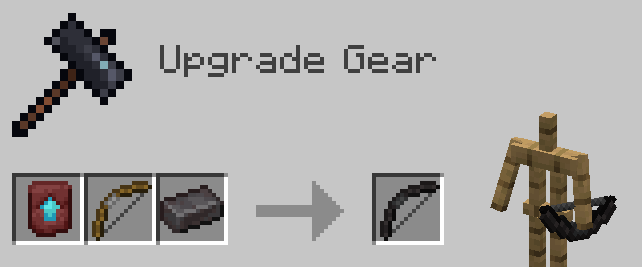
- Netherite Upgrade Template
- Netherite Nuggets
- (Nether Junk Loot)
New Lava Creatures
- Pompeii Worm (Volcanic Infusion Effect (Mobility))
- Blind Shrimp (Lava Vision Effect)
New Effects & Enchantments
Lava Vision (Effect)
- Clear vision inside lava
- Expiry warning pulse during last 10 seconds
Volcanic Infusion (Effect)
- Better movement in lava
Volcanic Walker (Enchantment)
- Lava equivalent of Frost Walker
- Can only be obtained through lava fishing
Fusion Forge Updates
- Fuel system reworked
- Stores up to 20,000 fuel units
- Fuel accumulates instead of being consumed sequentially
- Animated fuel display
- Tooltip shows current/max fuel
- Lava buckets return empty buckets correctly
- Hopper-compatible bucket extraction
- Large-value fuel sync fixed
Debris Resonator Improvements
- Runtime state moved to lore
- Clear distance tiers
- Improved particles and sounds
- Recharge economy adjusted
- Toggle rules refined
All systems introduced in 1.4 beta have been stabilized.
⭐ New in v1.3: Fusion Forge
Fusion Forge
An advanced metal fusion workstation designed for late-game efficiency and consistency.
The Fusion Forge processes two material inputs + fuel, allowing metals to be fused for higher and more reliable yields than traditional smelting or Fortune-based mining.
Its true potential is unlocked by installing a Nether Star catalyst (permanent, non-consumable), which doubles all outputs and pushes resource efficiency beyond Fortune III averages — without relying on RNG.

Core Mechanics
- Requires 2 input slots + fuel to operate.
- Optional Nether Star catalyst:
- Not consumed.
- Doubles all recipe outputs.
- Designed to outperform Fortune III averages, not theoretical maximums.
- Focused on late-game optimization, not early progression skips.
Example Fusion Recipes
| Recipe Type | Inputs | Base Output | With Nether Star |
|---|---|---|---|
| Ore Fusion | Silk-touched ore + Copper Ingot | ~Fortune II average | x2 output |
| Netherite Fusion | Ancient Debris Scrap + Gold Ingot | 3 Netherite Nuggets | 6 Nuggets |
| Alloy Fusion | Raw Iron + Coal | 3 Iron Ingots | 6 Iron Ingots |
Outputs are balanced per material based on vanilla Fortune drop tables.

Data-Driven Recipes (Advanced)
Fusion Forge recipes are fully data-driven and not hardcoded.
Custom recipes can be defined via JSON using the lategameplus:fusion_forge recipe type:
{
  "type": "lategameplus:fusion_forge",
  "input_a": "minecraft:raw_iron",
  "input_b": "#minecraft:coals",
  "result": {
    "id": "minecraft:iron_ingot",
    "count": 3
  },
  "experience": 0.5,
  "cook_time": 200,
  "fuel_cost": 100
}
input_aandinput_bare order-independent.- Fully compatible with datapacks for custom balancing or mod integration.
- Designed for extensibility by advanced users and modpack creators.
Have ideas or balance suggestions? Open an issue — feedback is welcome.
Feature Showcase
Exploration & Utility
Debris Resonator
Track naturally generated Ancient Debris in the Nether with a rechargeable locator.
Key mechanics:
- Each ancient debris has a 50% chance to be trackable; player-placed debris is never tracked.
- Tiered scan rings with visual and audio feedback.


Lodestone Warp Compass
Instantly warp back to your lodestone-bound location.
- Configurable cooldown.
- Optional cross-dimension travel.


Consumables & Progression Items
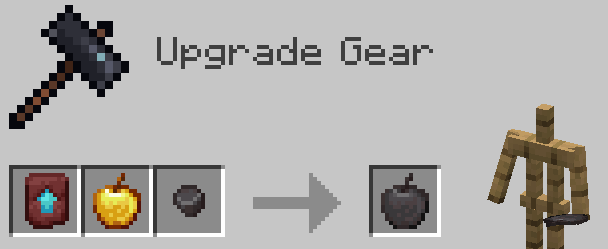
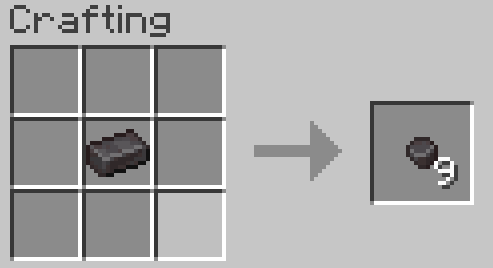
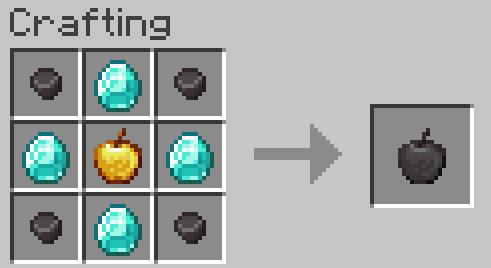
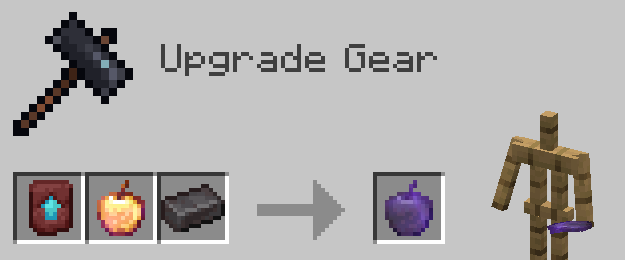
Netherite Apple & Enchanted Netherite Apple
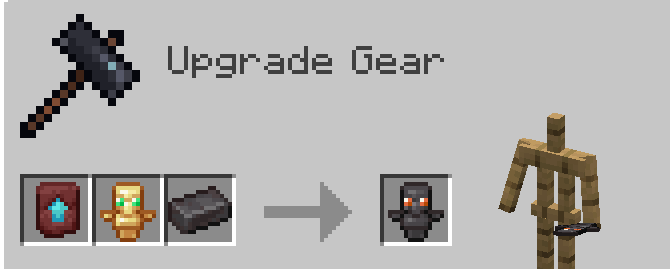
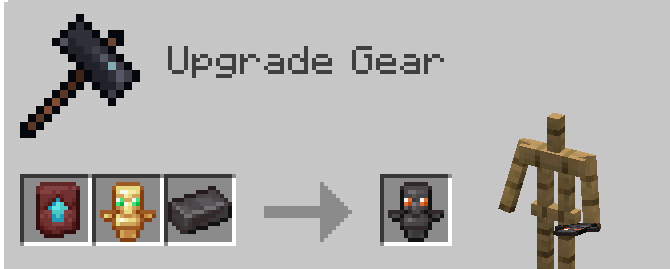
Totem of Netherdying
- Multiple uses (configurable).
- Tougher vanilla behavior.
Weapons & Combat Gear
Netherite Bow
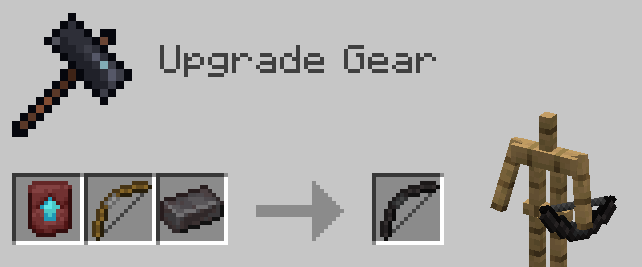
Netherite Crossbow
- Configurable damage multiplier.
- Increased durability.

Mobility & Equipment
Netherite Elytra
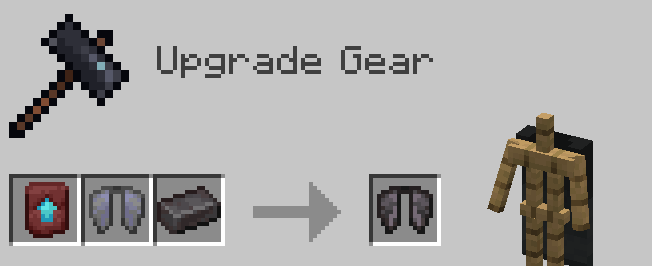
Netherite Happy Ghast Harness
Fireproof, netherite-grade harness with optional chest storage.

Companion Equipment
Netherite Wolf Armor
Fireproof armor upgrade for tamed wolves.

Workstations & Materials
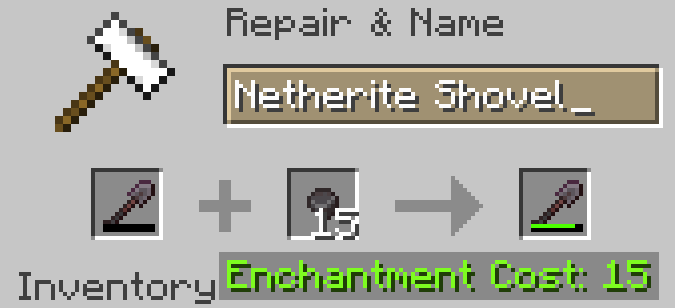
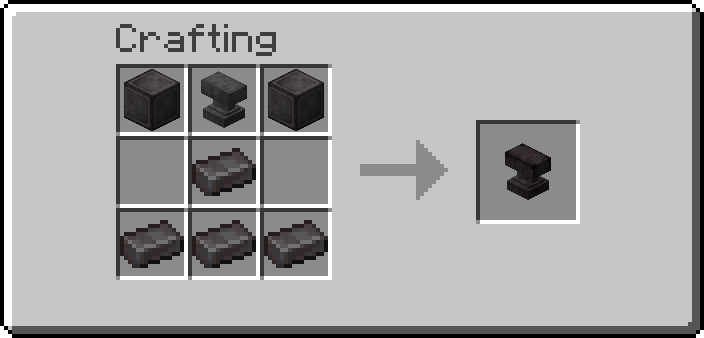
Netherite Anvil
- Unbreakable.
- Removes Too Expensive limit.
- Configurable XP cap.
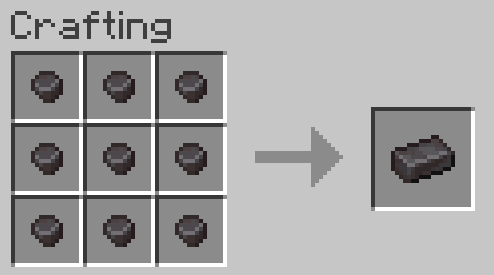
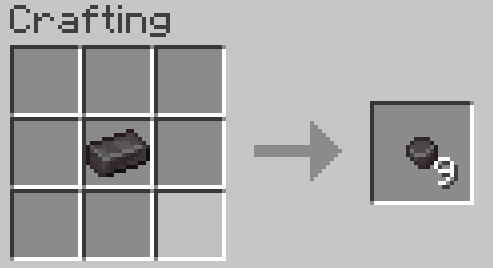
Netherite Nuggets
- Break and recombine ingots.
- Repair Netherite gear.
⚙️ Configuration
- Elytra protection level
- Totem of Netherdying uses
- Lodestone cooldown & dimension rules
- Piglin Brute nugget drops
- Netherite Anvil XP cap
- Crossbow damage multiplier
🛠 Compatibility
- Mod Menu support
- YACL in-game configuration
- Standalone JSON configs supported
📥 Installation
- Install Fabric
- Drop the
.jarinto yourmodsfolder - (Optional) Add Mod Menu + YACL
LateGame+ gives you real reasons to keep playing once you’re fully geared.
Available Versions
How to Install Late Game Plus (Netherite) on Your Server
Order Server
Order a Minecraft Java server with at least 3 GB RAM (4 GB recommended).
Set fabric Loader
In the panel under "Egg", select the fabric loader and matching Minecraft version (1.21.11).
Install Mod
Open the mod browser in the dashboard and search for "Late Game Plus (Netherite)". Click "Install" – done! Alternatively, upload the .jar via SFTP to the /mods folder.
Compatibility
Mod Loaders
Minecraft Versions
1.21.11, 1.21.10, 1.21.9 (+5 more)
Server-side
✓ RequiredRecommended RAM
4 GB(min. 3 GB)Frequently Asked Questions
Late Game Plus (Netherite) server crashes on startup – what to do?
Most common cause: wrong fabric version or insufficient RAM. Check the server log (latest.log) for "OutOfMemoryError" or "Mixin" errors. With Mado Hosting: ensure at least 3 GB RAM is allocated and the loader matches the mod version (1.21.11). You can switch loaders with one click in the panel.
Is Late Game Plus (Netherite) compatible with fabric and quilt?
Late Game Plus (Netherite) officially supports fabric, quilt for Minecraft 1.21.11, 1.21.10, 1.21.9. The Mado dashboard automatically detects incompatible loader combinations.
Server lagging with Late Game Plus (Netherite) – how to optimize performance?
Recommended RAM: 4 GB (per 8 players). Use /spark profiler to check if Late Game Plus (Netherite) consumes the most tick time. Common fixes: reduce server view-distance to 8-10, install "performant" or "starlight" as supplementary mods on Forge. With Mado Hosting, your server runs on NVMe SSDs with dedicated CPU cores for minimal latency.
Similar Mods



![[TaCZ] Timeless and Classics Zero](https://cdn.modrinth.com/data/SzzJttH8/fd27766d2bb8390d284696b1dbd358f87e081439_96.webp)


Rent Modded Server
Install Late Game Plus (Netherite) with just one click on your server.