
Lazy Recipes Editor
Helps modpack and server makers to create, edit and disable crafting recipes in-game using a fancy custom GUI, without writing JSON files manually!
Screenshots
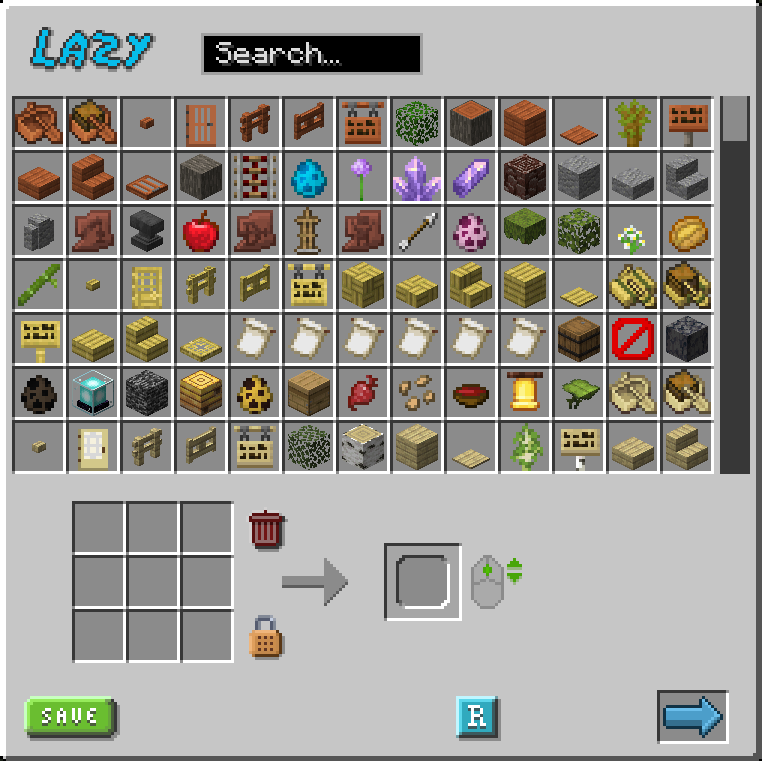
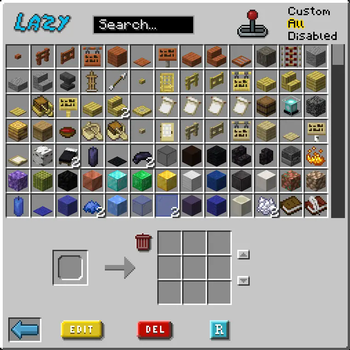
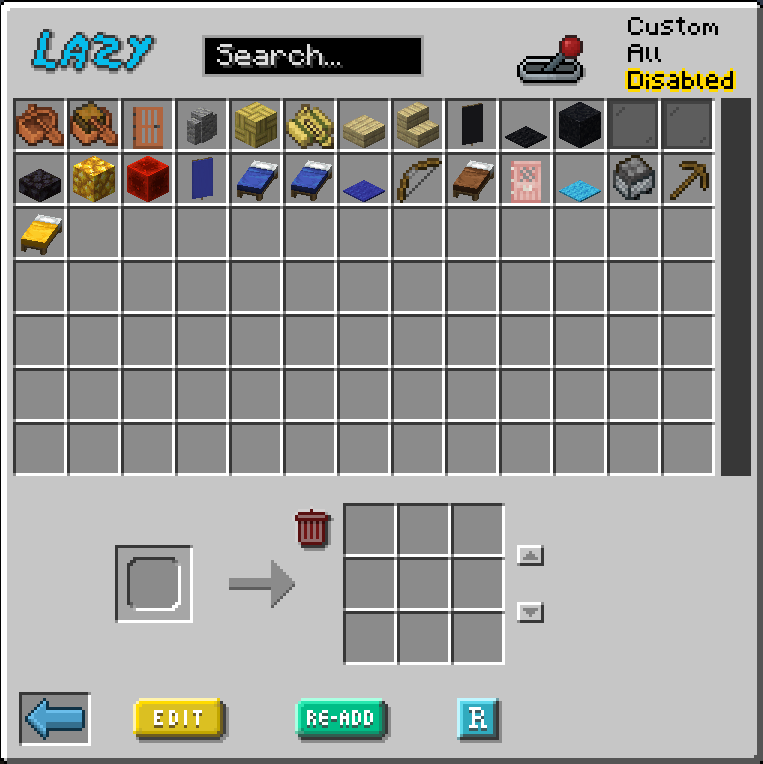
About this Mod
Lazy Recipes Editor
A mod that allows modpack and server makers to create, edit and disable crafting recipes in-game, without writing JSON files manually, using a fancy custom GUI. This mod uses the classical datapack tree structure to store recipes.
Join Us on Discord
Recipe Creation
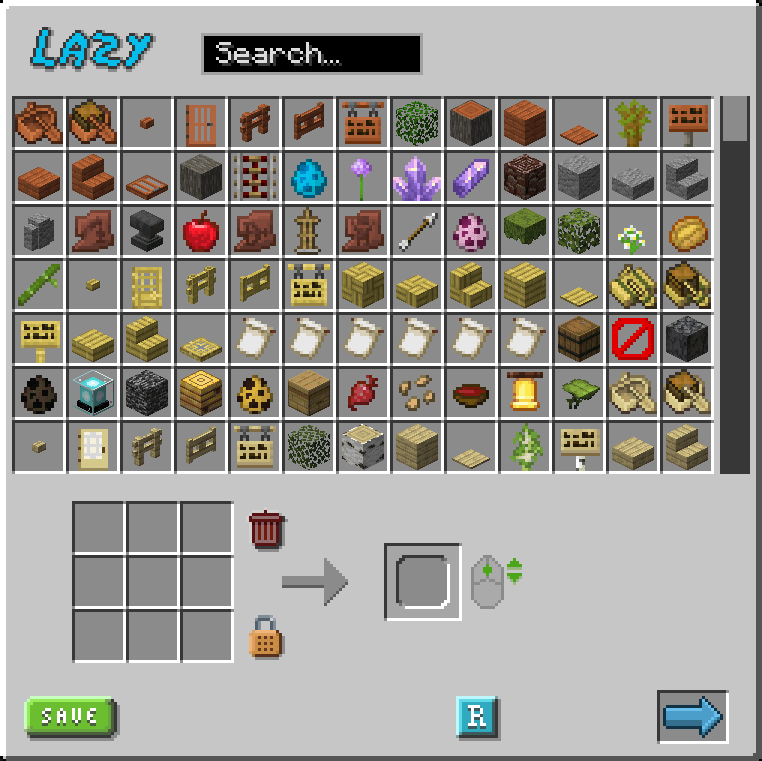
- Visual Crafting Grid: Drag and drop items to create recipes
- Item Search: Quick search through all available items and modids
- Recipes shape: Toggle between shaped and shapeless recipes
- Output Control: Set custom output amounts using mouse wheel
- Tag Support: Item tags supported as recipes ingredients! (shift + click on a crafting grid slot)
Recipe Management
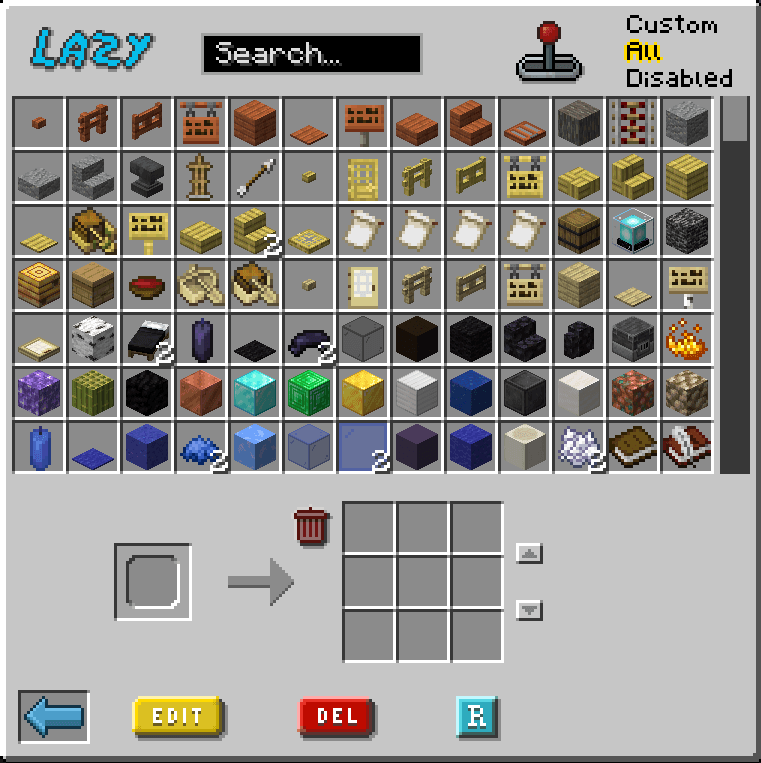
- Edit Recipes: Edit existing recipes both vanilla or custom
- Delete Recipes: Delete custom recipes or disable vanilla ones
- Readd Recipes: Readd deleted recipes
- Easy Reload: Reload datapacks pressing a button to see your changes applied (requires OP)
- Success Notifications: Visual feedback when action are actually applied
How to Use
- Press
Kin-game to open the recipe editor - Search for items or scroll through the list
- Drag items to the crafting grid
- Set output item and quantity (mouse wheel)
- Click the reload button to apply changes
Let Tooltips guide you through the interface
Please Note:
- Reloading is necessary for changes to take effect. Despite not necessary, it's reccomended to reload frequently. If you find yourself having issues, most of the time the solution is to press the reload button and reopen the GUI.
- Custom resource packs that heavily change GUIs could create minor graphic issues.
- Recipes are saved in the Datapack folder under
datapack/lazyrecipeseditor/ - Custom recipe saved will have
lazysuffix in their filename, to be handled properly
Available Versions
How to Install Lazy Recipes Editor on Your Server
Order Server
Order a Minecraft Java server with at least 3 GB RAM (4 GB recommended).
Set fabric Loader
In the panel under "Egg", select the fabric loader and matching Minecraft version (1.21).
Install Mod
Open the mod browser in the dashboard and search for "Lazy Recipes Editor". Click "Install" – done! Alternatively, upload the .jar via SFTP to the /mods folder.
Compatibility
Mod Loaders
Minecraft Versions
1.21, 1.20.1
Server-side
✓ RequiredRecommended RAM
4 GB(min. 3 GB)Frequently Asked Questions
Lazy Recipes Editor server crashes on startup – what to do?
Most common cause: wrong fabric version or insufficient RAM. Check the server log (latest.log) for "OutOfMemoryError" or "Mixin" errors. With Mado Hosting: ensure at least 3 GB RAM is allocated and the loader matches the mod version (1.21). You can switch loaders with one click in the panel.
Is Lazy Recipes Editor compatible with fabric?
Lazy Recipes Editor officially supports fabric for Minecraft 1.21, 1.20.1. The Mado dashboard automatically detects incompatible loader combinations.
Server lagging with Lazy Recipes Editor – how to optimize performance?
Recommended RAM: 4 GB (per 8 players). Use /spark profiler to check if Lazy Recipes Editor consumes the most tick time. Common fixes: reduce server view-distance to 8-10, install "performant" or "starlight" as supplementary mods on Forge. With Mado Hosting, your server runs on NVMe SSDs with dedicated CPU cores for minimal latency.
Similar Mods






Rent Modded Server
Install Lazy Recipes Editor with just one click on your server.