
Legendary Armory: The Zelda Mod
A Mashup of the Legend of Zelda Series and Minecraft!
Screenshots
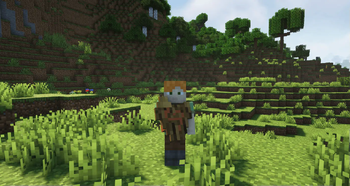
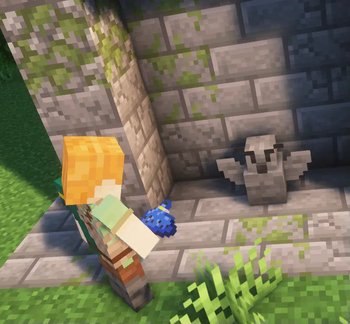
About this Mod
📗 About 📗
Legendary Armory is a mod all about integrating the Legend of Zelda series as seamlessly as possible into the base game experience. With a wide variety of items carefully integrated into the Minecraft experience. All with a focus on looking and feeling like they belong in the game. Inspired by Zelda Sword Skills of old, this mod aims to include the function of every Zelda item into the vanilla style of Minecraft. It's features are made to be fully functional, intuitive to the Vanilla experience, and most importantly fun to use.
Most of the items are not craftable, only a handful of things are able to be crafted. Instead you are meant to explore and obtain the items from structures already present in the game. There are multiple ways to achieve items, such as fishing, archeology, Villager trades, Piglin bartering, unique interactions with mobs, and structures! Most items have at least two ways of obtaining them so try your best. Most items are upgradable so, you will want to begin collecting Master Upgrade Templates! Upgrade Templates can be found from structures, archeology, and even fishing as they're vital to the mod's progression.
If you find yourself stuck, you will want to check in the advancements in game. There are over 40 designed to act as hints or push you towards achieving certain goals.
I've handcrafted everything in this mod myself to be something that ultimately I would want to play. From the over 318 hand made textures, ~30,000 lines of code, and all kinds of mental labor that's to say all of this goes together to create the ULTIMATE Zelda mod!
Compatible with Forge for 1.20.1 only!
🏹 Features ⚔️
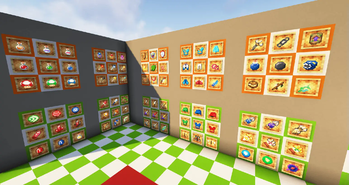
- 56 unique items fully functional
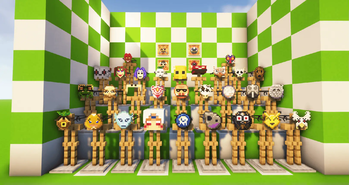
- Every Mask from Majora's Mask and Ocarina of Time with unique functions
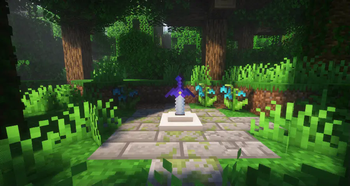
- An epic quest to find the Master Sword and upgrade it
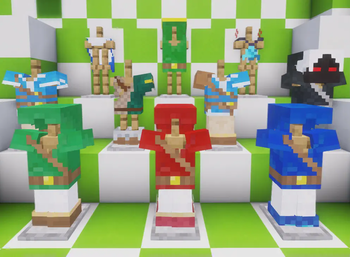
- Upgrade almost every item to enhance it as you play
- 40+ Advancements to guide you along the way
- 3 unique dungeons with a few secret structures
- Features complimentary to the vanilla experience and gameplay loop
- Plenty of secrets to uncover!
😳 Media 😳
Check out the official trailers for the mod!
If you're feeling stuck check out these guides!
❓ F.A.Q. ❓
"I'm stuck I don't know what to do!"
Spoiler
Try exploring all the structures in Minecraft. The Advancements also give some good pointers in where to find things.
""Where can I find Master Upgrade Templates?""
Spoiler
They can only be found via archaeology in Trail Ruins, Desert Wells, or via fishing as a treasure. You can also duplicate them once you've acquired one. Check the images on how to do that!
"How do I get the Master Sword from the pedestal?"
Spoiler
You need to right click it with a Courage, Power, and Wisdom pendant. After that you're free to take it and the pedestal.
"What do the flames do?"
Spoiler
They can upgrade the Golden Master Sword if you right click them. You may also want to try right clicking the corresponding Magic Rod.
"Why does secret stone take so long to break?"
Spoiler
It's made to be broken by bombs or hammers! Get one of these and it will make exploring a lot easier.
"Does every mask really have an ability?"
Spoiler
All of them except the Skull, Spooky, and Gerudo Mask but they at least sell for a good price. That's at least some kind of ability right?
"I have no clue what these items even do!"
Spoiler
If you hold SHIFT while highlighting an item there will usually be some flavor text to help you understand what it does or how to use it.
Special Thanks
A very special thanks to KaupenJoe and his amazing tutorials! Without him I definitely would not of been able to learn IntelliJ and how to code with Java. If you're interested in making any kind of mod at all, that's your guy to learn from.
A very special thanks to Superslegend as well. After trying and failing many many times over, I ended up lifting his hookshot code in order to get mine to work! He's a cool guy and I would recommend checking his mod out if you haven't tried or heard of it before.
Credits to on @totallyrealrei Twitter for creating the Clawshot models! They did a fantastic job.
Credits to Zelda Sword Skills for the Ocarina Songs and sounds! I am not musically inclined at all, so without them I wouldn't have been able to include the Ocarina at all!
Available Versions
How to Install Legendary Armory: The Zelda Mod on Your Server
Order Server
Order a Minecraft Java server with at least 3 GB RAM (4 GB recommended).
Set forge Loader
In the panel under "Egg", select the forge loader and matching Minecraft version (1.20.1).
Install Mod
Open the mod browser in the dashboard and search for "Legendary Armory: The Zelda Mod". Click "Install" – done! Alternatively, upload the .jar via SFTP to the /mods folder.
Compatibility
Mod Loaders
Minecraft Versions
1.20.1
Server-side
✓ RequiredRecommended RAM
4 GB(min. 3 GB)Frequently Asked Questions
Legendary Armory: The Zelda Mod server crashes on startup – what to do?
Most common cause: wrong forge version or insufficient RAM. Check the server log (latest.log) for "OutOfMemoryError" or "Mixin" errors. With Mado Hosting: ensure at least 3 GB RAM is allocated and the loader matches the mod version (1.20.1). You can switch loaders with one click in the panel.
Is Legendary Armory: The Zelda Mod compatible with forge?
Legendary Armory: The Zelda Mod officially supports forge for Minecraft 1.20.1. The Mado dashboard automatically detects incompatible loader combinations.
Server lagging with Legendary Armory: The Zelda Mod – how to optimize performance?
Recommended RAM: 4 GB (per 8 players). Use /spark profiler to check if Legendary Armory: The Zelda Mod consumes the most tick time. Common fixes: reduce server view-distance to 8-10, install "performant" or "starlight" as supplementary mods on Forge. With Mado Hosting, your server runs on NVMe SSDs with dedicated CPU cores for minimal latency.
Similar Mods




Rent Modded Server
Install Legendary Armory: The Zelda Mod with just one click on your server.