
LEMClientHelper
LCH is a Fabric mod that enhances the experience on Legacy Edition Minigames servers
Screenshots
About this Mod
LEM Client Helper
Currently supports Minecraft 1.20.4.
LCH is a Fabric mod that enhances the experience on Legacy Edition Minigames servers, by default it does not affect Singleplayer or non-LEM servers.
This mod adds the following features and options customizable through Mod Menu:
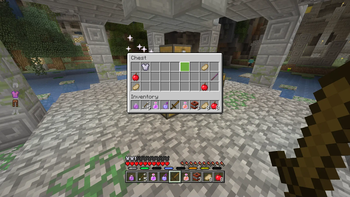
Take Everything
Take Everything allows you to take all items out of a chest with one button.
The default keybind is Spacebar, you can change it in Minecraft's Control settings
Resource Preloader
Resource Preloading allows you to download the resource packs in advance to allow for faster loading times in LEM servers.
Preloading is only accessable via the mod's config page, resources will not be preloaded automatically.
Preloading will automatically continue in the background if you would like to close the config menu and play.
The limit for how many packs can be cached is expanded to support the large amount of resource packs LEM utilizes(20 -> 30).
Options
Completed Notification: A notification will be displayed in-game once a pack has been preloaded.
Delete Packs: Deletes the resource pack cache.
Preview Pack List: Displays a list of all the packs that will be downloaded.
Start Download: Starts downloading the packs to preload them.
Local Server Config
This allows you to set some LEM server options on the client, ignoring what you have it set to on the server.
Setting these options to 0 will make them use the options you set on the server.
This is useful if you play on multiple devices, with different display sizes
Options
GUI Scale: Changes the GUI Scale the server expects for some UI elements, notably chest refill icon.
Panorama Scale: Changes the GUI Scale the server will use for the panorama renderer.
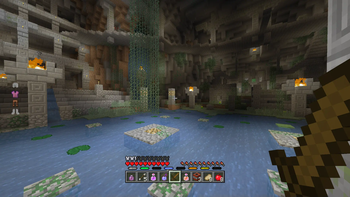
Armor HUD
LCH provides a more accurate Armor Bar than what is displayed without the mod.
Options
Enabled Armor HUD: The Armor Bar will be displayed if this is enabled.
Always Show Armor HUD: The Armor Bar will be visible outside of LEM servers when enabled.
Armor HUD Scale Modifier: Changes how large the Armor Bar will be, accepts values between
1.00-4.00.Armor HUD X Offset: Changes the distance of the Armor Bar from the edge of the screen.
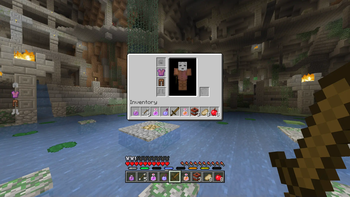
Small Inv
LCH provides a more accurate Small Inventory UI than what is displayed without the mod.
Options
- Enabled: The accurate Small Inventory will be used if this is enabled. If it is disabled it will use the vanilla UI.
Available Versions
How to Install LEMClientHelper on Your Server
Order Server
Order a Minecraft Java server with at least 3 GB RAM (4 GB recommended).
Set fabric Loader
In the panel under "Egg", select the fabric loader and matching Minecraft version (1.20.4).
Install Mod
Open the mod browser in the dashboard and search for "LEMClientHelper". Click "Install" – done! Alternatively, upload the .jar via SFTP to the /mods folder.
Compatibility
Mod Loaders
Minecraft Versions
1.20.4, 1.20.1
Server-side
✗ UnsupportedRecommended RAM
4 GB(min. 3 GB)Frequently Asked Questions
LEMClientHelper server crashes on startup – what to do?
Most common cause: wrong fabric version or insufficient RAM. Check the server log (latest.log) for "OutOfMemoryError" or "Mixin" errors. With Mado Hosting: ensure at least 3 GB RAM is allocated and the loader matches the mod version (1.20.4). You can switch loaders with one click in the panel.
Is LEMClientHelper compatible with fabric?
LEMClientHelper officially supports fabric for Minecraft 1.20.4, 1.20.1. The Mado dashboard automatically detects incompatible loader combinations.
Server lagging with LEMClientHelper – how to optimize performance?
Recommended RAM: 4 GB (per 8 players). Use /spark profiler to check if LEMClientHelper consumes the most tick time. Common fixes: reduce server view-distance to 8-10, install "performant" or "starlight" as supplementary mods on Forge. With Mado Hosting, your server runs on NVMe SSDs with dedicated CPU cores for minimal latency.
Similar Mods





Rent Modded Server
Install LEMClientHelper with just one click on your server.