
Lost In A Story
A Mystcraft like adventure in a story world, what will you find? MODFEST: CARNIVAL ENTRY
Screenshots
About this Mod
Lost In A Story
A Modfest: Carnival entry
You wander through the Carnival striding about the stalls and stands until you reach a
small caravan with the worn out letters "bookshop" above its door, you step inside and browse the shelves, you find a
particulalry dusty tome and open it up, but you do not see words, the words see you.
You find yourself lost in a story In a world of The Authors design
The Mod
Lost In A Story, or LIAS is a mod to be presented at the 2024 ModFest: Carnival
The mod takes inspiration from Mystcraft but with a bit of a twist, around the world you will
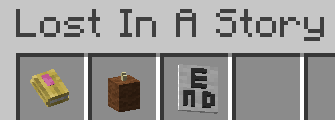
find and create Story Books, these books will contain the definitions of a story, for instance:
You wake up in your hometown, under attack by skeletons (wearing fancy hats)
You travel to a Desert Temple to find answers, where you find an old book
You continue to a castle, where you finally face Azajef, the Skeleton Prince
You raid his treasure chamber and live happily ever after.
every sentence is converted to a quest in the storytellers dimension, a dimension analogous to the overworld, but with some
noticeable differences, you are in adventure mode in this dimension, however you can find tools and enchantments to shape it
to your will, once you complete the final "quest" of a story, you are returned to the overworld outside the book.
when you enter a story, you can press the Consider key (by default Insert) to check what happens next in your story, all loot chests also have additonal items in them like compasses and tools that can be used to mine certain story blocks.
Available Versions
How to Install Lost In A Story on Your Server
Order Server
Order a Minecraft Java server with at least 3 GB RAM (4 GB recommended).
Set fabric Loader
In the panel under "Egg", select the fabric loader and matching Minecraft version (1.21).
Install Mod
Open the mod browser in the dashboard and search for "Lost In A Story". Click "Install" – done! Alternatively, upload the .jar via SFTP to the /mods folder.
Compatibility
Mod Loaders
Minecraft Versions
1.21
Server-side
✓ RequiredRecommended RAM
4 GB(min. 3 GB)Frequently Asked Questions
Lost In A Story server crashes on startup – what to do?
Most common cause: wrong fabric version or insufficient RAM. Check the server log (latest.log) for "OutOfMemoryError" or "Mixin" errors. With Mado Hosting: ensure at least 3 GB RAM is allocated and the loader matches the mod version (1.21). You can switch loaders with one click in the panel.
Is Lost In A Story compatible with fabric?
Lost In A Story officially supports fabric for Minecraft 1.21. The Mado dashboard automatically detects incompatible loader combinations.
Server lagging with Lost In A Story – how to optimize performance?
Recommended RAM: 4 GB (per 8 players). Use /spark profiler to check if Lost In A Story consumes the most tick time. Common fixes: reduce server view-distance to 8-10, install "performant" or "starlight" as supplementary mods on Forge. With Mado Hosting, your server runs on NVMe SSDs with dedicated CPU cores for minimal latency.
Similar Mods




Rent Modded Server
Install Lost In A Story with just one click on your server.