
LifeTime
A highly customizable Minecraft mod that adds two in-game timers: a World Timer tracking total playtime and a Session Timer tracking current play sessions. Features full color customization (including rainbow effects), draggable HUD positioning, and flexib
Screenshots
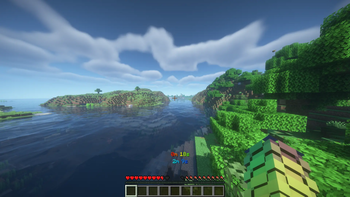
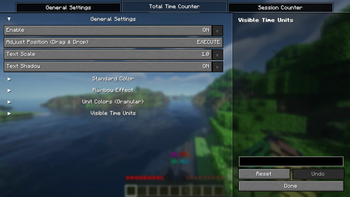
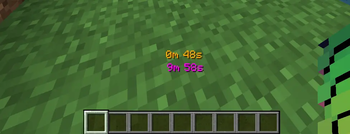
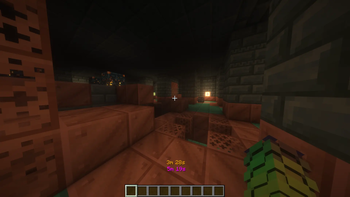
About this Mod
🚀 Description
Take full control of your playtime with this highly customizable Minecraft timer mod!
This mod adds two powerful in-game timers designed to help you track your gameplay like never before:
- ⏱️ World Timer – Tracks the total time spent in a world or server
- ⏳ Session Timer – Tracks your current play session since joining
Every detail of your timers can be customized:
- Individual colors for every time unit (seconds, minutes, hours, days)
- Fully independent styling for each element
- Rainbow color effect for dynamic visuals 🌈
- Adjustable formatting and display style
- Drag & drop positioning — move timers anywhere on your screen
- Toggle visibility and layout options
By default, the Total Time counter is enabled and displayed in white.
⚙️ Easy Configuration (Mod Menu Required)
All advanced settings (like enabling the Session Timer, changing colors, or UI customization) require:
🧩 Commands Included
Control your timers anytime with simple commands:
- /totaltime pause → Pause the Total Time counter
- /totaltime start → Resume the Total Time counter
- /sessiontimer pause → Pause the Session Timer
- /sessiontimer start → Resume the Session Timer
💡 These commands are client-side focused and do not give gameplay advantages, making them safe for most servers.
🌍 Multiplayer & Singleplayer Ready
Works seamlessly in:
- Singleplayer worlds
- Multiplayer servers
Lightweight, non-intrusive, and performance-friendly.
⚙️ Required mods:
Fabric:
NeoForge:
💡 Why this mod?
Perfect for players who want to:
- Track grind sessions ⛏️
- Monitor world playtime 📊
- Improve productivity or speedrun tracking ⚡
- Customize their HUD completely 🎯
Available Versions
How to Install LifeTime on Your Server
Order Server
Order a Minecraft Java server with at least 3 GB RAM (4 GB recommended).
Set fabric Loader
In the panel under "Egg", select the fabric loader and matching Minecraft version (26.1.2).
Install Mod
Open the mod browser in the dashboard and search for "LifeTime". Click "Install" – done! Alternatively, upload the .jar via SFTP to the /mods folder.
Compatibility
Mod Loaders
Minecraft Versions
26.1.2, 26.1.1, 26.1 (+52 more)
Server-side
✗ UnsupportedRecommended RAM
4 GB(min. 3 GB)Frequently Asked Questions
LifeTime server crashes on startup – what to do?
Most common cause: wrong fabric version or insufficient RAM. Check the server log (latest.log) for "OutOfMemoryError" or "Mixin" errors. With Mado Hosting: ensure at least 3 GB RAM is allocated and the loader matches the mod version (26.1.2). You can switch loaders with one click in the panel.
Is LifeTime compatible with fabric and neoforge?
LifeTime officially supports fabric, neoforge for Minecraft 26.1.2, 26.1.1, 26.1. The Mado dashboard automatically detects incompatible loader combinations.
Server lagging with LifeTime – how to optimize performance?
Recommended RAM: 4 GB (per 8 players). Use /spark profiler to check if LifeTime consumes the most tick time. Common fixes: reduce server view-distance to 8-10, install "performant" or "starlight" as supplementary mods on Forge. With Mado Hosting, your server runs on NVMe SSDs with dedicated CPU cores for minimal latency.
Similar Mods






Rent Modded Server
Install LifeTime with just one click on your server.