
Lifetime Stat Tracker
Track lifetime Minecraft stats across worlds, saves, Realms, servers, and resets.
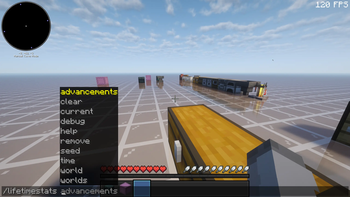
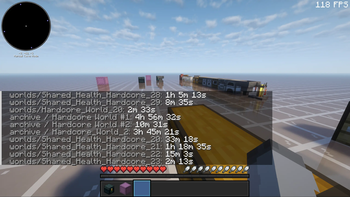
Screenshots
About this Mod
Lifetime Stat Tracker is a lightweight Fabric mod that keeps long-term player
statistics across worlds, servers, Realms, deleted saves, and resets.
Minecraft normally stores stats per world. If a world is renamed, replaced,
deleted, or reset, that history can disappear. Lifetime Stat Tracker keeps a
separate local record in a shared per-user Tempest Studios data folder outside.minecraft, with data separated by player profile. One Minecraft account can
keep building the same running total across launchers, while same-named
singleplayer worlds from different game directories stay distinct.
It works client-side for singleplayer, LAN, Realms, and multiplayer servers.
For unmodded servers, it tracks a safe server-level aggregate so stats are not
double-counted when the client cannot see the server's internal world identity.
For accurate per-world tracking on Fabric servers with resets, multiple worlds,
or proxy-style routing, install the mod on the server as well so the server can
send the client a reliable world identity.
Features
- Persistent lifetime stats across worlds, saves, servers, Realms, and resets
- Per-world and per-server stat breakdowns
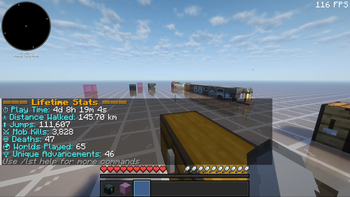
- Tracks play time, deaths, distance, jumps, mob kills, and more
- Tracks earned advancements while ignoring recipe unlock spam
- Client-only support for singleplayer, Realms, LAN, and multiplayer
- Optional server install for reliable per-world Fabric server identity
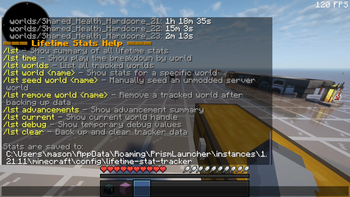
- Manual tools for correcting ambiguous unmodded server tracking
- Launcher-agnostic shared JSON storage scoped by player profile, with
instance-aware singleplayer world handles and backups for destructive commands
Good for
- Players who want long-term stat history
- Hardcore and challenge worlds
- Seasonal or reset-heavy singleplayer worlds
- Singleplayer world archives
- Long-running single-world servers
- Fabric servers that install the mod server-side for cleaner per-world tracking
Install note
Install Fabric Loader, Fabric API, and the Lifetime Stat Tracker jar that
matches your Minecraft version.
Lifetime Stat Tracker reads the stats Minecraft sends to your client and saves
JSON history in a shared per-user Tempest Studios data folder outside.minecraft:
Available Versions
How to Install Lifetime Stat Tracker on Your Server
Order Server
Order a Minecraft Java server with at least 3 GB RAM (4 GB recommended).
Set fabric Loader
In the panel under "Egg", select the fabric loader and matching Minecraft version (26.2-pre-3).
Install Mod
Open the mod browser in the dashboard and search for "Lifetime Stat Tracker". Click "Install" – done! Alternatively, upload the .jar via SFTP to the /mods folder.
Compatibility
Mod Loaders
Minecraft Versions
26.2-pre-3, 26.1.2, 26.1.1 (+20 more)
Server-side
~ OptionalRecommended RAM
4 GB(min. 3 GB)Frequently Asked Questions
Lifetime Stat Tracker server crashes on startup – what to do?
Most common cause: wrong fabric version or insufficient RAM. Check the server log (latest.log) for "OutOfMemoryError" or "Mixin" errors. With Mado Hosting: ensure at least 3 GB RAM is allocated and the loader matches the mod version (26.2-pre-3). You can switch loaders with one click in the panel.
Is Lifetime Stat Tracker compatible with fabric?
Lifetime Stat Tracker officially supports fabric for Minecraft 26.2-pre-3, 26.1.2, 26.1.1. The Mado dashboard automatically detects incompatible loader combinations.
Server lagging with Lifetime Stat Tracker – how to optimize performance?
Recommended RAM: 4 GB (per 8 players). Use /spark profiler to check if Lifetime Stat Tracker consumes the most tick time. Common fixes: reduce server view-distance to 8-10, install "performant" or "starlight" as supplementary mods on Forge. With Mado Hosting, your server runs on NVMe SSDs with dedicated CPU cores for minimal latency.
Similar Mods






Rent Modded Server
Install Lifetime Stat Tracker with just one click on your server.