Light Rod Mod
Craft and launch devastating Light Rod projectiles!
About this Mod
Light Rod Mod v2 - singleplayer, multiplayer, and PvP
This mod lets you craft and launch devastating 'Light Rod' projectiles, photon missiles based on the end rod. It works in singleplayer, multiplayer, and PvP, in all vanilla dimensions.
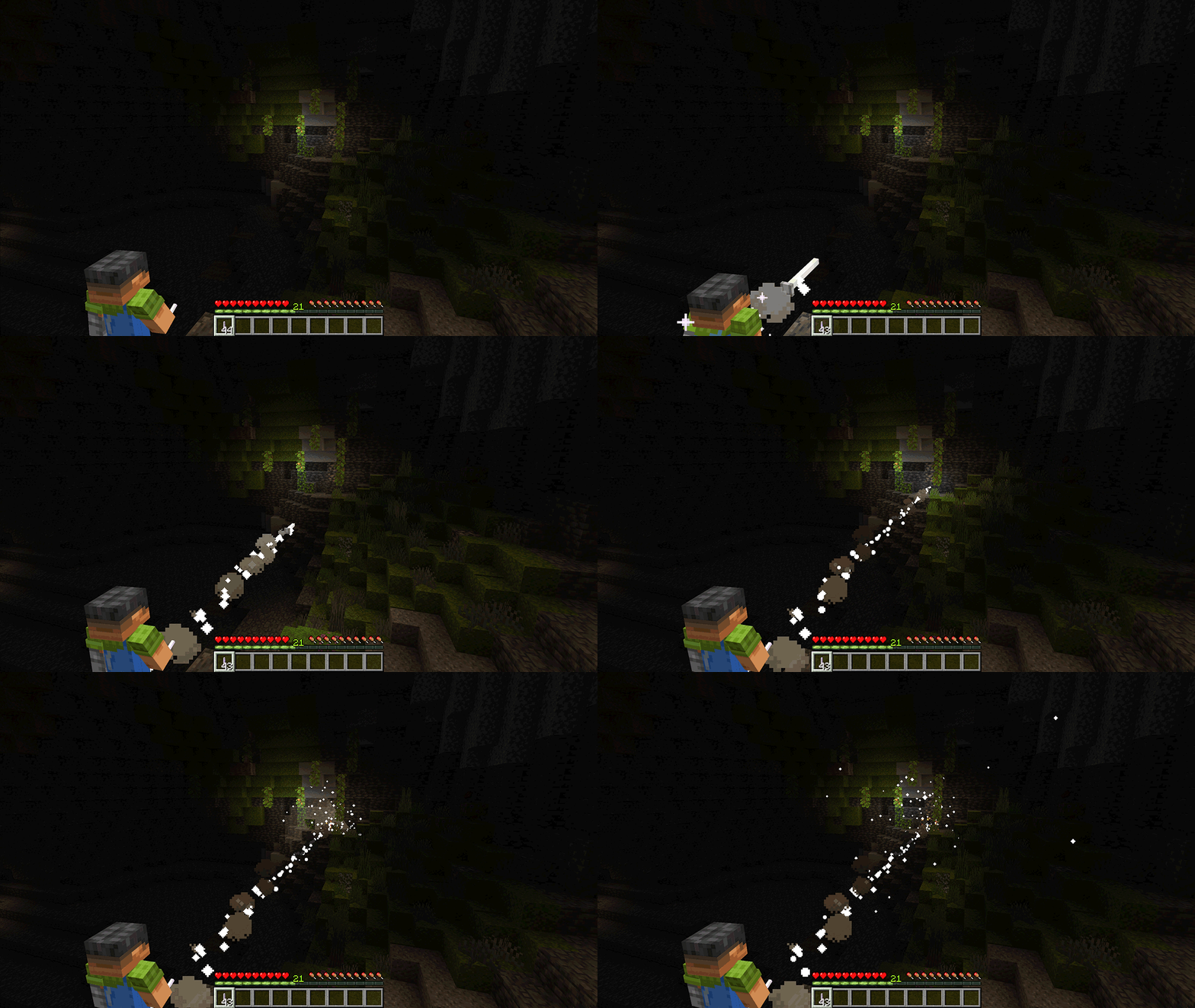
Lighting up a hidden creeper.
About Light Rods
Light Rods are powerful hand-launched horizontal projectiles.
Hold them in the mainhand and sneak to launch.
PvP notes
Hits deal 50 damage.
Light Rods will not hit players at very close range (~3 blocks).
Players can only have one launched Light Rod each in flight at a time.
For the best visual experience
Use Light Rod Mod alongside your favorite dynamic lighting mod.
Here's the recipe. Only the layout and orientation shown here will work.
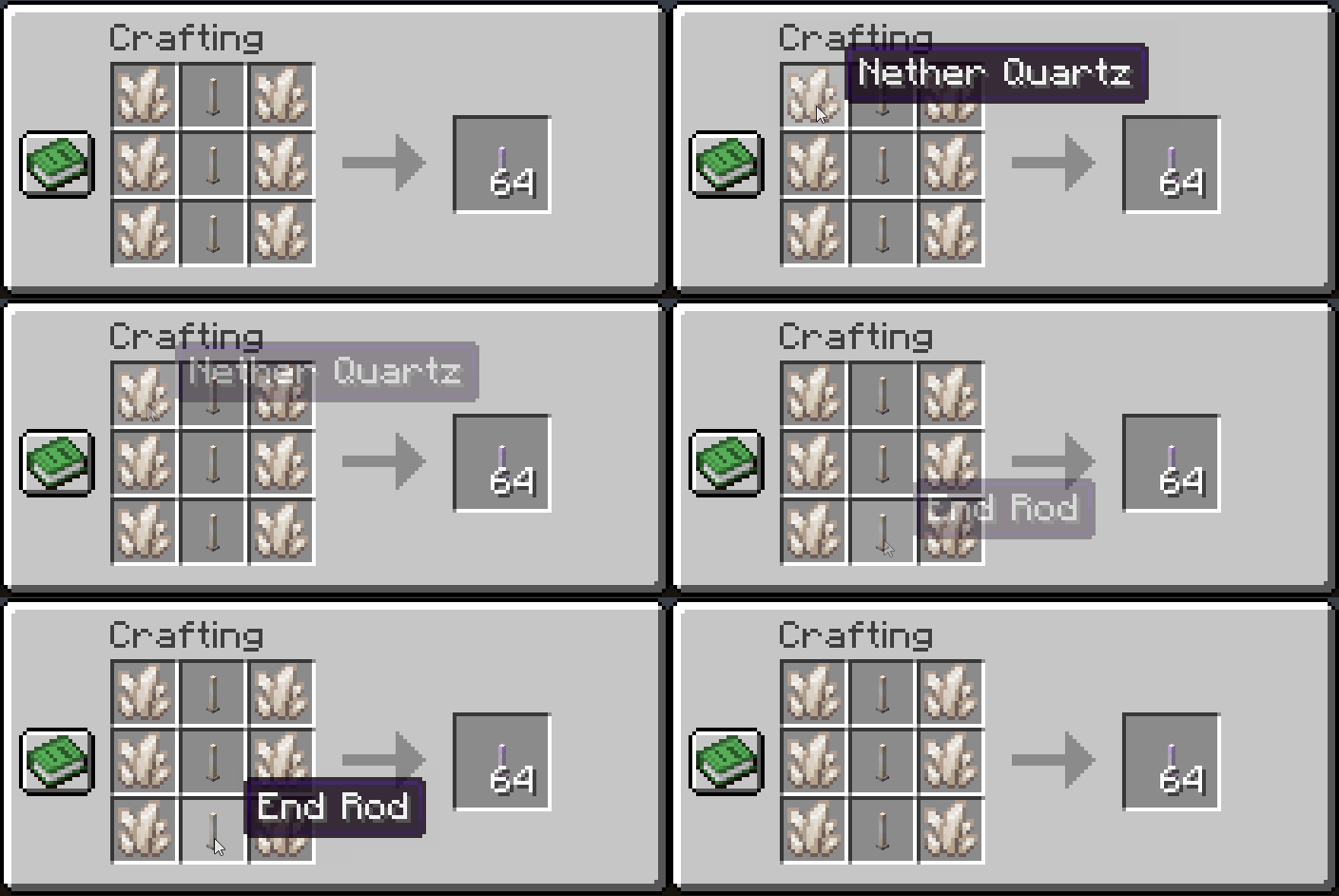
Not feeling crafty? Here's the chat bar command to give yourself 64 lethal Light Rods:
/give @s stick[custom_name={"text":"Light Rod"}] 64
Videos
Gameplay clips from the original singleplayer Overland-only edition.
Recipe and shot demo from the original singleplayer Overland-only edition.
Known issues
Shooting Light Rods while flying in Creative mode is currently potentially lethal.
If you fly around for long enough in Creative mode shooting at everything, you'll eventually fly into your own projectile and die. I'll fix this very soon - in the meantime use strong Resistance, Invulnerability, or armor when flying and shooting!
Available Versions
How to Install Light Rod Mod on Your Server
Order Server
Order a Minecraft Java server with at least 3 GB RAM (4 GB recommended).
Set fabric Loader
In the panel under "Egg", select the fabric loader and matching Minecraft version (26.1.2).
Install Mod
Open the mod browser in the dashboard and search for "Light Rod Mod". Click "Install" – done! Alternatively, upload the .jar via SFTP to the /mods folder.
Compatibility
Mod Loaders
Minecraft Versions
26.1.2, 26.1.1, 26.1 (+3 more)
Server-side
✓ RequiredRecommended RAM
4 GB(min. 3 GB)Frequently Asked Questions
Light Rod Mod server crashes on startup – what to do?
Most common cause: wrong fabric version or insufficient RAM. Check the server log (latest.log) for "OutOfMemoryError" or "Mixin" errors. With Mado Hosting: ensure at least 3 GB RAM is allocated and the loader matches the mod version (26.1.2). You can switch loaders with one click in the panel.
Is Light Rod Mod compatible with fabric and neoforge?
Light Rod Mod officially supports fabric, neoforge for Minecraft 26.1.2, 26.1.1, 26.1. The Mado dashboard automatically detects incompatible loader combinations.
Server lagging with Light Rod Mod – how to optimize performance?
Recommended RAM: 4 GB (per 8 players). Use /spark profiler to check if Light Rod Mod consumes the most tick time. Common fixes: reduce server view-distance to 8-10, install "performant" or "starlight" as supplementary mods on Forge. With Mado Hosting, your server runs on NVMe SSDs with dedicated CPU cores for minimal latency.
Similar Mods



![[TaCZ] Timeless and Classics Zero](https://cdn.modrinth.com/data/SzzJttH8/fd27766d2bb8390d284696b1dbd358f87e081439_96.webp)


Rent Modded Server
Install Light Rod Mod with just one click on your server.