
Lightwoods
Forest-based dimension-adding mod/datapack
Screenshots

About this Mod
Note: this datapack is still heavily in development.
This Datapack adds a new Dimension, the Lightwoods!
To Enter, you need to input the command "/execute in lightwoods:lightwoods run tp @s ~ ~ ~"
As of now, Lightwoods has about 10-ish biomes, and not much else
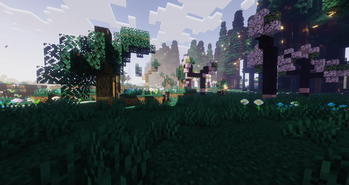
-Paddock Meadow: Probably the least busy biome as of yet. has alot of flowers and the occasional tree, which could be cherry or oak.
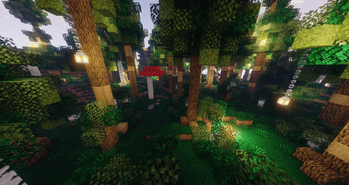
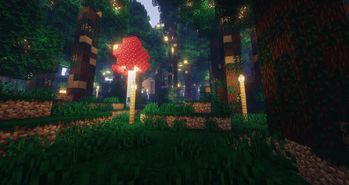
-Hushed Forest: Woah, a forest biome? in a dimension called lightwoods?! i cannot believe it!! contains lotsa trees, shrubbery, mushrooms, and hanging lanterns
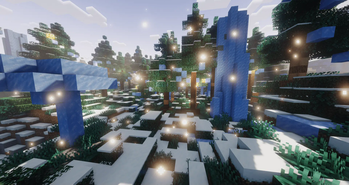
-Frosty Copse: Ice Variant of the hushed forest. the mushrooms are iced, the trees have hanging icicles, and there's now large ice spikes
-Growth Woodland: I'd like to say that it's the old growth variant of hushed forest. it features, much larger trees and mushrooms. the hanging lanterns are now lampposts, and the shrubs are now their own small trees.
-Spooky Stand: Halloween-like variant of the Growth Woodland. instead of small trees, there's comically large pumpkins. the lampposts are now pumpkinposts, and the mushrooms are now pumpkinshrooms
-Muskeg Marshland: Generic swamp biome. contains alot of water, mud, dripleaves, and trees on mangrove roots. oh, and lush stuff
-Slopes: generic slopes biome. looks somewhat noisy on the surface, and has the occasional ice-tree, and large paths of blue ice
-Peaks: generic peaks biome. it's a lot of blue ice under a thick layer of snow.
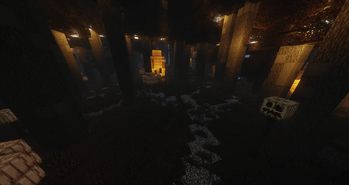
-Cavern: basically just a biome to tell you that you've reached the underground. replaces water and lava with solid blocks, and changes some atmospheric stuff. oh yeah, and the caves in this dimension are HUGE
-Thicket: essentially a thin biome filled with a very dense thicket of very tall trees. almost feels like a wall
!PAPER/SPIGOT + BRANCHES OF THE TWO ARE UNSUPPORTED AND MAY OR MAY NOT ACT UNPREDICTABLY / NOT WORK!
!REALMS WILL NOT WORK!
Available Versions
How to Install Lightwoods on Your Server
Order Server
Order a Minecraft Java server with at least 4 GB RAM (6 GB recommended).
Set datapack Loader
In the panel under "Egg", select the datapack loader and matching Minecraft version (1.21.4).
Install Mod
Open the mod browser in the dashboard and search for "Lightwoods". Click "Install" – done! Alternatively, upload the .jar via SFTP to the /mods folder.
Compatibility
Mod Loaders
Minecraft Versions
1.21.4, 1.21.1, 1.21
Server-side
✓ RequiredRecommended RAM
6 GB(min. 4 GB)Frequently Asked Questions
Lightwoods server crashes on startup – what to do?
Most common cause: wrong datapack version or insufficient RAM. Check the server log (latest.log) for "OutOfMemoryError" or "Mixin" errors. With Mado Hosting: ensure at least 4 GB RAM is allocated and the loader matches the mod version (1.21.4). You can switch loaders with one click in the panel.
Is Lightwoods compatible with datapack and fabric and forge and neoforge and quilt?
Lightwoods officially supports datapack, fabric, forge, neoforge, quilt for Minecraft 1.21.4, 1.21.1, 1.21. Note: Forge and Fabric mods are NOT cross-compatible – pick one loader and stick with it. The Mado dashboard automatically detects incompatible loader combinations.
Server lagging with Lightwoods – how to optimize performance?
Recommended RAM: 6 GB (per 5 players). Use /spark profiler to check if Lightwoods consumes the most tick time. Common fixes: reduce server view-distance to 8-10, install "performant" or "starlight" as supplementary mods on Forge. With Mado Hosting, your server runs on NVMe SSDs with dedicated CPU cores for minimal latency.
Similar Mods




Rent Modded Server
Install Lightwoods with just one click on your server.