
List my Mods
Easy list of your mods for copy-pasting elsewhere: when reporting issues; sharing your mod list, etc.
About this Mod
Provides an easy and accessible way to view all of your installed mods. This is useful in a variety of scenarios; for example, sharing your mods, viewing the homepages to your mods, and providing a list for stack traces.
There are four different ways to view your mod list.
- /listmymods
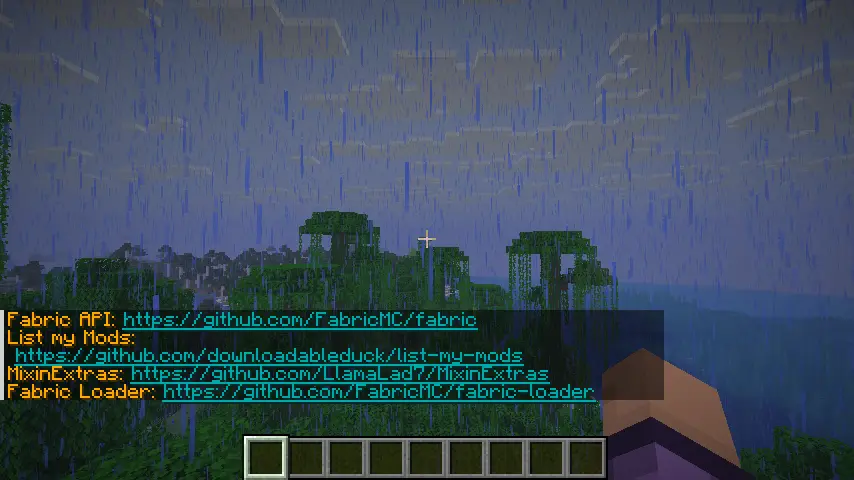
Simply lists all of your mods in chat, so you can view them.
You can click on the links that appear.
- /listmymods file
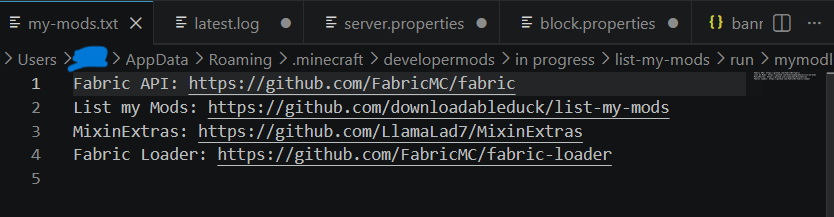
Sends your mod list to a .txt file located in ~/.minecraft/mymodlist-my-mods.txt. The command will automatically open the file in your associated application (VSCode, notepad, etc).
- /listmymods md file
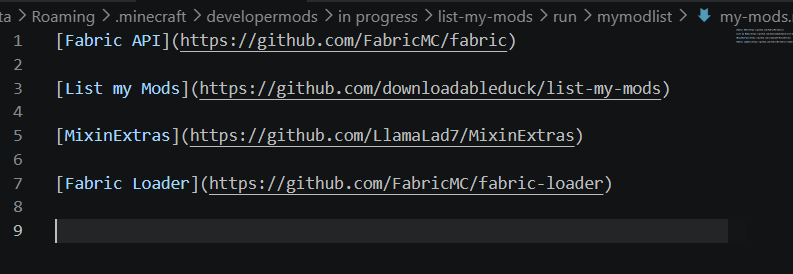
raw markdown
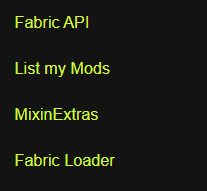
A preview of how it will look. The links are clickable.
Sends your mod list to a .md file located in ~/.minecraft/mymodlist-my-mods.md for use on GitHub or other apps that support markdown formatting.The command will automatically open the file in your associated application (VSCode, notepad, etc).
- /listmymods extensive
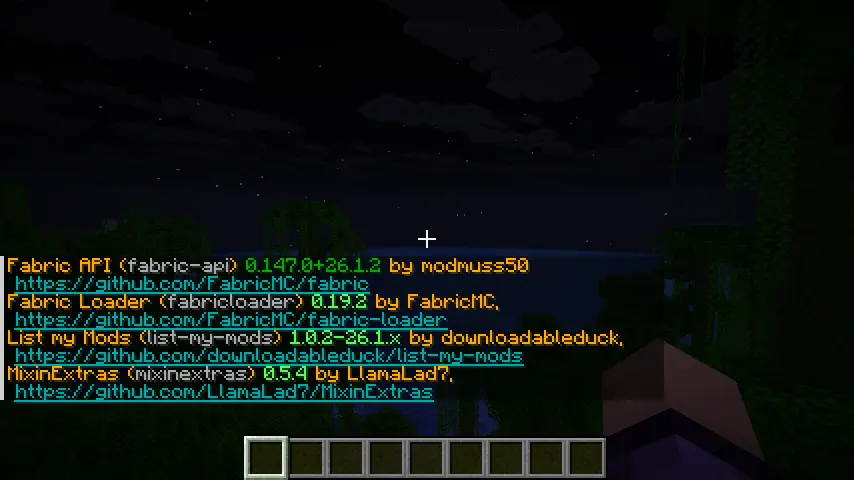
Provides a more thorough list including versions, the mods ids, and their authors.
But what about Mod Menu?
Mod Menu is great for configuring and viewing your mods, but you can't export your list or share them with others - which is the point of this mod.
Available Versions
How to Install List my Mods on Your Server
Order Server
Order a Minecraft Java server with at least 3 GB RAM (4 GB recommended).
Set fabric Loader
In the panel under "Egg", select the fabric loader and matching Minecraft version (26.1.2).
Install Mod
Open the mod browser in the dashboard and search for "List my Mods". Click "Install" – done! Alternatively, upload the .jar via SFTP to the /mods folder.
Compatibility
Mod Loaders
Minecraft Versions
26.1.2, 26.1.1, 26.1
Server-side
✗ UnsupportedRecommended RAM
4 GB(min. 3 GB)Frequently Asked Questions
List my Mods server crashes on startup – what to do?
Most common cause: wrong fabric version or insufficient RAM. Check the server log (latest.log) for "OutOfMemoryError" or "Mixin" errors. With Mado Hosting: ensure at least 3 GB RAM is allocated and the loader matches the mod version (26.1.2). You can switch loaders with one click in the panel.
Is List my Mods compatible with fabric and quilt?
List my Mods officially supports fabric, quilt for Minecraft 26.1.2, 26.1.1, 26.1. The Mado dashboard automatically detects incompatible loader combinations.
Server lagging with List my Mods – how to optimize performance?
Recommended RAM: 4 GB (per 8 players). Use /spark profiler to check if List my Mods consumes the most tick time. Common fixes: reduce server view-distance to 8-10, install "performant" or "starlight" as supplementary mods on Forge. With Mado Hosting, your server runs on NVMe SSDs with dedicated CPU cores for minimal latency.
Rent Modded Server
Install List my Mods with just one click on your server.