
Little Logistics (Quilt Edition)
Water (and soon rails) transportation mod for Minecraft. Now on Quilt!
Screenshots
About this Mod

Little Logistics: Quilt Edition
Water (and soon Rails) transport mod for Quilted Minecraft!
This is the official, beta-ish port of the Little Logistics mod.
This port is still work in progress
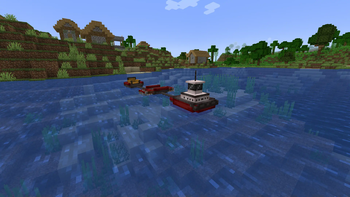
As of now, only tugs and barges have been implemented, without chunk loading abilities.
You are welcome to report any bugs on the GitHub repository.

About Little Logistics
Vessels

Vessels are what it all began with. It's Little Logistics core feature. There are two types of vessels: tugs and barges. Barges can do lots of useful things, be it transportation of your beloved items or gathering food on the seas. On the other hand, tugs will carry barges on their way. If either gets stuck, you can use a fishing rod to free them.
Known bugs and or problems
Small ships
As with the forge version, you may run into problems here. Ships may flee from your vessels. To avoid this keep your Small Ships boats few chunks away or disable WaterMobFlee in Small Ships config.
We have already determined a solution to this problem. However it has a considerably low-priority for now.
Installation
As with all other mods, it's a drag-and-drop process.
Note that you need quilt, fabric won't work!
Dependencies (that you need to install)
- Architectury API
Dependencies (bundled with beta jar)
- Cardinal Components: Base, Block, Entity
- ForgeConfigAPI port
- Porting lib
Recommended as well (bundled with beta jar)
- Tech Reborn Energy API (for electric tugs and trains)
Nice-to-have
- WTHIT (offers integration)
FAQ
Forge version
...... Link, open your eyes
Fabric port
Depending on the demand I (luaxlab) may do a unquiltification. However, expect this to have very low priority.
Backporting
Generally speaking, backporting on quilt/fabric is easier than it is on forge. However, we don't expect people to still play on older version with fabric/quilt, so a back port wouldn't be of great use.
Available Versions
How to Install Little Logistics (Quilt Edition) on Your Server
Order Server
Order a Minecraft Java server with at least 3 GB RAM (4 GB recommended).
Set quilt Loader
In the panel under "Egg", select the quilt loader and matching Minecraft version (1.19.2).
Install Mod
Open the mod browser in the dashboard and search for "Little Logistics (Quilt Edition)". Click "Install" – done! Alternatively, upload the .jar via SFTP to the /mods folder.
Compatibility
Mod Loaders
Minecraft Versions
1.19.2
Server-side
✓ RequiredRecommended RAM
4 GB(min. 3 GB)Frequently Asked Questions
Little Logistics (Quilt Edition) server crashes on startup – what to do?
Most common cause: wrong quilt version or insufficient RAM. Check the server log (latest.log) for "OutOfMemoryError" or "Mixin" errors. With Mado Hosting: ensure at least 3 GB RAM is allocated and the loader matches the mod version (1.19.2). You can switch loaders with one click in the panel.
Is Little Logistics (Quilt Edition) compatible with quilt?
Little Logistics (Quilt Edition) officially supports quilt for Minecraft 1.19.2. The Mado dashboard automatically detects incompatible loader combinations.
Server lagging with Little Logistics (Quilt Edition) – how to optimize performance?
Recommended RAM: 4 GB (per 8 players). Use /spark profiler to check if Little Logistics (Quilt Edition) consumes the most tick time. Common fixes: reduce server view-distance to 8-10, install "performant" or "starlight" as supplementary mods on Forge. With Mado Hosting, your server runs on NVMe SSDs with dedicated CPU cores for minimal latency.
Similar Mods





Rent Modded Server
Install Little Logistics (Quilt Edition) with just one click on your server.