
LivechatDiscord
Monitor your Minecraft server's live chat directly in Discord — organized by category with smart admin mentions.
Screenshots
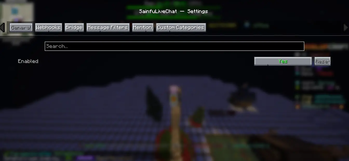
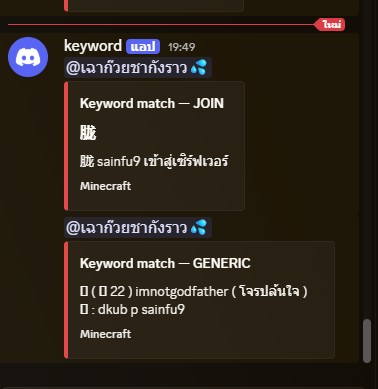
About this Mod
AdminChat Monitor
AdminChat Monitor lets server administrators monitor all chat activity
in real-time directly from Discord — no need to stay logged in to the server.
Features
Live Chat Relay — Forward all in-game chat to Discord instantly
Category Channels — Automatically separated by type:
General Chat
CSpy — Command spy logs
LPX — LuckPerms extended logs
Vulcan — Anticheat alerts & flags
MSG — Private message logs
(and more...)
Admin Mention System — Automatically tags admins in Discord when a player calls for help in-game
Boss Spawn Notifications — Instantly alerts your admin team in Discord when a world boss or custom mob spawns, including location, world name, and a countdown timer so admins and players never miss the action
Fully Configurable — Choose which events to relay, which Discord channels to use, and who gets pinged — all from a simple config.yml
Multi-Server Support — Running a network? Monitor multiple servers from a single Discord server using separate channel categories per node
Lightweight & Async — All Discord webhooks are sent asynchronously, so your server TPS stays unaffected
Permission-Based Access — Restrict sensitive logs (CSpy, LPX, MSG) to specific Discord roles, keeping private data away from regular staff
Use Cases
Moderation — Catch rule-breakers in chat without being online
Boss Events — Notify your community the moment a raid boss or world boss spawns
Staff Oversight — Monitor command usage and permission changes in real-time
Player Support — Never miss a /helpop or support request again
Available Versions
How to Install LivechatDiscord on Your Server
Order Server
Order a Minecraft Java server with at least 3 GB RAM (4 GB recommended).
Set fabric Loader
In the panel under "Egg", select the fabric loader and matching Minecraft version (26.1.2).
Install Mod
Open the mod browser in the dashboard and search for "LivechatDiscord". Click "Install" – done! Alternatively, upload the .jar via SFTP to the /mods folder.
Compatibility
Mod Loaders
Minecraft Versions
26.1.2, 26.1.1, 26.1
Server-side
✗ UnsupportedRecommended RAM
4 GB(min. 3 GB)Frequently Asked Questions
LivechatDiscord server crashes on startup – what to do?
Most common cause: wrong fabric version or insufficient RAM. Check the server log (latest.log) for "OutOfMemoryError" or "Mixin" errors. With Mado Hosting: ensure at least 3 GB RAM is allocated and the loader matches the mod version (26.1.2). You can switch loaders with one click in the panel.
Is LivechatDiscord compatible with fabric?
LivechatDiscord officially supports fabric for Minecraft 26.1.2, 26.1.1, 26.1. The Mado dashboard automatically detects incompatible loader combinations.
Server lagging with LivechatDiscord – how to optimize performance?
Recommended RAM: 4 GB (per 8 players). Use /spark profiler to check if LivechatDiscord consumes the most tick time. Common fixes: reduce server view-distance to 8-10, install "performant" or "starlight" as supplementary mods on Forge. With Mado Hosting, your server runs on NVMe SSDs with dedicated CPU cores for minimal latency.
Rent Modded Server
Install LivechatDiscord with just one click on your server.