
Logical IFrames
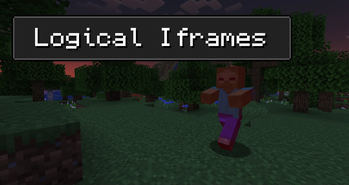
Reinvents damage invulnerability (AKA red flashing) to be more threatening and challenging.
Screenshots
About this Mod
Logical IFrames
About



Logical IFrames is a datapack which aims to rework Minecraft's damage invulnerability system by removing damage cooldown from certain damage types, which in result makes the game more challening with very simple changes.
Features
- Mobs are now able to attack players individually.
- Example: If attacked by 3 Zombies at once, all 3 of them can hit the player at the same time.
- Player attacks no longer grant mobs immunity frames.
- All projectiles - whether coming from a mob or a player - ignore immunity frames completely.
- Poison and Wither now stack with each other as well as with other sources of damage.
- Multiple explosions stack damage with each other, no longer only increasing the knockback.
- Misc changes:
- Witches are no longer resistant to Warden's Sonic Boom (this didn't make any sense in the first place).
- The Wither is now immune to suffocation damage.
- Projectiles no longer trigger Guardians' thorns attack (Thorns enchantment remains UNCHANGED).
- Mobs and players only take knockback from melee attacks every 0.5 seconds to prevent extreme knockback distances.
- Player armor can only be damaged by melee attacks every 0.5 seconds to prevent it from being destroyed too quickly.
- Fall damage now ignores invulnerability frames, meaning that it can't be dodged in wacky and mostly accidental ways.
Available Versions
How to Install Logical IFrames on Your Server
Order Server
Order a Minecraft Java server with at least 3 GB RAM (4 GB recommended).
Set datapack Loader
In the panel under "Egg", select the datapack loader and matching Minecraft version (1.21.1).
Install Mod
Open the mod browser in the dashboard and search for "Logical IFrames". Click "Install" – done! Alternatively, upload the .jar via SFTP to the /mods folder.
Compatibility
Mod Loaders
Minecraft Versions
1.21.1, 1.21, 1.20.2 (+2 more)
Server-side
✓ RequiredRecommended RAM
4 GB(min. 3 GB)Frequently Asked Questions
Logical IFrames server crashes on startup – what to do?
Most common cause: wrong datapack version or insufficient RAM. Check the server log (latest.log) for "OutOfMemoryError" or "Mixin" errors. With Mado Hosting: ensure at least 3 GB RAM is allocated and the loader matches the mod version (1.21.1). You can switch loaders with one click in the panel.
Is Logical IFrames compatible with datapack and fabric and forge and neoforge and quilt?
Logical IFrames officially supports datapack, fabric, forge, neoforge, quilt for Minecraft 1.21.1, 1.21, 1.20.2. Note: Forge and Fabric mods are NOT cross-compatible – pick one loader and stick with it. The Mado dashboard automatically detects incompatible loader combinations.
Server lagging with Logical IFrames – how to optimize performance?
Recommended RAM: 4 GB (per 8 players). Use /spark profiler to check if Logical IFrames consumes the most tick time. Common fixes: reduce server view-distance to 8-10, install "performant" or "starlight" as supplementary mods on Forge. With Mado Hosting, your server runs on NVMe SSDs with dedicated CPU cores for minimal latency.
Similar Mods




Rent Modded Server
Install Logical IFrames with just one click on your server.