
Buffer
longerPlaying is a high-performance utility for Fabric 1.21.x designed to eliminate "session decay". It ensures a stable, stutter-free experience for 12+ hour sessions without restarting your launcher
Screenshots
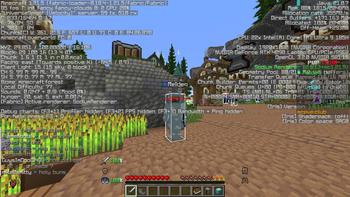
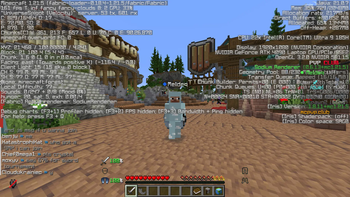
About this Mod
🕒 LongerPlaying
The "Zero-Reset" Performance Utility.
LongerPlaying is a lightweight, engine-level optimization mod for Fabric 1.21.1 – 1.21.11. It is specifically designed to solve "Session Decay"—the gradual accumulation of lag and stuttering that occurs when Minecraft is left running for several hours.
While most performance mods focus on raw FPS, LongerPlaying focuses on stability over time, allowing you to keep your client open for 12+ hours without the need for a restart.
🚀 Key Features
Silent Cache Purging: Unlike other tools, LongerPlaying clears out old textures and model data in the background. No loading screens, no "Mojang logo" interruptions—just a smooth experience.
Native Buffer De-allocation: Explicitly clears Vertex Buffers from your system and GPU memory as you move between chunks, preventing the "invisible" RAM bloat that slows down your PC.
Dimension-Hop Flush: Automatically performs a deep memory sweep when switching dimensions (e.g., entering the Nether), ensuring the game feels as fresh as when you first launched it.
Ghost Entity Cleanup: Scans and removes tracking data for entities that have already been unloaded, freeing up CPU cycles for your immediate surroundings.
📈 Why Use LongerPlaying?
Vanilla Minecraft is prone to "Memory Fragmentation." Over many hours of play, your RAM becomes disorganized, forcing the Java Garbage Collector to work harder, which causes micro-stutters. LongerPlaying acts as a silent janitor, organizing and clearing memory before it becomes a problem.
🛠️ Compatibility
Optimized for Sodium: Works perfectly alongside Sodium, Lithium, and Iris.
Client-Side: This mod is 100% client-side. You can use it on any server to improve your own personal performance.
Zero-Config: Works out of the box with "Safe-Default" settings.
How to Install
Ensure you are on Fabric 1.21.1 – 1.21.11.
Download the latest .jar and place it in your mods folder.
(Recommended) For best results, use the ZGC Garbage Collector in your launcher settings.
Available Versions
How to Install Buffer on Your Server
Order Server
Order a Minecraft Java server with at least 3 GB RAM (4 GB recommended).
Set fabric Loader
In the panel under "Egg", select the fabric loader and matching Minecraft version (1.21.11).
Install Mod
Open the mod browser in the dashboard and search for "Buffer". Click "Install" – done! Alternatively, upload the .jar via SFTP to the /mods folder.
Compatibility
Mod Loaders
Minecraft Versions
1.21.11, 1.21.10, 1.21.9 (+8 more)
Server-side
✗ UnsupportedRecommended RAM
4 GB(min. 3 GB)Frequently Asked Questions
Buffer server crashes on startup – what to do?
Most common cause: wrong fabric version or insufficient RAM. Check the server log (latest.log) for "OutOfMemoryError" or "Mixin" errors. With Mado Hosting: ensure at least 3 GB RAM is allocated and the loader matches the mod version (1.21.11). You can switch loaders with one click in the panel.
Is Buffer compatible with fabric?
Buffer officially supports fabric for Minecraft 1.21.11, 1.21.10, 1.21.9. The Mado dashboard automatically detects incompatible loader combinations.
Server lagging with Buffer – how to optimize performance?
Recommended RAM: 4 GB (per 8 players). Use /spark profiler to check if Buffer consumes the most tick time. Common fixes: reduce server view-distance to 8-10, install "performant" or "starlight" as supplementary mods on Forge. With Mado Hosting, your server runs on NVMe SSDs with dedicated CPU cores for minimal latency.
Similar Mods






Rent Modded Server
Install Buffer with just one click on your server.