
Modular Loot Crates and Bundles
Lockable highly dynamic loot chests and bundles for fabric
Screenshots

About this Mod
About
Modular Loot Crates is a Minecraft mod for the fabric mod loader. The mod adds loot bundles and additional chests and shulker boxes, with a twist.
The crates are meant to be used by modpack makers or server administrators to distribute loot in structures, add them as drops, or use them as rewards for quests. They can be granularity be configured, to replace existing world gen chests or even can be configured to replace their loot tables with rare / epic variants!
The loot bundes and container blocks and are highly customizable on how they function via tags.
Example Usages
- Loot crate at spawn, that generates a start loadout once for each player
- Use locked crates as a form of progression, handing out the keys as rewards for quests or advancements
- Loot crates that can be looted once per player in structures as a reward for exploration
- Use shulker crates in mob drops for that "loot bags" feel
- To build upon that: Use locked shulker crates instead. To encourage trading, scatter the required keys around the landscape for players to find.
- Make keys drop from special mobs or bosses. Players have to farm them to get access to their collected shulker crates
- Place instant regenerating, locked loot crates at the server's central square to get players to run into each other for socialization or PvP, fighting each other for their keys
The Loot Bundles
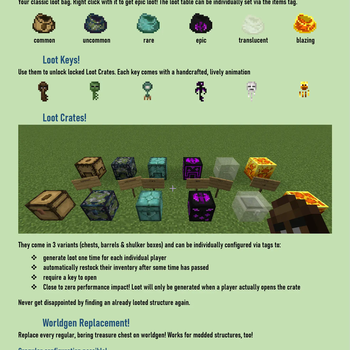
Loot bundles come in all rarities. They can be used by players to get random content of a set loot table in their inventory.
Chest Crates, Shulker Crates and Loot Barrels
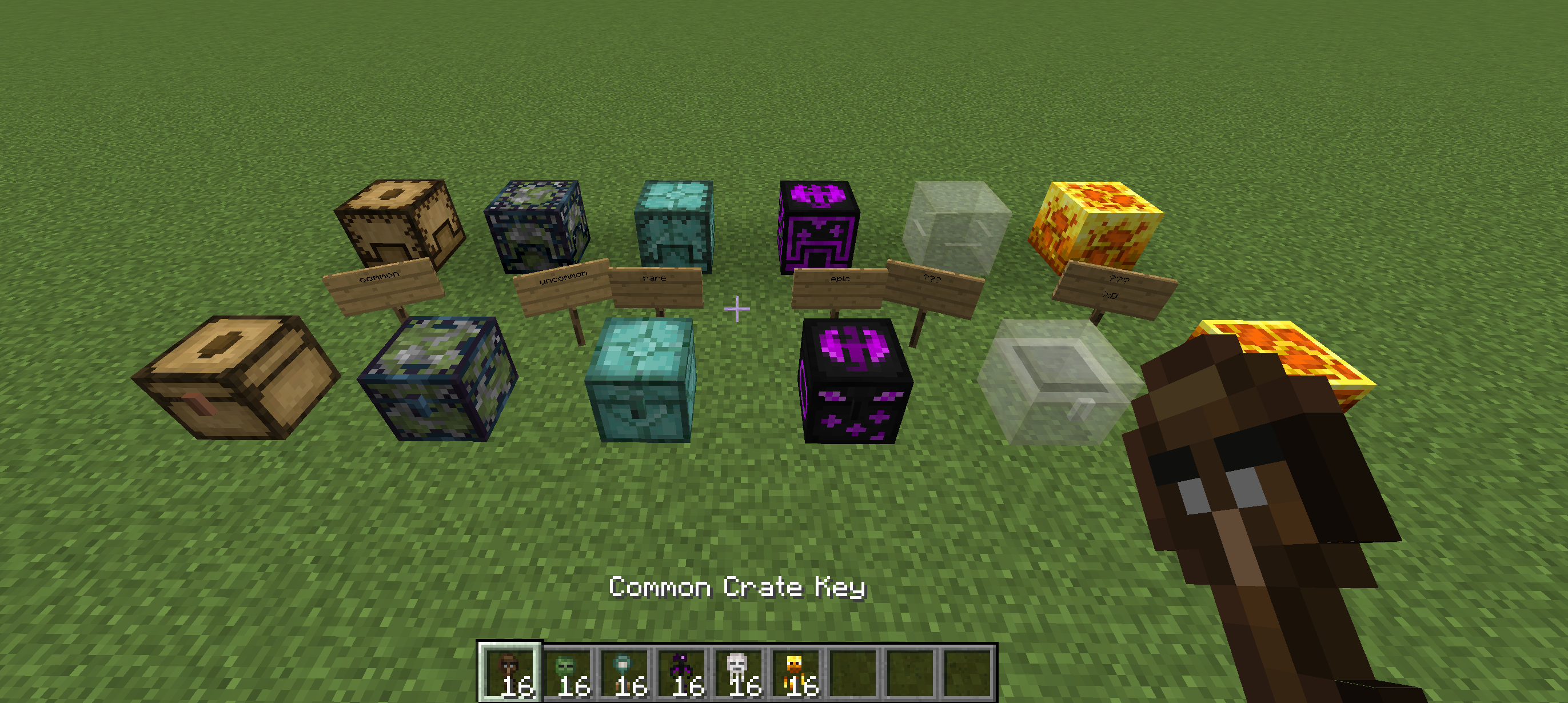
Each one can be configured via item/block tags to retain their inventory on break, require keys to open, generate loot once per player, restock their contents after some time and much more! Using the config you can also make them unbreakable, if that suits your needs.
Keys
Crates may be locked, requiring a key with matching rarity to unlock. Every key has a unique animation.
Other than that, the keys themselves are rather unspectacular.
Rarities
All the loot crates, shulker crates and keys come in all vanilla rarities, each with their own unique look:
- Common
- Uncommon
- Rare
- Epic
- Ghastly (half-transparent)
- Blazing (sets stuff around it on fire. Or the player, for that matter)
Available Versions
How to Install Modular Loot Crates and Bundles on Your Server
Order Server
Order a Minecraft Java server with at least 3 GB RAM (4 GB recommended).
Set fabric Loader
In the panel under "Egg", select the fabric loader and matching Minecraft version (1.21.5).
Install Mod
Open the mod browser in the dashboard and search for "Modular Loot Crates and Bundles". Click "Install" – done! Alternatively, upload the .jar via SFTP to the /mods folder.
Compatibility
Mod Loaders
Minecraft Versions
1.21.5, 1.21.4, 1.21.1 (+12 more)
Server-side
✓ RequiredRecommended RAM
4 GB(min. 3 GB)Frequently Asked Questions
Modular Loot Crates and Bundles server crashes on startup – what to do?
Most common cause: wrong fabric version or insufficient RAM. Check the server log (latest.log) for "OutOfMemoryError" or "Mixin" errors. With Mado Hosting: ensure at least 3 GB RAM is allocated and the loader matches the mod version (1.21.5). You can switch loaders with one click in the panel.
Is Modular Loot Crates and Bundles compatible with fabric and quilt?
Modular Loot Crates and Bundles officially supports fabric, quilt for Minecraft 1.21.5, 1.21.4, 1.21.1. The Mado dashboard automatically detects incompatible loader combinations.
Server lagging with Modular Loot Crates and Bundles – how to optimize performance?
Recommended RAM: 4 GB (per 8 players). Use /spark profiler to check if Modular Loot Crates and Bundles consumes the most tick time. Common fixes: reduce server view-distance to 8-10, install "performant" or "starlight" as supplementary mods on Forge. With Mado Hosting, your server runs on NVMe SSDs with dedicated CPU cores for minimal latency.
Rent Modded Server
Install Modular Loot Crates and Bundles with just one click on your server.