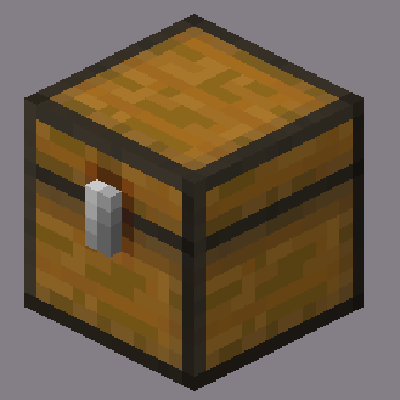
Loot Explorer
Makes containers containing loot tables appear in the creative inventory.
Screenshots
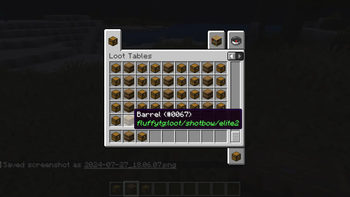
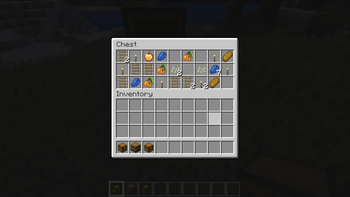
About this Mod
Minecraft-LootExplorer
Overview
The Loot Explorer Mod for Minecraft helps the Minecraft content developer by making containers containing loot tables appear in the creative inventory.
Works in Minecraft 1.21
Requires FabricAPI
Features
Loot Chests
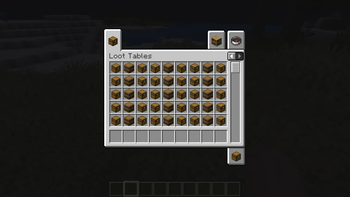
- Creative Inventory: A new tab in the creative inventory with containers that have loot table nbt within them.
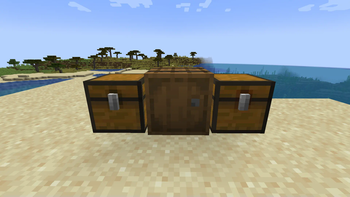
- Container Options: The loot table containers include the three vanilla variants of chests, barrels, and trapped chests.
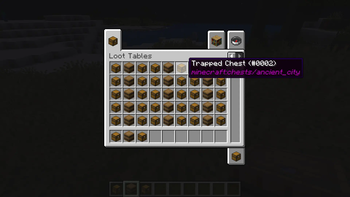
- Copy Loot Table: With the use of the Copy Lore key bind, you can easy copy the lore of any item, allowing to copy the loot table location of the containers.
- Data Pack Compatibility: Loot Tables that come from created data packs are also detected and created.*
Installation
- Download the Loot Explorer Mod file.
- Ensure you have Minecraft Fabric Loader installed.
- Place the mod file into your Minecraft
modsfolder. - Start Minecraft using the Fabric profile.
Dependencies
- Required: FabricAPI
Configuration
Mod Configuration File
- There currently is no configuration file for this mod as it's fairly simple
Usage
Getting Containers
- Creative Inventory: When in the creative inventory, there is now a new tab labeled Loot Tables that contains all variants of containers of each loot table found.
- Random Chests: The chests will generate random loot based on the loot table whenever they are placed down.
- Lore Copying: While holding a chest in your hand, press the Copy Lore keybind, and the lore of the chest will be copied into your clipboard.
Contributions
Contributions are welcome! If you have ideas for new features, optimizations, or bug fixes, please feel free to open an issue or submit a pull request on the mod's GitHub repository.
*In order to detect the loot chest, the directory must be in the style of "namespace/loot_table/chests" or "namespace/loot_table/loot"
Available Versions
How to Install Loot Explorer on Your Server
Order Server
Order a Minecraft Java server with at least 3 GB RAM (4 GB recommended).
Set fabric Loader
In the panel under "Egg", select the fabric loader and matching Minecraft version (1.21.5).
Install Mod
Open the mod browser in the dashboard and search for "Loot Explorer". Click "Install" – done! Alternatively, upload the .jar via SFTP to the /mods folder.
Compatibility
Mod Loaders
Minecraft Versions
1.21.5, 1.21.1, 1.21
Server-side
✓ RequiredRecommended RAM
4 GB(min. 3 GB)Frequently Asked Questions
Loot Explorer server crashes on startup – what to do?
Most common cause: wrong fabric version or insufficient RAM. Check the server log (latest.log) for "OutOfMemoryError" or "Mixin" errors. With Mado Hosting: ensure at least 3 GB RAM is allocated and the loader matches the mod version (1.21.5). You can switch loaders with one click in the panel.
Is Loot Explorer compatible with fabric and neoforge?
Loot Explorer officially supports fabric, neoforge for Minecraft 1.21.5, 1.21.1, 1.21. The Mado dashboard automatically detects incompatible loader combinations.
Server lagging with Loot Explorer – how to optimize performance?
Recommended RAM: 4 GB (per 8 players). Use /spark profiler to check if Loot Explorer consumes the most tick time. Common fixes: reduce server view-distance to 8-10, install "performant" or "starlight" as supplementary mods on Forge. With Mado Hosting, your server runs on NVMe SSDs with dedicated CPU cores for minimal latency.
Rent Modded Server
Install Loot Explorer with just one click on your server.