
Lot's More Food
Lots More Food is now available for Forge! Adds over 200+ foods, tools, and items!
Screenshots

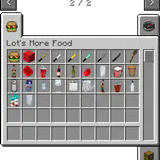
About this Mod
Have you ever thought what if Minecraft had more food? Well, you came to the right place! This mod adds 200+ foods to grow, craft, and eat!
Loaders
Lot's More Food comes in multiple different editions so no matter the Minecraft edition or mod loader you can use always use Lot's More Food.
How to Get The Food:
Creative
For creative you can use the creative inventory or use /give @p morefood:<item>
Survival
You can craft all the items by using the Minecraft Crafting Table. Currently, plants do not generate in the world. Worldgen will be added in a future update.
FAQ
Can I add this to my mod pack?
Sure, as long as you give proper credit and follow the license.
Are you going to downgrade to older versions (ie; 1.15, 1.12, 1.8)?
I will if there is enough demand for a certain version and I have time to.
How to craft the food?
Use the regular crafting table to craft all the items.
What do I do if I found an issue?
If you found an issue the best thing you can do is submit a bug report (above).
How to get the fruits/veggies?
Forge - Right now plants will not generate around the world yet.
Fabric - Plants will be generated around the world. Explore new chunks to find fruits and veggies in your world.
Do you have a list of all the foods this adds?
Yes, you can find a full list of all the items this adds via the Offical Lot's More Food Mod Wiki
Maven
dependencies {
    modImplementation "maven.modrinth:lots-more-food:fabric-${project.morefood_version}"
}
Click on the above image, select your plan (at least 4GB), use code legopitstop to get 25% off your first month, and enjoy playing with your friends!
Available Versions
How to Install Lot's More Food on Your Server
Order Server
Order a Minecraft Java server with at least 3 GB RAM (4 GB recommended).
Set fabric Loader
In the panel under "Egg", select the fabric loader and matching Minecraft version (1.20.2).
Install Mod
Open the mod browser in the dashboard and search for "Lot's More Food". Click "Install" – done! Alternatively, upload the .jar via SFTP to the /mods folder.
Compatibility
Mod Loaders
Minecraft Versions
1.20.2, 1.20.1, 1.20 (+1 more)
Server-side
✓ RequiredRecommended RAM
4 GB(min. 3 GB)Frequently Asked Questions
Lot's More Food server crashes on startup – what to do?
Most common cause: wrong fabric version or insufficient RAM. Check the server log (latest.log) for "OutOfMemoryError" or "Mixin" errors. With Mado Hosting: ensure at least 3 GB RAM is allocated and the loader matches the mod version (1.20.2). You can switch loaders with one click in the panel.
Is Lot's More Food compatible with fabric and forge?
Lot's More Food officially supports fabric, forge for Minecraft 1.20.2, 1.20.1, 1.20. Note: Forge and Fabric mods are NOT cross-compatible – pick one loader and stick with it. The Mado dashboard automatically detects incompatible loader combinations.
Server lagging with Lot's More Food – how to optimize performance?
Recommended RAM: 4 GB (per 8 players). Use /spark profiler to check if Lot's More Food consumes the most tick time. Common fixes: reduce server view-distance to 8-10, install "performant" or "starlight" as supplementary mods on Forge. With Mado Hosting, your server runs on NVMe SSDs with dedicated CPU cores for minimal latency.
Similar Mods



Rent Modded Server
Install Lot's More Food with just one click on your server.
Details
- License
- Creative Commons Attribution Non Commercial No Derivatives 4.0 International
- Server-side
- Required