
LowExposure
A post-processing shader that applies a low exposure effect to your game. (completely customizable!)
Screenshots
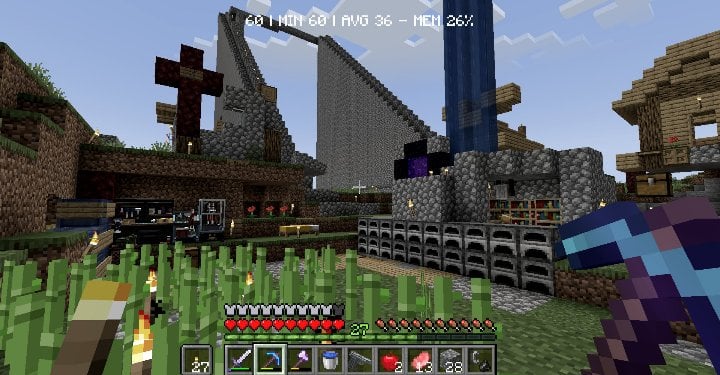
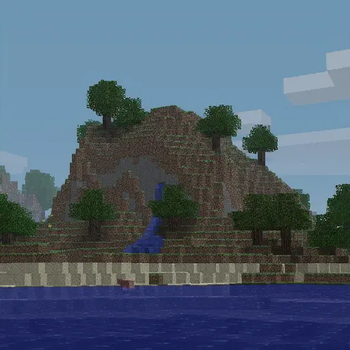
About this Mod
Low Exposure
Transform your Minecraft world with a moody, cinematic aesthetic inspired by underexposed photography.
What it does
This shader mod applies real-time color grading to create that classic underexposed look - darker tones, enhanced contrast, and desaturated colors for a more dramatic and atmospheric visual experience.
The shader adjusts:
- Brightness - Subtle darkening for richer shadows
- Contrast - Boosted contrast for more dramatic lighting
- Saturation - Muted colors using proper perceptual luminance calculations
Perfect for players who want a more cinematic, moody atmosphere without the performance impact of complex lighting shaders.
Features
- ⚡ Lightweight post-processing shader
- 🔧 Configurable settings for fine-tuning (down to the luminance perception value [RGB only])
Requirements
- NeoForge 1.21.1
- Veil 1.2.0 or higher (get the veil-bundled version if you don't want to install Veil)
- Fzzy Config 0.6.0 or higher
Installation
- Install the required dependencies listed above
- Download and place the mod file in your
modsfolder - Launch the game and enjoy the new atmospheric look!
Best used with The Broken Script
Available Versions
How to Install LowExposure on Your Server
Order Server
Order a Minecraft Java server with at least 3 GB RAM (4 GB recommended).
Set neoforge Loader
In the panel under "Egg", select the neoforge loader and matching Minecraft version (1.21.1).
Install Mod
Open the mod browser in the dashboard and search for "LowExposure". Click "Install" – done! Alternatively, upload the .jar via SFTP to the /mods folder.
Compatibility
Mod Loaders
Minecraft Versions
1.21.1
Server-side
✗ UnsupportedRecommended RAM
4 GB(min. 3 GB)Frequently Asked Questions
LowExposure server crashes on startup – what to do?
Most common cause: wrong neoforge version or insufficient RAM. Check the server log (latest.log) for "OutOfMemoryError" or "Mixin" errors. With Mado Hosting: ensure at least 3 GB RAM is allocated and the loader matches the mod version (1.21.1). You can switch loaders with one click in the panel.
Is LowExposure compatible with neoforge?
LowExposure officially supports neoforge for Minecraft 1.21.1. The Mado dashboard automatically detects incompatible loader combinations.
Server lagging with LowExposure – how to optimize performance?
Recommended RAM: 4 GB (per 8 players). Use /spark profiler to check if LowExposure consumes the most tick time. Common fixes: reduce server view-distance to 8-10, install "performant" or "starlight" as supplementary mods on Forge. With Mado Hosting, your server runs on NVMe SSDs with dedicated CPU cores for minimal latency.
Similar Mods




Rent Modded Server
Install LowExposure with just one click on your server.