
Lucid Advancements
A modern overhaul of Minecraft's Advancements screen with a cleaner interface, global progress tracking, powerful search, and a more organized way to browse advancements from every mod.
Screenshots
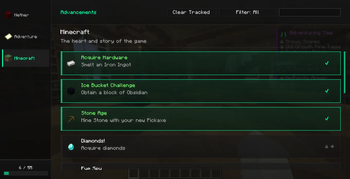
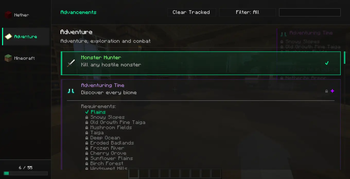
About this Mod

Lucid Advancements replaces Minecraft's default Advancements screen with a clean, modern, and easier-to-use interface.
Instead of navigating a large advancement tree, advancements are displayed as organized cards with improved readability and visual feedback.
Features
- Clean and modern UI
- Sidebar with all advancement categories
- Card-based advancement list
- Global completion progress bar
- Search advancements by:
- Title
- Description
- Category
- Search by mod using
@modid- Example:
@farmersdelight
- Example:
- Automatic sorting:
- Completed advancements first
- Challenge advancements highlighted
- Hidden advancements stay hidden until unlocked
- Improved scrolling for large modpacks
- Better readability for long descriptions
- Item tooltips when hovering advancement icons
- Lightweight and optimized
Whether you're playing vanilla or a large modpack with thousands of advancements, Lucid Advancements makes browsing and tracking your progress significantly more comfortable.
Search Examples
diamond
exploration
nether
@minecraft
@create
@ad_astra
Compatibility
- Client-side
- Works with vanilla and modded advancements
- Supports large modpacks
Lucid Advancements is designed to improve the browsing experience without changing how advancements work. It only replaces the interface while remaining fully compatible with existing advancement data.
Available Versions
How to Install Lucid Advancements on Your Server
Order Server
Order a Minecraft Java server with at least 3 GB RAM (4 GB recommended).
Set fabric Loader
In the panel under "Egg", select the fabric loader and matching Minecraft version (1.21.11).
Install Mod
Open the mod browser in the dashboard and search for "Lucid Advancements". Click "Install" – done! Alternatively, upload the .jar via SFTP to the /mods folder.
Compatibility
Mod Loaders
Minecraft Versions
1.21.11, 1.21.10, 1.21.9 (+9 more)
Server-side
✗ UnsupportedRecommended RAM
4 GB(min. 3 GB)Frequently Asked Questions
Lucid Advancements server crashes on startup – what to do?
Most common cause: wrong fabric version or insufficient RAM. Check the server log (latest.log) for "OutOfMemoryError" or "Mixin" errors. With Mado Hosting: ensure at least 3 GB RAM is allocated and the loader matches the mod version (1.21.11). You can switch loaders with one click in the panel.
Is Lucid Advancements compatible with fabric and forge and neoforge and quilt?
Lucid Advancements officially supports fabric, forge, neoforge, quilt for Minecraft 1.21.11, 1.21.10, 1.21.9. Note: Forge and Fabric mods are NOT cross-compatible – pick one loader and stick with it. The Mado dashboard automatically detects incompatible loader combinations.
Server lagging with Lucid Advancements – how to optimize performance?
Recommended RAM: 4 GB (per 8 players). Use /spark profiler to check if Lucid Advancements consumes the most tick time. Common fixes: reduce server view-distance to 8-10, install "performant" or "starlight" as supplementary mods on Forge. With Mado Hosting, your server runs on NVMe SSDs with dedicated CPU cores for minimal latency.
Similar Mods




Rent Modded Server
Install Lucid Advancements with just one click on your server.