
Lucky Block Island
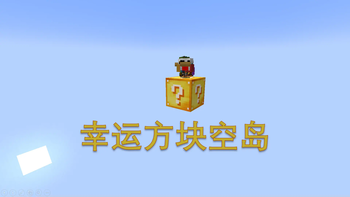
This data pack will continuously generate lucky blocks at the coordinates (0, 0, 0).
Screenshots
About this Mod
[LBI]幸运方块空岛 (Lucky Block Island)
The English description is below.
简介
本数据包会在 0 0 0 不断生成幸运方块,如果在世界生成前加载数据包,还会修改主世界的生成设置。
此数据包依赖于 Lucky Block(CurseForge | MCMOD | GitHub)。
基础功能
- 本数据包会将 0 0 0 处的空气替换为幸运方块。
- 本数据包会修改主世界的生成设置,正常的地形将不会生成。
- 本数据包会每 10 秒清除一次 0 0 0 至 0 255 0 的其他方块。
- 本数据包会修改世界出生点为 0 1 0,并修改重生点半径为 0。此时,玩家将始终重生在 0 0 的最高非空气方块上。
- 本数据包会将 0 0 0 附近三格内的掉落物传送至 0 1 0,玩家掉落的物品不会被传送。请注意,玩家掉落物品不仅指玩家仍出的物品,还包括玩家死亡后掉落的物品。
- 本数据包会将所有 y 坐标小于 -64 的实体(除掉落物)传送至 0 20 0。
- 本数据包会将所有处于下界维度的玩家传送至主世界。
可用命令
以下命令不需要任何权限。
MITH:/trigger minecraft.is.too.hard
- 输入一次开启,再次输入关闭。
- 启用后会持续给予启用玩家夜视、发光效果。
- 启用后会使启用玩家无法获得黑暗效果。
- 启用后会有以下全局效果:
- 开启死亡不掉落;
- 锁定时间为白天;
- 锁定天气为晴天;
- 锁定难度为简单。
关碰撞:/trigger no.friendly.fire.and.collision
- 输入一次开启,再次输入关闭。
- 启用后会禁用玩家间的碰撞和友伤。
垃圾桶:/trigger clear.offhand
- 输入一次开启,再次输入关闭。
- 启用后会清除玩家副手物品。
游玩须知
- 请务必在创建世界时添加数据包,并保持世界类型为默认,否则数据包将无法运行。
- 较低版本(1.18 以下)主世界最低建筑高度限制为 Y=0 而非 1.18 更新后的 Y=-64,幸运方块模组的某些特殊结构(如许愿井)则无法完整生成。
- 如果遇到任何问题,请点击 这里 反馈。
Introduction
This data pack will continuously generate lucky blocks at 0 0 0. If the data pack is loaded before world generation, it will also modify the Overworld's generation settings.
This data pack depends on Lucky Block (CurseForge | MCMOD | GitHub).
Basic Features
- This data pack will replace the air at 0 0 0 with lucky blocks.
- This data pack will modify the Overworld's generation settings, and normal terrain will not be generated.
- This data pack will clear other blocks from 0 0 0 to 0 255 0 every 10 seconds.
- This data pack will change the world spawn point to 0 1 0 and the spawn radius to 0. At this time, players will always respawn on the highest non-air block at 0 0.
- This data pack will teleport items dropped within a three-block radius of 0 0 0 to 0 1 0. Items dropped by players will not be teleported. Please note that items dropped by players include not only items thrown by players but also items dropped upon death.
- This data pack will teleport all entities (except dropped items) with a y-coordinate less than -64 to 0 20 0.
- This data pack will teleport all players in the Nether dimension to the Overworld.
Available Commands
/trigger minecraft.is.too.hard
- Enter once to turn on, enter again to turn off.
- When enabled, it will continuously give the player Night Vision and Glowing effects.
- When enabled, it will prevent the player from getting the Darkness effect.
- When enabled, it will have the following global effects:
- Enable keep inventory on death;
- Lock time to day;
- Lock weather to clear;
- Lock difficulty to easy.
/trigger no.friendly.fire.and.collision
- Enter once to turn on, enter again to turn off.
- When enabled, it will disable collision and friendly fire between players.
/trigger clear.offhand
- Enter once to turn on, enter again to turn off.
- When enabled, it will clear the player's offhand item.
How to Play
- Please make sure to add the data pack when creating the world and keep the world type as default, otherwise the data pack will not run.
- In lower versions (below 1.18), the minimum building height of the Overworld is limited to Y=0 instead of Y=-64 updated in 1.18, and some special structures of the lucky block mod (such as wishing wells) cannot be fully generated.
- If you encounter any problems, please click here to report them.
Available Versions
How to Install Lucky Block Island on Your Server
Order Server
Order a Minecraft Java server with at least 4 GB RAM (6 GB recommended).
Set datapack Loader
In the panel under "Egg", select the datapack loader and matching Minecraft version (1.21.4).
Install Mod
Open the mod browser in the dashboard and search for "Lucky Block Island". Click "Install" – done! Alternatively, upload the .jar via SFTP to the /mods folder.
Compatibility
Mod Loaders
Minecraft Versions
1.21.4, 1.21.3, 1.21.2 (+33 more)
Server-side
✓ RequiredRecommended RAM
6 GB(min. 4 GB)Frequently Asked Questions
Lucky Block Island server crashes on startup – what to do?
Most common cause: wrong datapack version or insufficient RAM. Check the server log (latest.log) for "OutOfMemoryError" or "Mixin" errors. With Mado Hosting: ensure at least 4 GB RAM is allocated and the loader matches the mod version (1.21.4). You can switch loaders with one click in the panel.
Is Lucky Block Island compatible with datapack and fabric and forge and neoforge and quilt?
Lucky Block Island officially supports datapack, fabric, forge, neoforge, quilt for Minecraft 1.21.4, 1.21.3, 1.21.2. Note: Forge and Fabric mods are NOT cross-compatible – pick one loader and stick with it. The Mado dashboard automatically detects incompatible loader combinations.
Server lagging with Lucky Block Island – how to optimize performance?
Recommended RAM: 6 GB (per 5 players). Use /spark profiler to check if Lucky Block Island consumes the most tick time. Common fixes: reduce server view-distance to 8-10, install "performant" or "starlight" as supplementary mods on Forge. With Mado Hosting, your server runs on NVMe SSDs with dedicated CPU cores for minimal latency.
Similar Mods




Rent Modded Server
Install Lucky Block Island with just one click on your server.