
Lukasino's Artillery
Long-range large interactive cannons.
Screenshots
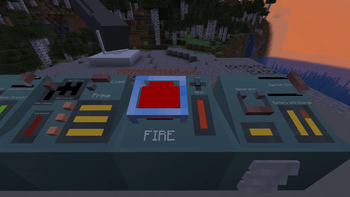
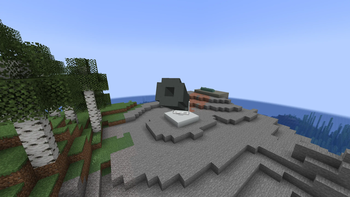
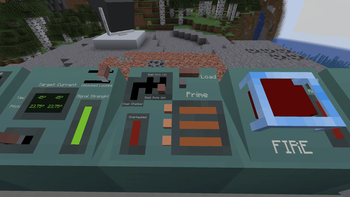
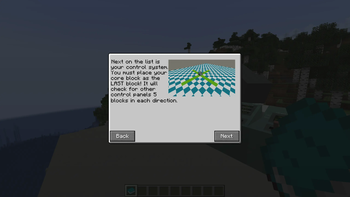
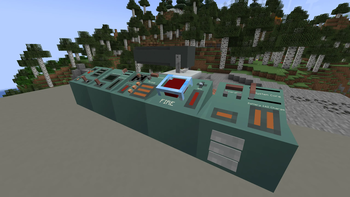
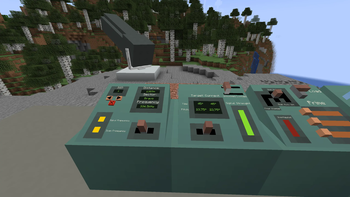
About this Mod
What is this mod?
Lukasino's Artillery (LA) adds a large long-range cannon with immersive controls.
Instead of just opening a single GUI or clicking on a block to mark it as a target, this mod uses in-world interactive blocks for aiming, loading, and firing the cannon.
So now you can destroy your friend's base while being thousands of blocks away!
Usage
There is a detailed in-game guidebook. Please read it first, and then you can ask for additional help on Discord.
Features
- Modular cannon
- Interactive cannon controls
- In-game guidebook
- Destroying friendships (friends required)
Coming soon...
- Improved targeting system
- Console upgrades
- Different ammunition types
- Rocket defenses
- And much more!
Requires Geckolib!
Reporting bugs
LA is still in an early phase of development. Bugs are to be expected. Please try to determine how to reproduce the issue, and then report it on Discord.
Thanks to
- Pixabay and its community for providing sound effects used in this mod.
- Bippinbits for developing PVKK. This mod is in no way connected to official Bippinbits developers or to the PVKK game. It is a fan project heavily inspired by PVKK promotional videos.
Available Versions
How to Install Lukasino's Artillery on Your Server
Order Server
Order a Minecraft Java server with at least 3 GB RAM (4 GB recommended).
Set forge Loader
In the panel under "Egg", select the forge loader and matching Minecraft version (1.20.1).
Install Mod
Open the mod browser in the dashboard and search for "Lukasino's Artillery". Click "Install" – done! Alternatively, upload the .jar via SFTP to the /mods folder.
Compatibility
Mod Loaders
Minecraft Versions
1.20.1
Server-side
✓ RequiredRecommended RAM
4 GB(min. 3 GB)Frequently Asked Questions
Lukasino's Artillery server crashes on startup – what to do?
Most common cause: wrong forge version or insufficient RAM. Check the server log (latest.log) for "OutOfMemoryError" or "Mixin" errors. With Mado Hosting: ensure at least 3 GB RAM is allocated and the loader matches the mod version (1.20.1). You can switch loaders with one click in the panel.
Is Lukasino's Artillery compatible with forge?
Lukasino's Artillery officially supports forge for Minecraft 1.20.1. The Mado dashboard automatically detects incompatible loader combinations.
Server lagging with Lukasino's Artillery – how to optimize performance?
Recommended RAM: 4 GB (per 8 players). Use /spark profiler to check if Lukasino's Artillery consumes the most tick time. Common fixes: reduce server view-distance to 8-10, install "performant" or "starlight" as supplementary mods on Forge. With Mado Hosting, your server runs on NVMe SSDs with dedicated CPU cores for minimal latency.
Similar Mods





Rent Modded Server
Install Lukasino's Artillery with just one click on your server.