
Luminous Dust
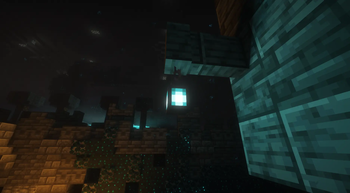
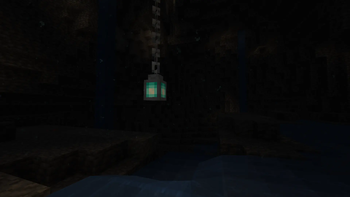
Luminous Dust is a lightweight client-side mod that adds floating dust with interactive physics to your world. It is a fork of the Light Dust mod by Swiss8191.
Screenshots
About this Mod
Luminous Dust
Luminous Dust is a lightweight client side mod that adds floating dust to your world. With interactive physics. Original mod by Swiss8191
What sense of this mod?
Basically, Luminous Dust is a fork of the original Light Dust, but with completely new assets, licensed under LGPL v2.1. Our goal was to strip away the overengineered parts and create a clean, performance-focused, and community-friendly base.
Configuration
Basic Settings: Can be configured directly via the in-game UI.
Advanced Settings & Colors: Can be customized in the luminousdust-client.toml config file.
Q&A
Q: Does this work with true dark mods?
A: Yes. It should work with them. However, you may need to change the opacity of the dust.
Q: Does this work with Shaders?
A: Yes. However, shaders often change how transparency renders. If the dust looks too invisible, increase ambientDustOpacity in the config (try 0.45 or higher).
Q: How do I disable the Block Break particles?
A: Set breakParticleCount to 0 in the config.
Q: Will mod have Dynamic Lights support?
A: Maybe, after some time.
Q: Why the mod is not up to date with the original mod?
A: I wanted to create a more lightweight and performance-focused version of the original, as the current state of that mod felt overengineered for my needs. And the old version was perfect
Available Versions
How to Install Luminous Dust on Your Server
Order Server
Order a Minecraft Java server with at least 3 GB RAM (4 GB recommended).
Set neoforge Loader
In the panel under "Egg", select the neoforge loader and matching Minecraft version (1.21.1).
Install Mod
Open the mod browser in the dashboard and search for "Luminous Dust". Click "Install" – done! Alternatively, upload the .jar via SFTP to the /mods folder.
Compatibility
Mod Loaders
Minecraft Versions
1.21.1
Server-side
✗ UnsupportedRecommended RAM
4 GB(min. 3 GB)Frequently Asked Questions
Luminous Dust server crashes on startup – what to do?
Most common cause: wrong neoforge version or insufficient RAM. Check the server log (latest.log) for "OutOfMemoryError" or "Mixin" errors. With Mado Hosting: ensure at least 3 GB RAM is allocated and the loader matches the mod version (1.21.1). You can switch loaders with one click in the panel.
Is Luminous Dust compatible with neoforge?
Luminous Dust officially supports neoforge for Minecraft 1.21.1. The Mado dashboard automatically detects incompatible loader combinations.
Server lagging with Luminous Dust – how to optimize performance?
Recommended RAM: 4 GB (per 8 players). Use /spark profiler to check if Luminous Dust consumes the most tick time. Common fixes: reduce server view-distance to 8-10, install "performant" or "starlight" as supplementary mods on Forge. With Mado Hosting, your server runs on NVMe SSDs with dedicated CPU cores for minimal latency.
Similar Mods




Rent Modded Server
Install Luminous Dust with just one click on your server.