
MACTouchMC
Utilise MacbBook's touch bar for Minecraft
Screenshots

About this Mod
MACtouchMC 🖥️


-lightgrey)
The ultimate Touch Bar integration for modern Minecraft.
Recover the functionality of your F-keys, control your media, and "Free the F Key" with custom input extensions.
🚀 Key Features
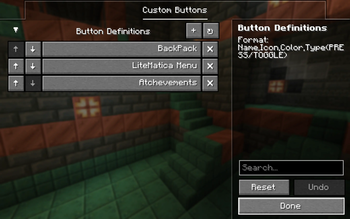
- Context Aware: Automatically switches layouts (Menu, Game, Debug).
- Input Extension: Remap physical keys to the Touch Bar to declutter your keyboard.
- Debug Suite: One-tap access to Chunk Borders, Hitboxes, and Reload commands.

🔮 Future Plans
We are just getting started! Here is what's coming next:
1️⃣ Render Distance Slider
Replaces the "Cycle" button
Much faster and more precise control over your view distance.
2️⃣ Visual Immersion & Feedback
[NEW] Advancement "Toast" Notification 🏆
Concept: When you get an advancement, the entire Touch Bar flashes gold and scrolls the advancement title (e.g., "Stone Age") across the bar for 3 seconds.
Why: A huge dopamine hit that keeps chat clean!
[NEW] "Now Playing" Ticker 🎵
Concept: When a new music track starts (e.g., "C418 - Sweden"), it slides in from the right, displays the track name, and fades out.
Why: Aesthetics matter. Adds a premium, native Spotify-like feel.
3️⃣ Main Menu Quick Actions
Fast access to your favorite servers and singleplayer worlds directly from the main menu.
4️⃣ And much more to come! 🚀
📦 Installation
- Install Fabric Loader for Minecraft 1.21+.
- Download the latest
mactouchmc-x.x.x.jar. - Drop it into your
.minecraft/modsfolder. - Launch & Enjoy!
👨💻 Credits
Author: ROOCKYdev
Based on the original work by MaximumFX.
📜 License
MIT License. Free & Open Source forever.
Available Versions
How to Install MACTouchMC on Your Server
Order Server
Order a Minecraft Java server with at least 3 GB RAM (4 GB recommended).
Set fabric Loader
In the panel under "Egg", select the fabric loader and matching Minecraft version (1.21.11).
Install Mod
Open the mod browser in the dashboard and search for "MACTouchMC". Click "Install" – done! Alternatively, upload the .jar via SFTP to the /mods folder.
Compatibility
Mod Loaders
Minecraft Versions
1.21.11, 1.21.10, 1.21.9 (+9 more)
Server-side
✗ UnsupportedRecommended RAM
4 GB(min. 3 GB)Frequently Asked Questions
MACTouchMC server crashes on startup – what to do?
Most common cause: wrong fabric version or insufficient RAM. Check the server log (latest.log) for "OutOfMemoryError" or "Mixin" errors. With Mado Hosting: ensure at least 3 GB RAM is allocated and the loader matches the mod version (1.21.11). You can switch loaders with one click in the panel.
Is MACTouchMC compatible with fabric?
MACTouchMC officially supports fabric for Minecraft 1.21.11, 1.21.10, 1.21.9. The Mado dashboard automatically detects incompatible loader combinations.
Server lagging with MACTouchMC – how to optimize performance?
Recommended RAM: 4 GB (per 8 players). Use /spark profiler to check if MACTouchMC consumes the most tick time. Common fixes: reduce server view-distance to 8-10, install "performant" or "starlight" as supplementary mods on Forge. With Mado Hosting, your server runs on NVMe SSDs with dedicated CPU cores for minimal latency.
Similar Mods



Rent Modded Server
Install MACTouchMC with just one click on your server.