
Magic Pockets
Inventory Management Mod. increases base inventory, adds new enchantment, itemstack config, and storage system
Screenshots

About this Mod
1.1 update showcase:
adds an extra row to the survival inventory:
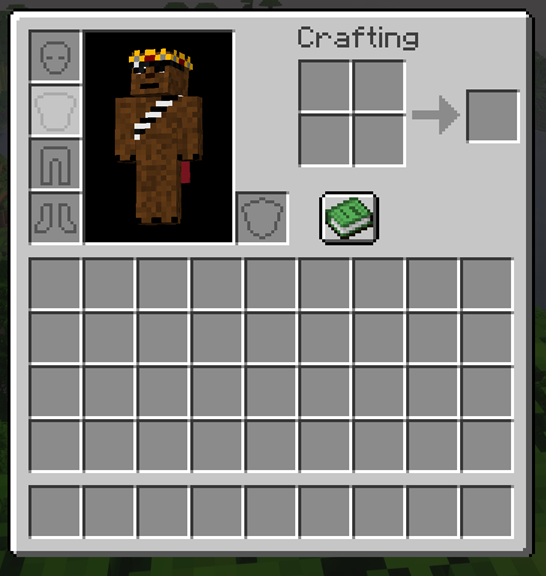
*the modpack compatability version removes this specific feature because it is not added into
any modded menus because of the way that the inventory is created (mojang hardcoded all of it).
if you're not having this issue, use the main release.
Magic Pockets Enchantment adds an additional slot per level of armor for a max of 16.
it can be enchanted at the enchanting table and found through the loot table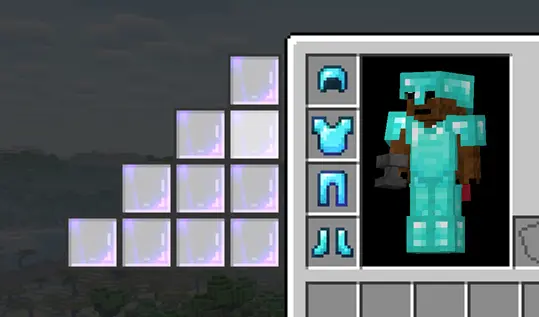
new storage conduit system:
Storage Conduit:
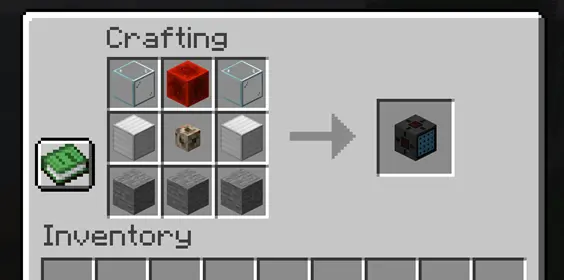
Storage Conduit Connector:
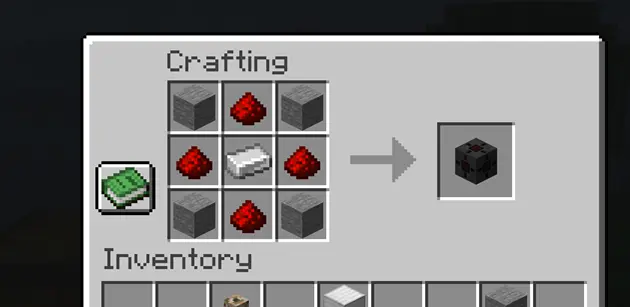
simple assembly of system:
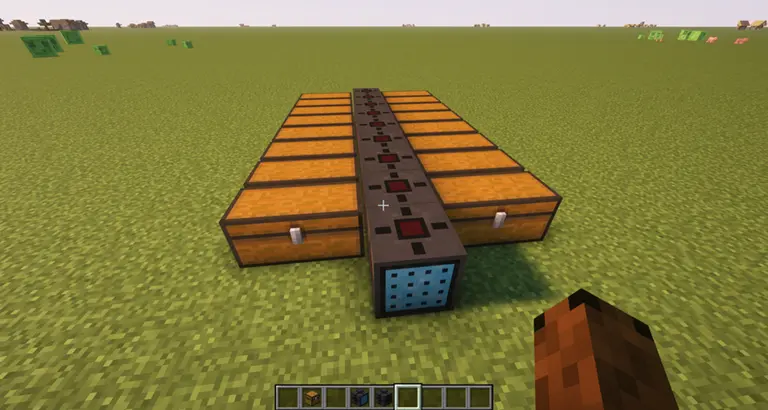
Storage connectors will pick up any adjacent inventories and connect to one of the 5 sides of the conduit block (except the front),
maximum of 20 connectors for each system
conduit interface:
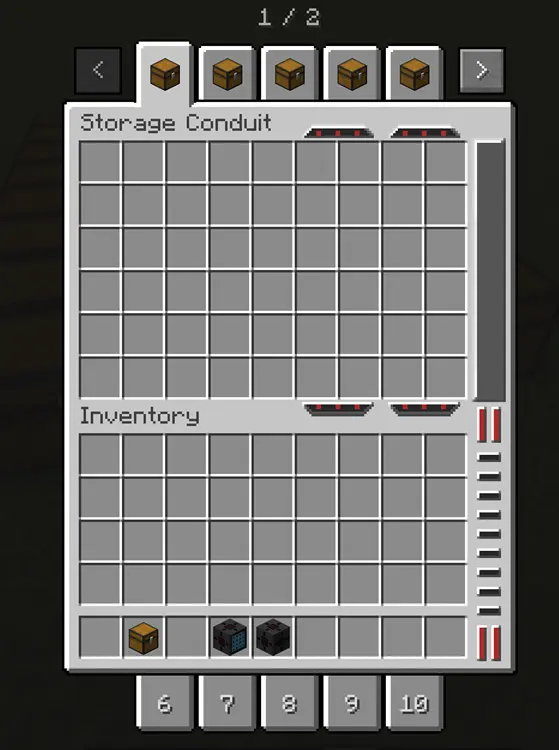
right click on tab to rename tooltip, and right click with item to set the tab icon (can be any item)
config to change max itemstack:
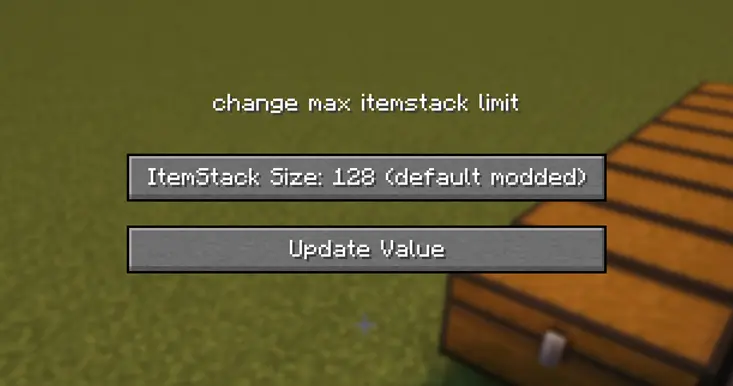
values are 64 (default), 128 (default modded), 256, 512, 999, and 1 (challenge mode)
IF YOU ARE A MOD DEVELOPER AND WANT TO MAKE YOUR MOD MENUS COMPATIBLE WITH THIS MOD'S EXPANDED INVENTORY, HERE IS A GUIDE TO HELP YOU DO THAT:
mod compatabiliity doc
original video:
Available Versions
How to Install Magic Pockets on Your Server
Order Server
Order a Minecraft Java server with at least 3 GB RAM (4 GB recommended).
Set neoforge Loader
In the panel under "Egg", select the neoforge loader and matching Minecraft version (1.21.1).
Install Mod
Open the mod browser in the dashboard and search for "Magic Pockets". Click "Install" – done! Alternatively, upload the .jar via SFTP to the /mods folder.
Compatibility
Mod Loaders
Minecraft Versions
1.21.1
Server-side
✓ RequiredRecommended RAM
4 GB(min. 3 GB)Frequently Asked Questions
Magic Pockets server crashes on startup – what to do?
Most common cause: wrong neoforge version or insufficient RAM. Check the server log (latest.log) for "OutOfMemoryError" or "Mixin" errors. With Mado Hosting: ensure at least 3 GB RAM is allocated and the loader matches the mod version (1.21.1). You can switch loaders with one click in the panel.
Is Magic Pockets compatible with neoforge?
Magic Pockets officially supports neoforge for Minecraft 1.21.1. The Mado dashboard automatically detects incompatible loader combinations.
Server lagging with Magic Pockets – how to optimize performance?
Recommended RAM: 4 GB (per 8 players). Use /spark profiler to check if Magic Pockets consumes the most tick time. Common fixes: reduce server view-distance to 8-10, install "performant" or "starlight" as supplementary mods on Forge. With Mado Hosting, your server runs on NVMe SSDs with dedicated CPU cores for minimal latency.
Rent Modded Server
Install Magic Pockets with just one click on your server.