
MalisisSwitchesReborn
Simple wireless redstone switches.
Screenshots
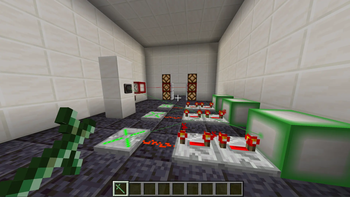
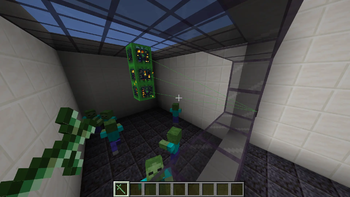
About this Mod
MalisisSwitchesReborn is an unofficial modern-day port of the classic MalisisSwitches mod by Ordinastie from the Minecraft 1.12 era, bringing its simple and flexible redstone control blocks to newer Minecraft versions.
This port focuses on preserving the original look and feel as much as possible while using modern Minecraft systems. No external core libraries are required.
Features
- Switch — A compact wall-mounted switch that can also control the redstone current from a distance
- Light Switch — Another simple switch that can also control the redstone current from a distance
- Relay — Receives power from linked switches and outputs standard redstone
- Power Linker — Connect switches and relays to compatible blocks wirelessly
- Greenstone — Green dust that comes from redstone with a bit of emerald. Makes the redstone wireless
How It Works
Switches work like vanilla levers, but can also be linked to other blocks using the Power Linker tool. Firstly, equip the Power Linker, right-click a switch, and then right-click blocks you want the redstone current to be applied to. You can also unlink by sneak right-clicking a previously linked block.
Right-clicking another switch will set that switch as the source and unequipping the Power Linker clears the current source also.
Relays can be linked to switches and other relays in the same way. Relays output a standard redstone signal and can be used with:
- Redstone dust
- Repeaters & Comparators
- Pistons
- Doors
- Any vanilla or modded block that accepts a redstone signal
By equipping the Power Linker a player is also able to see the links (powered = green; unpowered = red) between switches/relays and linked locations.
Videos
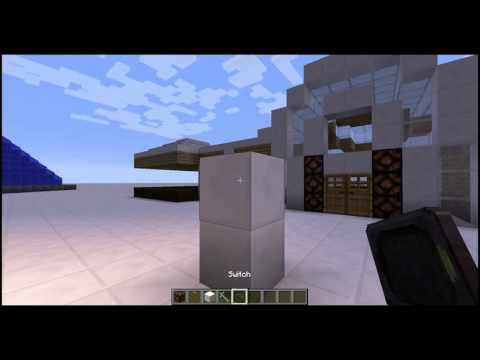
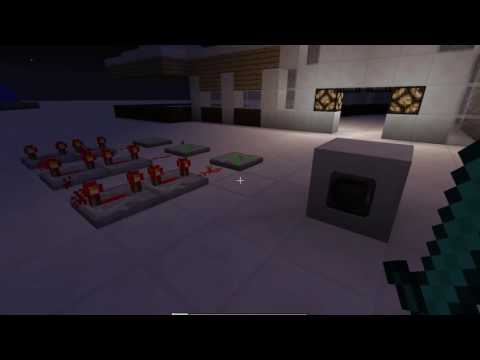
The following videos demonstrate the original Malisis Switches mod by Ordinaste. Malisis Switches (Reborn) maintains the same core functionality for modern Minecraft versions.
Switches
Relays
Credits
- Original Mod: MalisisSwitches by Ordinastie
Reporting Issues
If you encounter a compatibility issue with another mod, please report it via the project issue tracker so it can be investigated.
Available Versions
How to Install MalisisSwitchesReborn on Your Server
Order Server
Order a Minecraft Java server with at least 3 GB RAM (4 GB recommended).
Set forge Loader
In the panel under "Egg", select the forge loader and matching Minecraft version (1.20.1).
Install Mod
Open the mod browser in the dashboard and search for "MalisisSwitchesReborn". Click "Install" – done! Alternatively, upload the .jar via SFTP to the /mods folder.
Compatibility
Mod Loaders
Minecraft Versions
1.20.1
Server-side
✓ RequiredRecommended RAM
4 GB(min. 3 GB)Frequently Asked Questions
MalisisSwitchesReborn server crashes on startup – what to do?
Most common cause: wrong forge version or insufficient RAM. Check the server log (latest.log) for "OutOfMemoryError" or "Mixin" errors. With Mado Hosting: ensure at least 3 GB RAM is allocated and the loader matches the mod version (1.20.1). You can switch loaders with one click in the panel.
Is MalisisSwitchesReborn compatible with forge?
MalisisSwitchesReborn officially supports forge for Minecraft 1.20.1. The Mado dashboard automatically detects incompatible loader combinations.
Server lagging with MalisisSwitchesReborn – how to optimize performance?
Recommended RAM: 4 GB (per 8 players). Use /spark profiler to check if MalisisSwitchesReborn consumes the most tick time. Common fixes: reduce server view-distance to 8-10, install "performant" or "starlight" as supplementary mods on Forge. With Mado Hosting, your server runs on NVMe SSDs with dedicated CPU cores for minimal latency.
Similar Mods





Rent Modded Server
Install MalisisSwitchesReborn with just one click on your server.