
Malum - Arma
An addon for the Malum mod focused around combat-oriented things.
Screenshots
About this Mod
A Magecraft of War
Malum Arma is an addon mod for the Malum Mod.
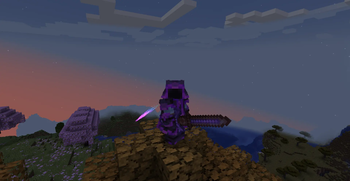
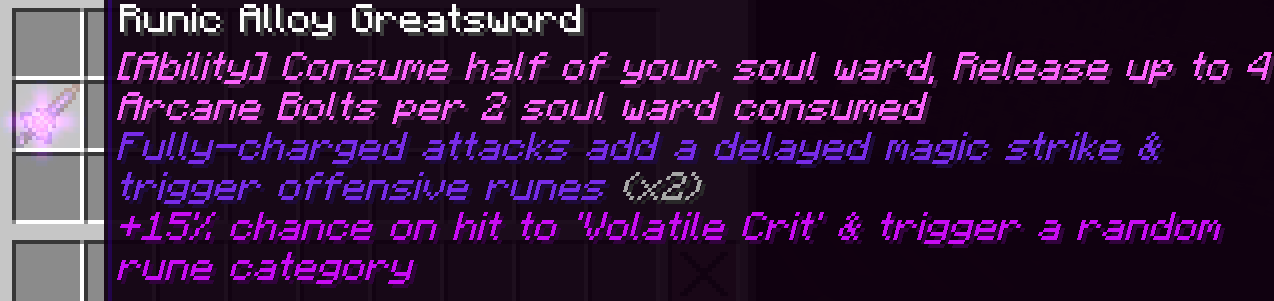
Currently, it adds a new type of weapon, Runic Alloy Weapons, but a lot more is planned for the future
Runic Weaponry
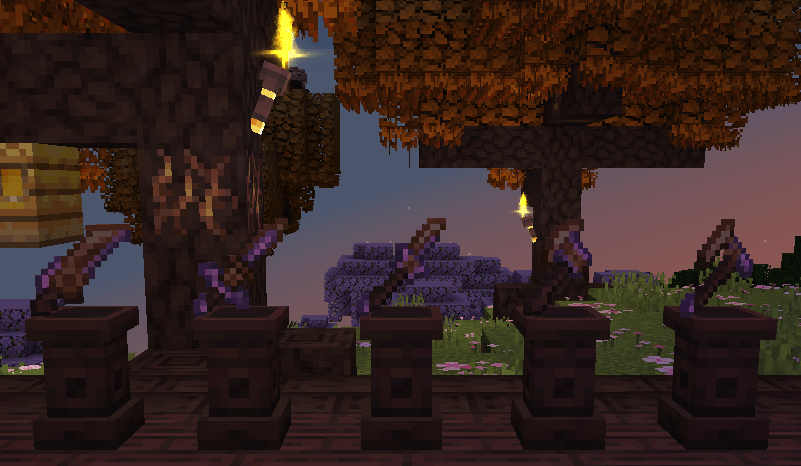
(Sword, Greatsword, Glaive, Hatchet, Greataxe)
A new family of weapons, Fashioned from Runic Alloy, a new material, Runic Weapons have Rune Slots on them, which allow any rune to be socketed into them, granting the weapon various effects depending on the rune.
You'll have to experiment and see what builds you can make, as I'm definitely not writing every effect here!
Arma Runes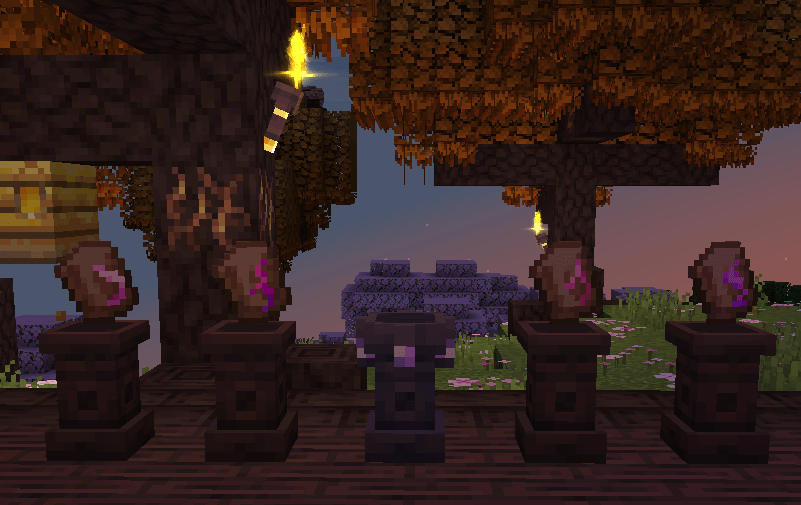
( Mana Redirection, Spatial Carving, Opposing, Soul Gashing )
To go with the new weapons, a new set of runes is also added! Arma Runes, also made from Runic Alloy, grant your runic weapons an ability, however each one has a unique drawback to it.
You can only fit one per weapon, so choose wisely!
Credits & stuff
ApacheHC - Coding & concepts
Drown3d - Pixel Art for all the items, effects, and most of the blocks
My_life101 - Sound design for all sound effects in the mod
Flowerism - Textures for some of the contributor plushies
Est / Emett - Logo
SammySemicolon - Feedback, help, & the Malum mod
Hrzx - Bugtesting & Feedback
Arma is my first mod, so some things may not be the best, If you have any feedback, would like to report a bug, or want to say anything to me, then please ping me on the Lodestar Discord or dm me @apache.helicopter! I'm always open to talking about Arma or listening to feedback
Available Versions
How to Install Malum - Arma on Your Server
Order Server
Order a Minecraft Java server with at least 3 GB RAM (4 GB recommended).
Set neoforge Loader
In the panel under "Egg", select the neoforge loader and matching Minecraft version (1.21.1).
Install Mod
Open the mod browser in the dashboard and search for "Malum - Arma". Click "Install" – done! Alternatively, upload the .jar via SFTP to the /mods folder.
Compatibility
Mod Loaders
Minecraft Versions
1.21.1
Server-side
✓ RequiredRecommended RAM
4 GB(min. 3 GB)Frequently Asked Questions
Malum - Arma server crashes on startup – what to do?
Most common cause: wrong neoforge version or insufficient RAM. Check the server log (latest.log) for "OutOfMemoryError" or "Mixin" errors. With Mado Hosting: ensure at least 3 GB RAM is allocated and the loader matches the mod version (1.21.1). You can switch loaders with one click in the panel.
Is Malum - Arma compatible with neoforge?
Malum - Arma officially supports neoforge for Minecraft 1.21.1. The Mado dashboard automatically detects incompatible loader combinations.
Server lagging with Malum - Arma – how to optimize performance?
Recommended RAM: 4 GB (per 8 players). Use /spark profiler to check if Malum - Arma consumes the most tick time. Common fixes: reduce server view-distance to 8-10, install "performant" or "starlight" as supplementary mods on Forge. With Mado Hosting, your server runs on NVMe SSDs with dedicated CPU cores for minimal latency.
Similar Mods




![[TaCZ] Timeless and Classics Zero](https://cdn.modrinth.com/data/SzzJttH8/fd27766d2bb8390d284696b1dbd358f87e081439_96.webp)

Rent Modded Server
Install Malum - Arma with just one click on your server.