
Mandacik Client
A lightweight Fabric client mod with customizable HUD and beautiful title screen!
Screenshots
About this Mod
PLEASE SET BACKGROUND BLUR TO 0 IN "Video Settings" TO SEE HUD SETTINGS
Dependencies ❗
- 📝 Fabric: Fabric API (Required), In-Game Account Switcher (Required)
A lightweight Fabric client mod that adds a fully customizable HUD and a beautiful custom title screen!
✨ Features
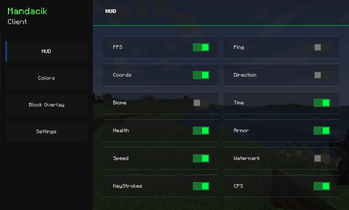
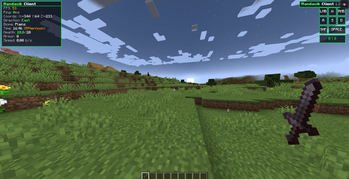
📊 HUD (Heads-Up Display)
- ⚡ FPS Counter – always know your performance
- 📡 Ping Display – see your connection quality with color coding
- 🗺️ Coordinates – X, Y, Z always visible
- 🧭 Direction – know where you're heading
- 🌿 Biome Display – see your current biome
- 🕐 Time Display – in-game time with period (Morning/Afternoon/Evening/Night)
- ❤️ Health Display – color coded health bar
- 🛡️ Armor Display – current armor points
- 💨 Speed Display – real-time movement speed in blocks/second
- 💧 Watermark – stylish client watermark in top-right corner
- ⌨️ KeyStrokes – see your key presses in real time
- 🖱 CPS Counter - see your click presses in real time
- 🟩 Block Overlay - shows color at the block you looking at
🎨 Customization
- 🖼️ 6 HUD border colors – Blue, Green, Red, Yellow, Pink, White
- 🖼️ 6 Block Overlay colors – Blue, Green, Red, Yellow, Pink, White
- 🔧 Toggle every HUD element individually
- 💾 Config auto-saves – your settings are always remembered
🌍 Languages
- 🇵🇱 Polish language support
- 🇬🇧 English language support
- 🔄 Switch language anytime in settings
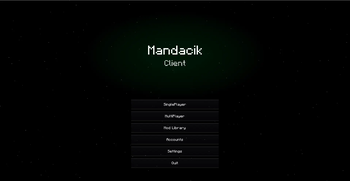
🎬 Title Screen
- ⭐ Animated star field with parallax effect
- 🌌 Nebula effects that react to your HUD color
- 🌠 Aurora animations
- ✨ Shooting stars
- 🎯 Custom buttons – Singleplayer, Multiplayer, Mod Library, Options, Quit
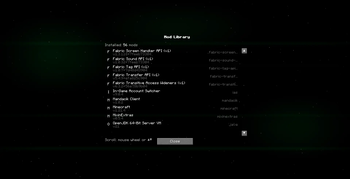
📦 Mod Library
- 📋 List of all installed mods
- 🔍 Mod name, version and ID
- 🖱️ Smooth scrolling with mouse wheel
🐛 Bugs & Suggestions
Found a bug? Have an idea? Let me know in the Issues section!
Made with ❤️ by Mandacik
Available Versions
How to Install Mandacik Client on Your Server
Order Server
Order a Minecraft Java server with at least 3 GB RAM (4 GB recommended).
Set fabric Loader
In the panel under "Egg", select the fabric loader and matching Minecraft version (1.21.4).
Install Mod
Open the mod browser in the dashboard and search for "Mandacik Client". Click "Install" – done! Alternatively, upload the .jar via SFTP to the /mods folder.
Compatibility
Mod Loaders
Minecraft Versions
1.21.4
Server-side
✗ UnsupportedRecommended RAM
4 GB(min. 3 GB)Frequently Asked Questions
Mandacik Client server crashes on startup – what to do?
Most common cause: wrong fabric version or insufficient RAM. Check the server log (latest.log) for "OutOfMemoryError" or "Mixin" errors. With Mado Hosting: ensure at least 3 GB RAM is allocated and the loader matches the mod version (1.21.4). You can switch loaders with one click in the panel.
Is Mandacik Client compatible with fabric?
Mandacik Client officially supports fabric for Minecraft 1.21.4. The Mado dashboard automatically detects incompatible loader combinations.
Server lagging with Mandacik Client – how to optimize performance?
Recommended RAM: 4 GB (per 8 players). Use /spark profiler to check if Mandacik Client consumes the most tick time. Common fixes: reduce server view-distance to 8-10, install "performant" or "starlight" as supplementary mods on Forge. With Mado Hosting, your server runs on NVMe SSDs with dedicated CPU cores for minimal latency.
Similar Mods






Rent Modded Server
Install Mandacik Client with just one click on your server.