
Map Zones
A mod adding configurable Zones for Mapmaking
Screenshots
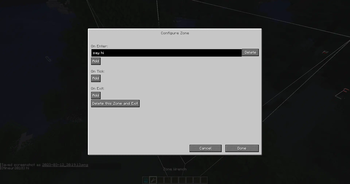
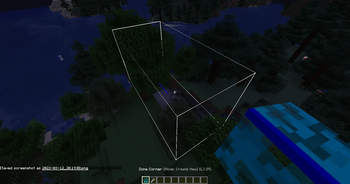
About this Mod
Overview
Adds Zones which can execute commands when an Entity enters, leaves, or is in one.
There are 3 events available:
- On Enter: Executed once when the entity entered the Zone
- On Tick: Executed every tick the entity is in the Zone
- On Leave: Executed when a entity which was in a Zone the tick before isn't in it anymore
Usage
Use the Zone Corner to specify or edit the corners of a Zone and use a Zone Wrench to then delete it or configure the commands executed on each event. The commands are executed as the entity who triggered the event.
The items can be found in the Operator creative tab and provide tooltips with descriptions
Dependencies
- owo-lib
- Quilted Fabric Api
- Lucko's fabric-permission-api (Embedded)
Technical stuff
The mod uses tags to store the zones an entity is in. The tag format is incompatible with the vanilla command syntax, this means that those tags cant be removed using commands
It is considered a bug if the following stuff is violated, as long as the Zone isn't edited in between, and the tags added by the mod aren't manipulated:
- For each enter event there has to be exactly one leave event
- No entity can enter a zone twice without leaving in between
- No tick events are executed after a leave
- The leave event is always executed, even if the entity teleports across dimensions, rejoins, changes its dimensions/size...
Available Versions
How to Install Map Zones on Your Server
Order Server
Order a Minecraft Java server with at least 3 GB RAM (4 GB recommended).
Set quilt Loader
In the panel under "Egg", select the quilt loader and matching Minecraft version (1.20.1).
Install Mod
Open the mod browser in the dashboard and search for "Map Zones". Click "Install" – done! Alternatively, upload the .jar via SFTP to the /mods folder.
Compatibility
Mod Loaders
Minecraft Versions
1.20.1, 1.19.3
Server-side
✓ RequiredRecommended RAM
4 GB(min. 3 GB)Frequently Asked Questions
Map Zones server crashes on startup – what to do?
Most common cause: wrong quilt version or insufficient RAM. Check the server log (latest.log) for "OutOfMemoryError" or "Mixin" errors. With Mado Hosting: ensure at least 3 GB RAM is allocated and the loader matches the mod version (1.20.1). You can switch loaders with one click in the panel.
Is Map Zones compatible with quilt?
Map Zones officially supports quilt for Minecraft 1.20.1, 1.19.3. The Mado dashboard automatically detects incompatible loader combinations.
Server lagging with Map Zones – how to optimize performance?
Recommended RAM: 4 GB (per 8 players). Use /spark profiler to check if Map Zones consumes the most tick time. Common fixes: reduce server view-distance to 8-10, install "performant" or "starlight" as supplementary mods on Forge. With Mado Hosting, your server runs on NVMe SSDs with dedicated CPU cores for minimal latency.
Similar Mods






Rent Modded Server
Install Map Zones with just one click on your server.