
Ultimate Economy Mod
A Complete, Luxury economy and market system for Minecraft
Screenshots
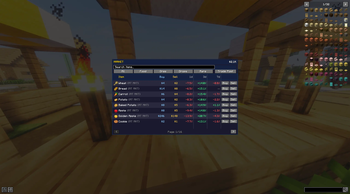
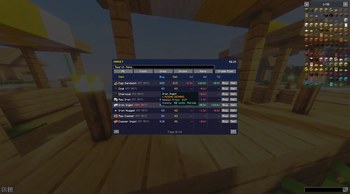
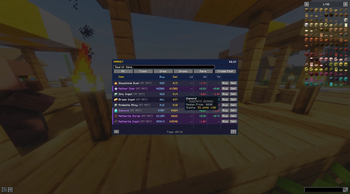
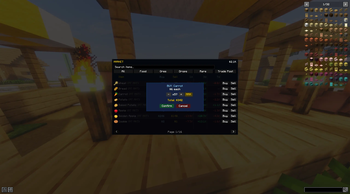
About this Mod
Luxury Market Mod
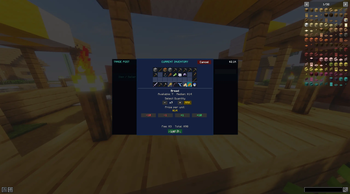
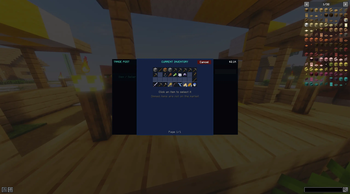
Luxury Market Mod adds a fully dynamic economy system to Minecraft with live item prices, supply & demand, inflation, banking, player trading, and random market events.
Instead of static shop prices, the economy changes based on player activity and server-wide market conditions.
Sell too much iron? Prices drop.
Players buying large amounts of food? Prices rise.
As more wealth enters the server, the economy evolves over time.
Features
- Dynamic supply & demand pricing
- Server-wide live market economy
- Banking and money transfer system
- Player marketplace and listings
- Inflation and wealth scaling
- Random market events
- Market drift and volatility systems
- Multiplayer-compatible economy syncing
- Server-side price calculations
- Long-term economy balancing
Market Features
The market system allows players to:
- Buy and sell items
- View live price changes
- Track market trends
- Monitor item multipliers
- React to market events
- Trade with other players
Economy Systems
Luxury Market Mod includes multiple systems working together to create a living economy:
- Supply & demand
- Inflation scaling
- Wealth scaling
- Volatility
- Market drift
- Snapshot comparisons
- Dynamic item multipliers
Multiplayer Support
Designed for:
- SMP servers
- Economy servers
- Roleplay servers
- Civilization servers
- Long-term multiplayer worlds
Works in:
- Singleplayer
- LAN
- Dedicated servers
Required on both client and server.
Commands
Commands
Player Commands
/bal/balance/pay <player> <amount>/uem— opens the market GUI from anywhere/marketprice <item>— view price info for an item
Admin Commands
/balanceof <player>/setbal <player> <amount>/marketevent <event>/marketdrift/marketprices/supplyset <item> <amount>/supplyget <item>/markettoggle <feature> <on|off>/tradeclear
Installation
- Install Minecraft Forge
- Place the mod in the
modsfolder - Install on both client and server
- Launch the game
Compatibility
- Forge
- Multiplayer compatible
- Dedicated server compatible
- Singleplayer compatible
NOTES
"/markettoggle requests" is currently not working as intended. Please disable by typing "/markettoggle requests off"
The Contribution Block and Treasury Block currently do not work as intended - this will be fixed in future updates.
Available Versions
How to Install Ultimate Economy Mod on Your Server
Order Server
Order a Minecraft Java server with at least 3 GB RAM (4 GB recommended).
Set forge Loader
In the panel under "Egg", select the forge loader and matching Minecraft version (1.21.11).
Install Mod
Open the mod browser in the dashboard and search for "Ultimate Economy Mod". Click "Install" – done! Alternatively, upload the .jar via SFTP to the /mods folder.
Compatibility
Mod Loaders
Minecraft Versions
1.21.11, 1.21.10, 1.21.9 (+14 more)
Server-side
✓ RequiredRecommended RAM
4 GB(min. 3 GB)Frequently Asked Questions
Ultimate Economy Mod server crashes on startup – what to do?
Most common cause: wrong forge version or insufficient RAM. Check the server log (latest.log) for "OutOfMemoryError" or "Mixin" errors. With Mado Hosting: ensure at least 3 GB RAM is allocated and the loader matches the mod version (1.21.11). You can switch loaders with one click in the panel.
Is Ultimate Economy Mod compatible with forge and neoforge?
Ultimate Economy Mod officially supports forge, neoforge for Minecraft 1.21.11, 1.21.10, 1.21.9. The Mado dashboard automatically detects incompatible loader combinations.
Server lagging with Ultimate Economy Mod – how to optimize performance?
Recommended RAM: 4 GB (per 8 players). Use /spark profiler to check if Ultimate Economy Mod consumes the most tick time. Common fixes: reduce server view-distance to 8-10, install "performant" or "starlight" as supplementary mods on Forge. With Mado Hosting, your server runs on NVMe SSDs with dedicated CPU cores for minimal latency.
Similar Mods



![CobbleDollars [Cobblemon Addon]](https://cdn.modrinth.com/data/s7N7AsqL/684040a264fc1d7f9b856ec5d2da39767398c7ad.png)

Rent Modded Server
Install Ultimate Economy Mod with just one click on your server.