
MCCI Stats Tracker
Tired of waiting for a stats viewer? This mod tracks your progress and stats in the various games on the MCC Island Server. Supports all games (apart from the Dojo)
Screenshots


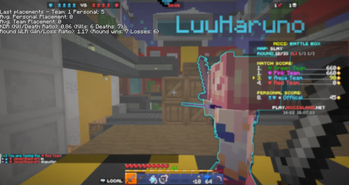



About this Mod
MCCI Stats Tracker

A minecraft fabric mod, that uses game features to track your stats in those games.
Join us on Discord to get notified first for when new releases come out!
Currently, the mod tracks every game but the Dojo, especially because it's a solo mode so it's lower priority.
Realistically, this mod will become irrelevant the moment Noxcrew releases an actual stats viewer, but I thought I'd still try and make something that works for now. plus there might be a use for this to track stats that Noxcrew may not track/show on the theoretic future stats viewer.
What stats are being tracked for ____?
Here's a full list of what stats are being tracked for each game.
| Game | Stats Tracked |
|---|---|
| Battle Box | Kills, Deaths, KDR (Kill/Death ratio), Round Wins, Losses, WLR (Win/Loss Ratio), Last & Average personal, same for team placement. |
| Sky Battle | Kills, Deaths, KDR (Kill/Death ratio), Average & Last for survivor, personal and team placements. |
| Parkour Warrior Survivor | Average Leap Placements (In current game), Average Game Placements, Average & Best Time per Leap (Leap 1, 2, 3.. etc), Last game placement |
| TGTTOS (To Get To The Other Side) | Average for round placements, game placements, Best completion/whack time for current map, last game placement |
| Hole In The Wall | Last & Average Game Placement, Top Wall Speed survived, |
Screenshots
[NEW] The new configuration options avaliable:


I'm not great at pvp games but I try.

Parkour Warrior Survivor is more my jam though.
Wow it works!

Are my stats local?
Yes! (technically, MCC still collects some of that data) but all of the data from this mod is saved locally only, you can find the stats in the mcci-stats folder of the minecraft directory (.minecraft)
Future Plans / TODO
- Tracking & Detection of all games's stats
- Saved stats to JSON files locally
- Configuration of UI placement, colors & size
- Messages / Pop-ups for improvements / worsens of stats (Average going down/up)
- Internal/External Graph viewer to show stats change over time?
- OBS Overlay Integration?
Available Versions
How to Install MCCI Stats Tracker on Your Server
Order Server
Order a Minecraft Java server with at least 3 GB RAM (4 GB recommended).
Set fabric Loader
In the panel under "Egg", select the fabric loader and matching Minecraft version (1.20.4).
Install Mod
Open the mod browser in the dashboard and search for "MCCI Stats Tracker". Click "Install" – done! Alternatively, upload the .jar via SFTP to the /mods folder.
Compatibility
Mod Loaders
Minecraft Versions
1.20.4, 1.20.1, 1.20 (+5 more)
Server-side
✗ UnsupportedRecommended RAM
4 GB(min. 3 GB)Frequently Asked Questions
MCCI Stats Tracker server crashes on startup – what to do?
Most common cause: wrong fabric version or insufficient RAM. Check the server log (latest.log) for "OutOfMemoryError" or "Mixin" errors. With Mado Hosting: ensure at least 3 GB RAM is allocated and the loader matches the mod version (1.20.4). You can switch loaders with one click in the panel.
Is MCCI Stats Tracker compatible with fabric?
MCCI Stats Tracker officially supports fabric for Minecraft 1.20.4, 1.20.1, 1.20. The Mado dashboard automatically detects incompatible loader combinations.
Server lagging with MCCI Stats Tracker – how to optimize performance?
Recommended RAM: 4 GB (per 8 players). Use /spark profiler to check if MCCI Stats Tracker consumes the most tick time. Common fixes: reduce server view-distance to 8-10, install "performant" or "starlight" as supplementary mods on Forge. With Mado Hosting, your server runs on NVMe SSDs with dedicated CPU cores for minimal latency.
Similar Mods





Rent Modded Server
Install MCCI Stats Tracker with just one click on your server.