
McTo3D
This mod allows you to export your Minecraft world as an STL file, ready for 3D printing!
Screenshots
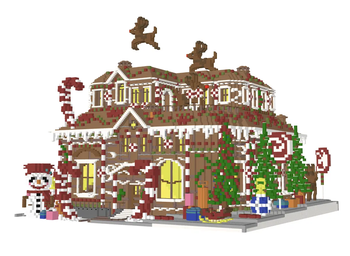
About this Mod
McTo3D - Minecraft to 3D Printing
Turn your Minecraft builds into physical objects.
McTo3D is a utility mod designed to bridge the gap between Minecraft creativity and 3D printing technology. It functions as a simplified CAD tool within the game, allowing players to select, process, and export structures directly into formats compatible with major slicing software (Bambu Studio, Cura, PrusaSlicer).
Whether you are designing architectural models or custom figurines, McTo3D provides a streamlined workflow from block placement to STL generation.
🌟 Key Features
🛠️ Precision Selection Tools
Define your export area with accuracy using two distinct methods:
- Wand Selection: Use the Golden Hoe to quickly define corners (Left-Click for Position 1, Right-Click for Position 2).
- Command Selection: Use
/pos1and/pos2for precise coordinate targeting based on your player position.
📐 Axis Manipulation
Need to capture underground foundations or high rooftops without moving?
- Vertical Expansion: Easily adjust your selection boundaries using the
/expandcommand.- Example:
/expand 10adds 10 blocks upwards. - Example:
/expand -5adds 5 blocks downwards.
- Example:
💾 Advanced Export Modes
McTo3D offers versatile export options tailored to your hardware:
- Raw Mode: Exports pure geometry. Ideal for single-color prints or post-processing in Blender.
- Color Mode: Exports geometry with color data. Optimized for multi-material systems like Bambu Lab AMS or Prusa MMU, allowing for full-color 3D prints directly from the game.
📋 How to Use
- Select Area: Equip a Golden Hoe and mark two opposite corners of your build (Left/Right click).
- Adjust Height: (Optional) Use
/expand <value>to include the roof or basement if they weren't in your initial selection. - Export: Run the command
/export3d. - Locate File: Navigate to your
.minecraft/exportsfolder to find your generated file. - Slice & Print: Drag the file into your preferred slicer software.
⚙️ Compatibility
- Slicers: Tested and optimized for Bambu Studio, Orca Slicer, Cura, and PrusaSlicer.
- Printers: Compatible with standard FDM and SLA printers.
⚠️ Note: Ensure your build has proper structural integrity (supports) within your slicer software before printing.
Available Versions
How to Install McTo3D on Your Server
Order Server
Order a Minecraft Java server with at least 3 GB RAM (4 GB recommended).
Set fabric Loader
In the panel under "Egg", select the fabric loader and matching Minecraft version (1.21.10).
Install Mod
Open the mod browser in the dashboard and search for "McTo3D". Click "Install" – done! Alternatively, upload the .jar via SFTP to the /mods folder.
Compatibility
Mod Loaders
Minecraft Versions
1.21.10
Server-side
✗ UnsupportedRecommended RAM
4 GB(min. 3 GB)Frequently Asked Questions
McTo3D server crashes on startup – what to do?
Most common cause: wrong fabric version or insufficient RAM. Check the server log (latest.log) for "OutOfMemoryError" or "Mixin" errors. With Mado Hosting: ensure at least 3 GB RAM is allocated and the loader matches the mod version (1.21.10). You can switch loaders with one click in the panel.
Is McTo3D compatible with fabric?
McTo3D officially supports fabric for Minecraft 1.21.10. The Mado dashboard automatically detects incompatible loader combinations.
Server lagging with McTo3D – how to optimize performance?
Recommended RAM: 4 GB (per 8 players). Use /spark profiler to check if McTo3D consumes the most tick time. Common fixes: reduce server view-distance to 8-10, install "performant" or "starlight" as supplementary mods on Forge. With Mado Hosting, your server runs on NVMe SSDs with dedicated CPU cores for minimal latency.
Similar Mods





Rent Modded Server
Install McTo3D with just one click on your server.