
Mega World Height
Mega World Height expands the Overworld build and generation height, giving you much more vertical space for mining, building, exploration, and custom world generation. By default, Minecraft’s Overworld height is limited to a smalle
Screenshots
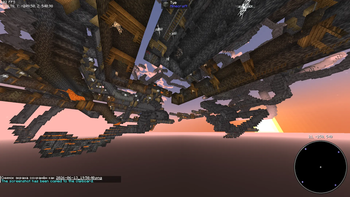
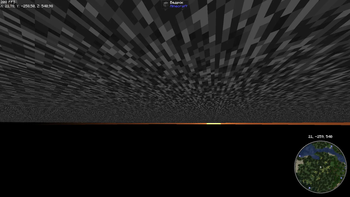
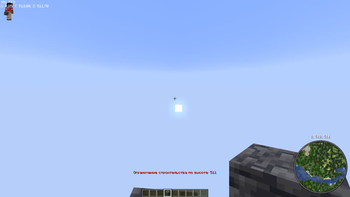
About this Mod
World Height Mod
World Height Mod expands the Overworld build and generation height, giving you much more vertical space for mining, building, exploration, and custom world generation.
By default, Minecraft’s Overworld height is limited to a smaller vertical range. This mod changes the Overworld height to:
- Minimum Y:
-256 - Maximum Y:
511 - Total height:
768 blocks
This means the world can generate much deeper underground and much higher into the sky.
Features
- Expands Overworld height from Y -256 to Y 511
- More space for caves, ores, underground bases, tall mountains, sky builds, and large structures
- Uses vanilla-style worldgen settings
- No new blocks, items, mobs, or gameplay mechanics
- Lightweight and simple
- Works on both client and server
Important Notes
This mod is recommended for new worlds.
Using it on existing worlds may cause sharp chunk borders between already generated terrain and newly generated terrain.
Mods that add structures, ores, or small worldgen features should usually work fine. However, mods or datapacks that completely replace Overworld generation or edit the same Overworld worldgen files may conflict.
For multiplayer, the mod should be installed on the server. It is also recommended to install it on the client when playing in modpacks.
Compatibility
This mod is designed for Fabric and does not require Fabric API.
It may conflict with other mods or datapacks that modify:
minecraft:dimension_type/overworldminecraft:worldgen/noise_settings/overworld
Recommended Use
Create a new world with the mod enabled for the best experience.
Available Versions
How to Install Mega World Height on Your Server
Order Server
Order a Minecraft Java server with at least 4 GB RAM (6 GB recommended).
Set fabric Loader
In the panel under "Egg", select the fabric loader and matching Minecraft version (1.21.11).
Install Mod
Open the mod browser in the dashboard and search for "Mega World Height". Click "Install" – done! Alternatively, upload the .jar via SFTP to the /mods folder.
Compatibility
Mod Loaders
Minecraft Versions
1.21.11, 1.21.10, 1.21.9 (+8 more)
Server-side
✓ RequiredRecommended RAM
6 GB(min. 4 GB)Frequently Asked Questions
Mega World Height server crashes on startup – what to do?
Most common cause: wrong fabric version or insufficient RAM. Check the server log (latest.log) for "OutOfMemoryError" or "Mixin" errors. With Mado Hosting: ensure at least 4 GB RAM is allocated and the loader matches the mod version (1.21.11). You can switch loaders with one click in the panel.
Is Mega World Height compatible with fabric?
Mega World Height officially supports fabric for Minecraft 1.21.11, 1.21.10, 1.21.9. The Mado dashboard automatically detects incompatible loader combinations.
Server lagging with Mega World Height – how to optimize performance?
Recommended RAM: 6 GB (per 5 players). Use /spark profiler to check if Mega World Height consumes the most tick time. Common fixes: reduce server view-distance to 8-10, install "performant" or "starlight" as supplementary mods on Forge. With Mado Hosting, your server runs on NVMe SSDs with dedicated CPU cores for minimal latency.
Similar Mods




Rent Modded Server
Install Mega World Height with just one click on your server.