
Metal Bundles
Upgrade bundles beyond vanilla with larger capacities and intuitive inventory management.
Screenshots

About this Mod








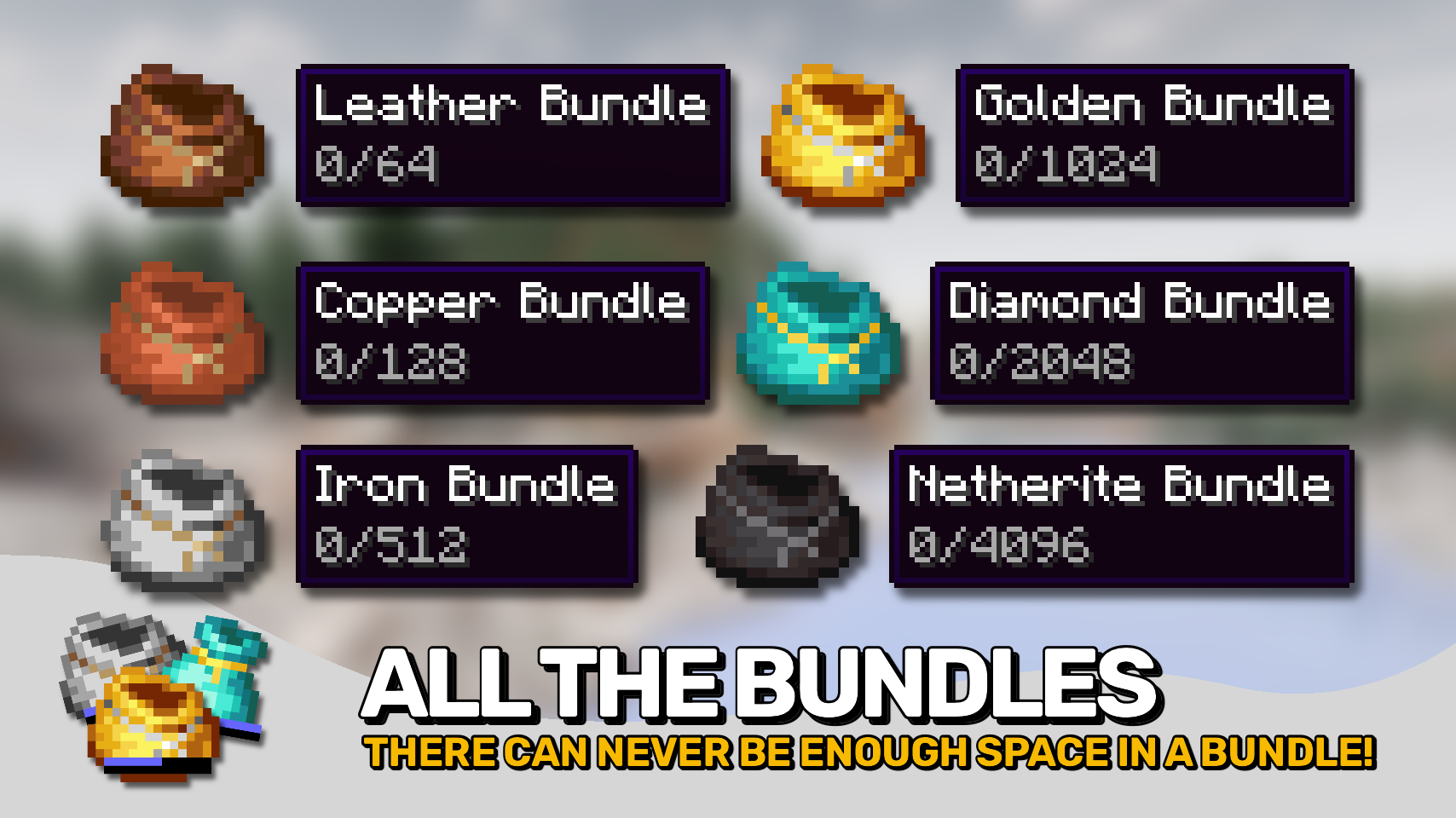
Metal Bundles expands Minecraft's bundle progression with larger bundle tiers crafted from increasingly valuable materials. Upgrade your bundle through leather, copper, iron, gold, diamond, and netherite variants to carry more items wherever your adventures take you. 📦
Bigger bundles are only part of the story. The mod also enhances how bundles are used, making inventory management faster and more intuitive. Browse stored contents, select exactly which item you want, and move items in or out without constantly opening dedicated interfaces. 🎯
Built upon Minecraft's modern bundle mechanics, the mod preserves the familiar vanilla experience while adding more powerful navigation, improved visibility, and additional inventory interactions. Whether you're organizing building materials, carrying loot, or preparing for long journeys, larger bundles become far more practical to use. ✨

- 📦 Six New Bundle Tiers: Craft leather, copper, iron, gold, diamond, and netherite bundles with increasing storage capacity.
- 🔨 Upgradeable Progression: Upgrade existing bundles from one tier to the next instead of crafting entirely new ones.
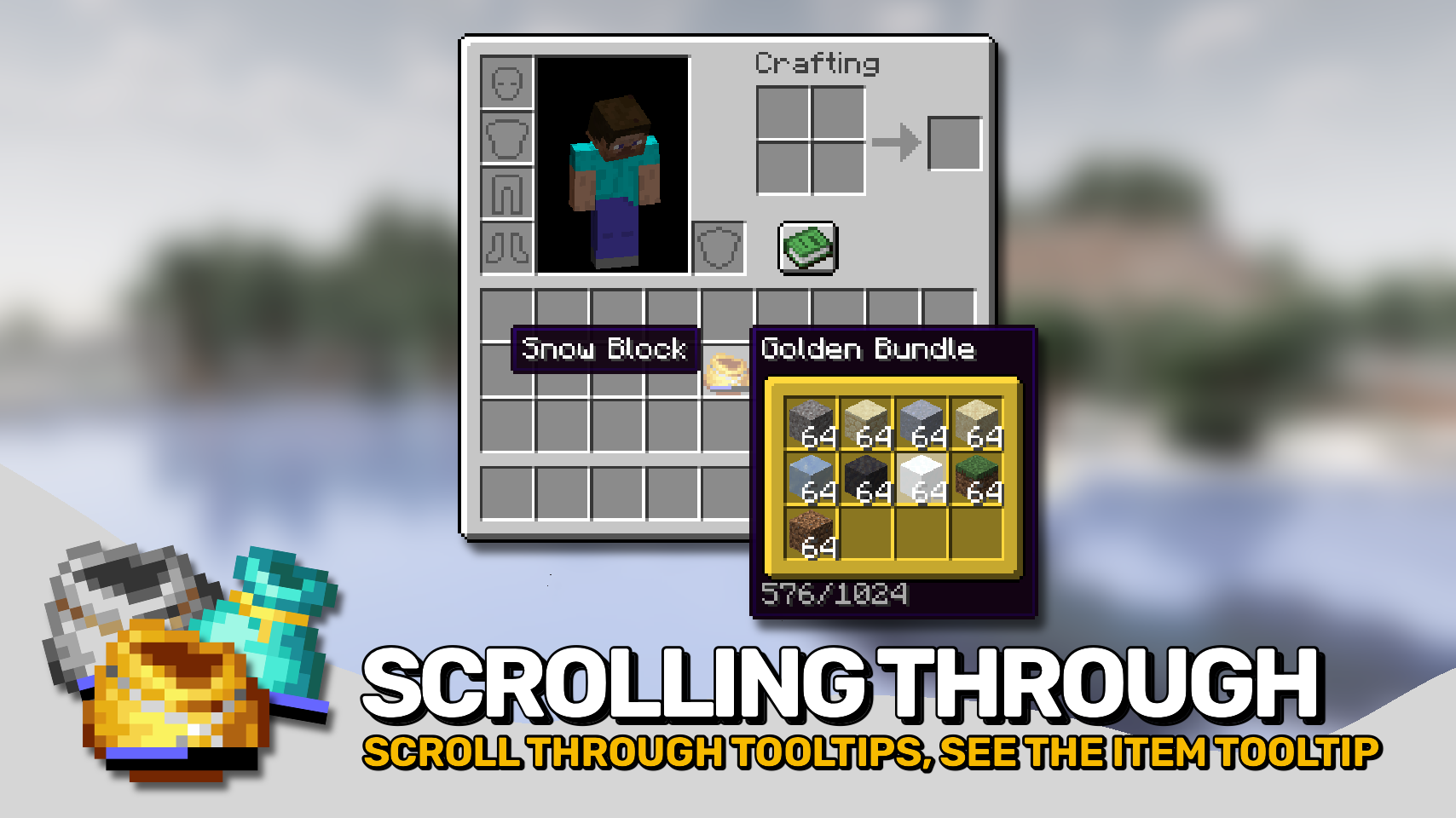
- 👀 View Every Stored Item: See all contents directly in bundle tooltips, making large bundles much easier to navigate.
- 🎯 Select Any Stored Item: Use the scroll wheel or keyboard arrow keys to choose exactly which stored item you want to interact with.
- 📝 Selected Item Details: Instantly see information about the currently selected item while browsing bundle contents.
- ↔️ Fast Item Transfer: Quickly insert and extract items using intuitive inventory interactions.
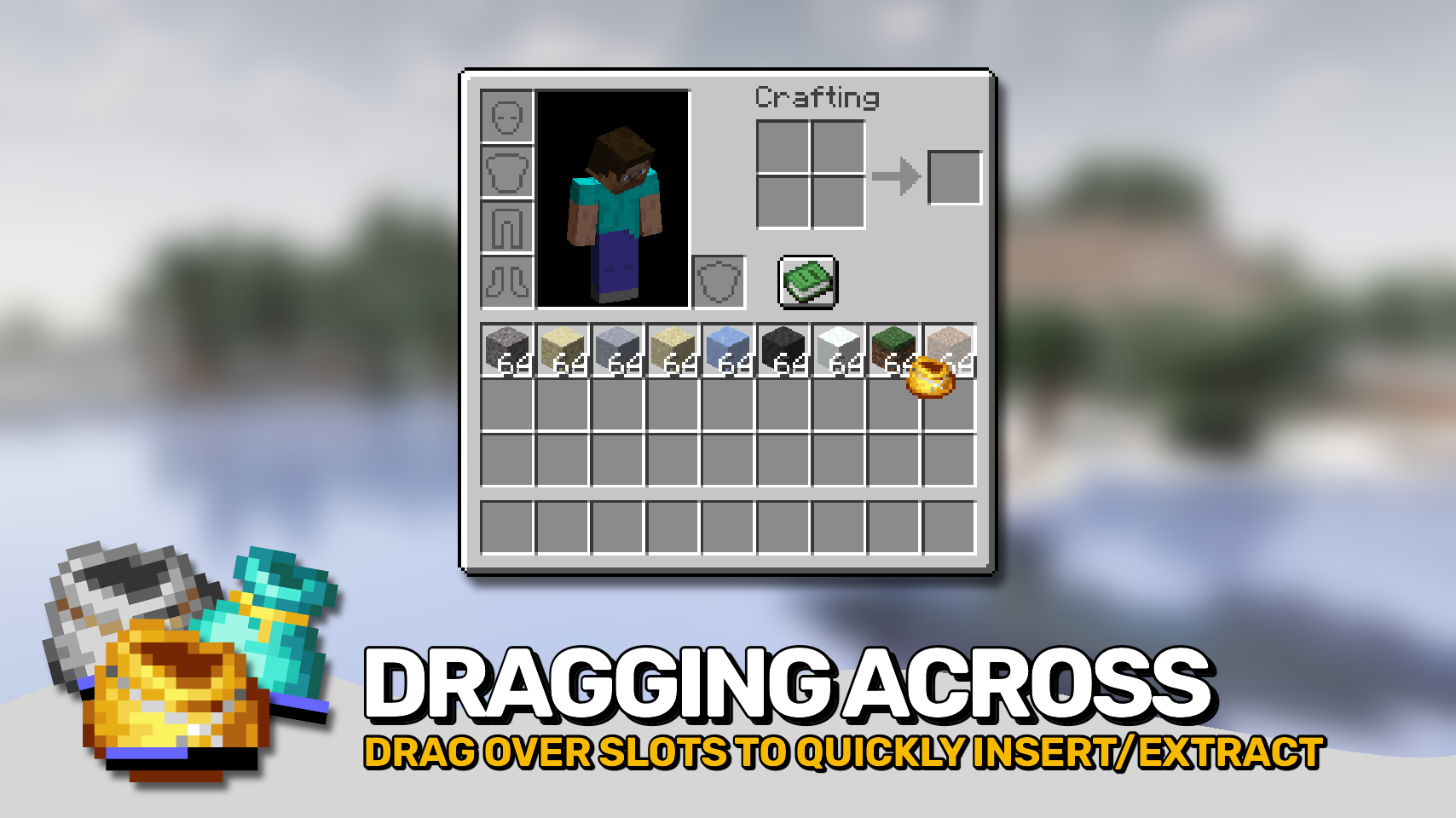
- 🖱️ Drag Across Multiple Slots: Click and drag across inventory slots to insert or extract items in bulk for much faster inventory management.
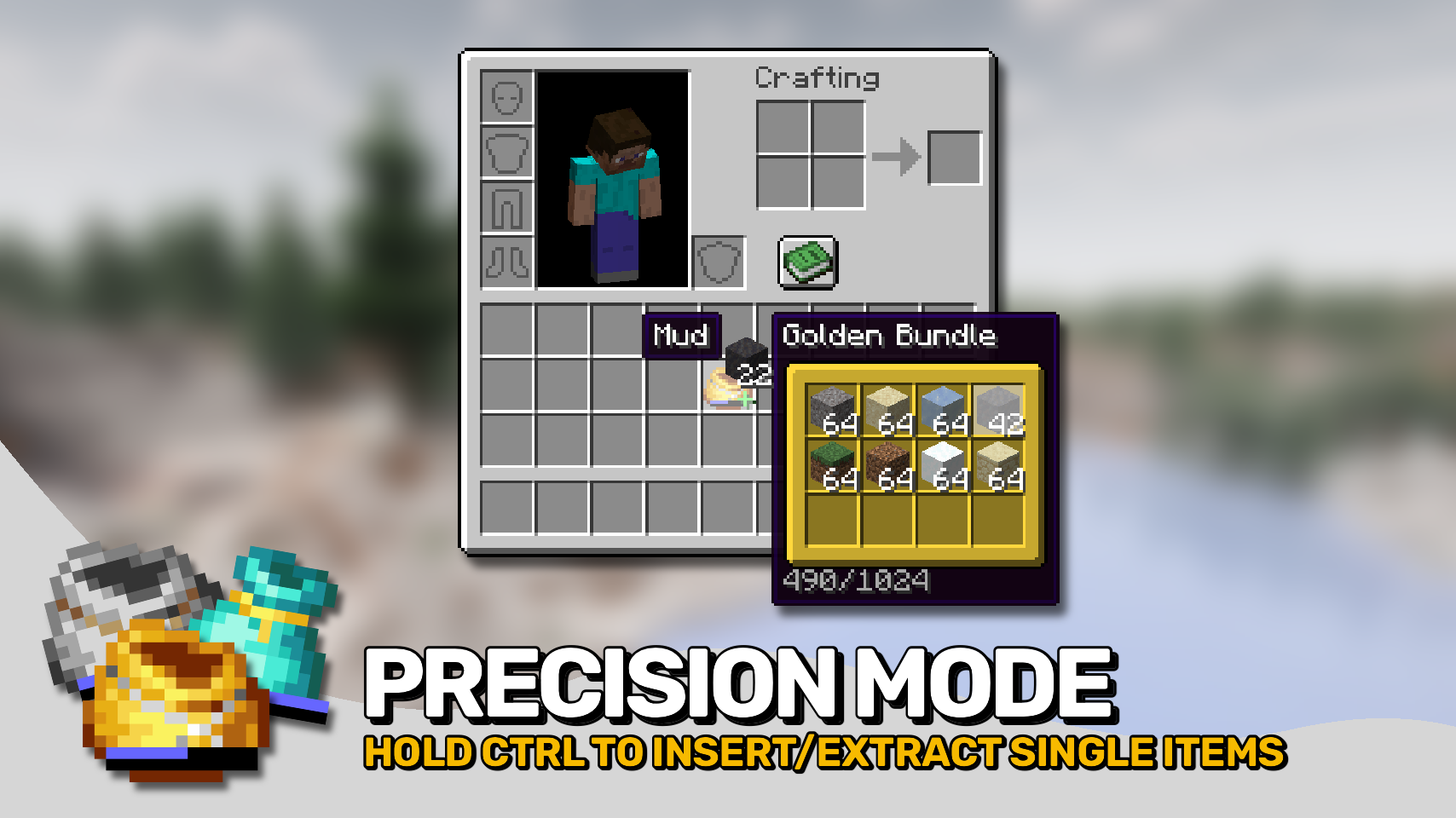
- 🎚️ Precise Item Movement: Hold
Control(Commandon Mac) to move individual items instead of full stacks and precisely control transfer amounts. - 💡 Smart Compatibility Indicators: Visual hints show whether held items can be inserted and whether matching items are already present inside.
- 📊 Improved Fill Indicators: Enhanced bundle capacity indicators help you monitor storage usage at a glance.
- ⚙️ Highly Configurable: Customize storage capacity, interactions, controls, tooltip behavior, and visual features to match your preferred playstyle.


⏩ INSTALLATION REQUIRED ON CLIENT & REQUIRED ON SERVER
⏩ REQUIRES PUZZLES LIB TO BE INSTALLED (FABRIC & NEOFORGE)
⏩ REQUIRES FABRIC API TO BE INSTALLED (FABRIC)
⏩ REQUIRES FORGE CONFIG API PORT TO BE INSTALLED (FABRIC)

If available for a mod, configuration is possible directly from in-game using the mod menu (requires Mod Menu by Prospector to be installed on Fabric).
For manual configuration using an external text editor all files are found at .minecraft/config, named as MOD_ID-client.toml, MOD_ID-common.toml, or MOD_ID-server.toml, depending on the type of config. Not all types might exist for a mod, if any at all.


Available Versions
How to Install Metal Bundles on Your Server
Order Server
Order a Minecraft Java server with at least 3 GB RAM (4 GB recommended).
Set fabric Loader
In the panel under "Egg", select the fabric loader and matching Minecraft version (26.1.2).
Install Mod
Open the mod browser in the dashboard and search for "Metal Bundles". Click "Install" – done! Alternatively, upload the .jar via SFTP to the /mods folder.
Compatibility
Mod Loaders
Minecraft Versions
26.1.2, 26.1.1, 26.1 (+16 more)
Server-side
✓ RequiredRecommended RAM
4 GB(min. 3 GB)Frequently Asked Questions
Metal Bundles server crashes on startup – what to do?
Most common cause: wrong fabric version or insufficient RAM. Check the server log (latest.log) for "OutOfMemoryError" or "Mixin" errors. With Mado Hosting: ensure at least 3 GB RAM is allocated and the loader matches the mod version (26.1.2). You can switch loaders with one click in the panel.
Is Metal Bundles compatible with fabric and forge and neoforge?
Metal Bundles officially supports fabric, forge, neoforge for Minecraft 26.1.2, 26.1.1, 26.1. Note: Forge and Fabric mods are NOT cross-compatible – pick one loader and stick with it. The Mado dashboard automatically detects incompatible loader combinations.
Server lagging with Metal Bundles – how to optimize performance?
Recommended RAM: 4 GB (per 8 players). Use /spark profiler to check if Metal Bundles consumes the most tick time. Common fixes: reduce server view-distance to 8-10, install "performant" or "starlight" as supplementary mods on Forge. With Mado Hosting, your server runs on NVMe SSDs with dedicated CPU cores for minimal latency.
Similar Mods






Rent Modded Server
Install Metal Bundles with just one click on your server.