Metallic Tinkering
Adds materials supported in base Tinkers' Construct, but require a separate mod to obtain.
Screenshots


About this Mod
Metallic Tinkering
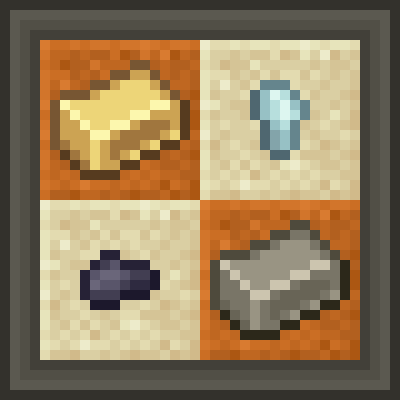
Metallic Tinkering is a thingpack for Tinkers' Construct that adds all* the materials supported in the base mod, but require a separate mod to obtain.
Requires Json Things, which is only on CurseForge
Features:
There are currently 10 ores and 6 alloys, leading to a total of 13 materials!
Ore Generation:
- Aluminum: 56 to -24
- Lead: 16 to -56
- Nickel: 48 to -24
- Osmium: 128 to -56
- Platinum: 8 to -8
- Silver: 48 to -48
- Tin: 128 to -8
- Tungsten: 16 to -64
- Uranium: 8 to -64
- Zinc: 56 to -40
Alloys:
- Brass: 1 Copper + 1 Zinc = 2 Brass
- Bronze: 3 Copper + 1 Tin = 4 Bronze
- Constantan: 1 Copper + 1 Nickel = 2 Constantan
- Electrum: 1 Gold + 1 Silver = 2 Electrum
- Invar: 2 Iron + 1 Nickel = 3 Invar
- Pewter: 2 Tin + 1 Lead = 3 Pewter
Other:
- Crude Iron: Crafted with raw iron and two of either coal or charcoal. Smelt some to get steel ingots. (Basically functions as raw steel)
- Coal Nugget: Eight are crafted from one coal. Each smelts one item.
Specific Support For:
Any comments, criticisms, & requests are welcome.
Possible Questions:
Can I use it in a Modpack?
- Of course, just remember that Json Things is required, which is only on CurseForge.
Can you add other materials?
- I cannot guarantee it, but you can suggest basically any materials. If it were to make sense in this pack, it could be included.
How do 10 ore and 6 alloys lead to 13 materials?
- Nickel, Tin, and Zinc are used to make alloys. Uranium and Brass make Necronium and Plated Slimewood respectively.
Any current plans for the mod?
- Armor trim compatibility.
- Adding future compat materials if base Tinkers' Construct makes them.
- Making existing materials support other tool parts. For example, Aluminum is only used in bows and armor, but I could make it support tools.
- Possibly adding custom materials.
- Changes to ore generation and textures.
- Compatibility with other mods. Requesting support for another mod is encouraged, as I want this to be readily usable for modpacks.
Anything that is NOT going to be added?
- Treated Wood. It is supported by Tinkers', but getting it is too complicated to be included. If someone explains a simpler way of obtaining it, then it could be added.
- Things requiring Java code.
- Backports. I will only make and maintain versions 1.20.1+.
- Fabric. Json Things is Forge and NeoForge only.
Available Versions
How to Install Metallic Tinkering on Your Server
Order Server
Order a Minecraft Java server with at least 4 GB RAM (6 GB recommended).
Set forge Loader
In the panel under "Egg", select the forge loader and matching Minecraft version (1.20.1).
Install Mod
Open the mod browser in the dashboard and search for "Metallic Tinkering". Click "Install" – done! Alternatively, upload the .jar via SFTP to the /mods folder.
Compatibility
Mod Loaders
Minecraft Versions
1.20.1
Server-side
✓ RequiredRecommended RAM
6 GB(min. 4 GB)Frequently Asked Questions
Metallic Tinkering server crashes on startup – what to do?
Most common cause: wrong forge version or insufficient RAM. Check the server log (latest.log) for "OutOfMemoryError" or "Mixin" errors. With Mado Hosting: ensure at least 4 GB RAM is allocated and the loader matches the mod version (1.20.1). You can switch loaders with one click in the panel.
Is Metallic Tinkering compatible with forge and neoforge?
Metallic Tinkering officially supports forge, neoforge for Minecraft 1.20.1. The Mado dashboard automatically detects incompatible loader combinations.
Server lagging with Metallic Tinkering – how to optimize performance?
Recommended RAM: 6 GB (per 5 players). Use /spark profiler to check if Metallic Tinkering consumes the most tick time. Common fixes: reduce server view-distance to 8-10, install "performant" or "starlight" as supplementary mods on Forge. With Mado Hosting, your server runs on NVMe SSDs with dedicated CPU cores for minimal latency.
Similar Mods



![[TaCZ] Timeless and Classics Zero](https://cdn.modrinth.com/data/SzzJttH8/fd27766d2bb8390d284696b1dbd358f87e081439_96.webp)


Rent Modded Server
Install Metallic Tinkering with just one click on your server.