
MineClash Capsules
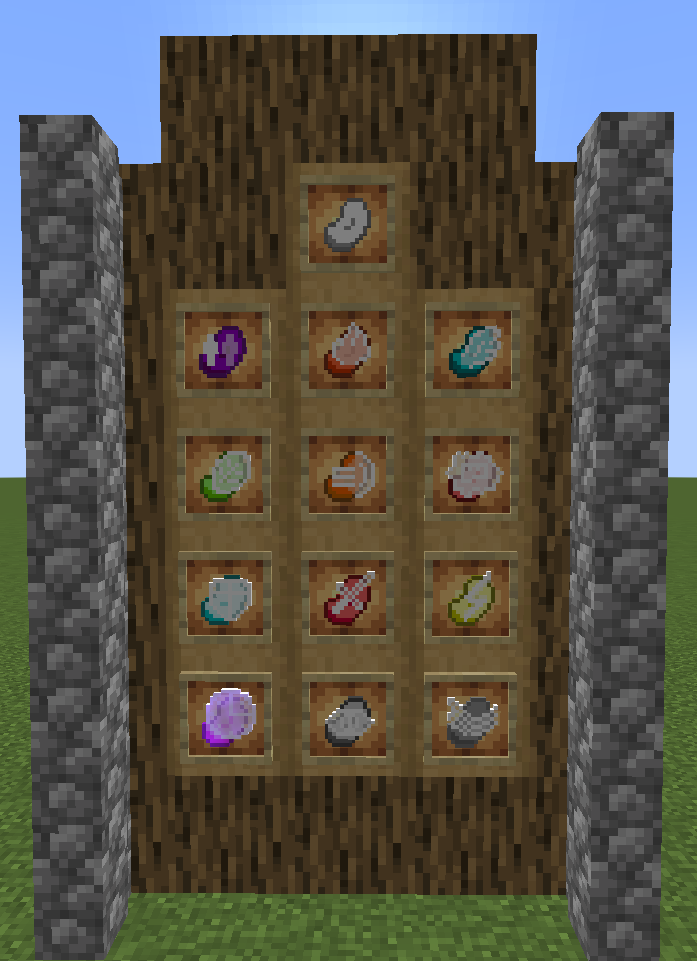
Adds the capsules (plus extra) from TubeClash!
Screenshots
About this Mod
The official MineClash Capsule Mod
The development of this mod is on hold and will be further developed in the future
This mod adds (almost) all capsules featured in the animated YouTube series Tubeclash/Finalclash, created by darkviktory studios, including those which never made it into the show (by not winning the related votes).
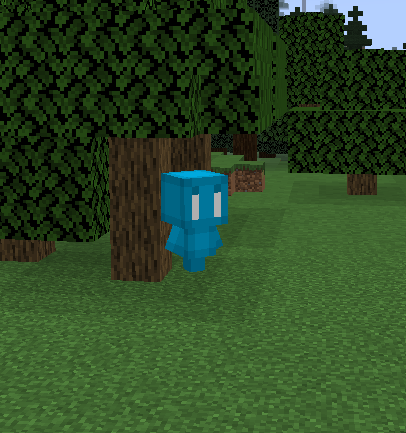
Obtained through the communitry ghosts, the capsules add helpful and fun gameplay features inspired by Tubeclash to your Minecraft experience!

Each capsule has a different effect on the player and the world around them.
What do they do? Well, why not go ahead and find out yourself?
If you want can't wait, find out about it here:
Spoiler
- Plain Capsule: Does nothing (only used for crafting other capsules).
- Fire Capsule: Shoots a fireball.
- Flight Capsule: Allows player to fly freely for a short period of time (Creative mode flight)
- Leaf Capsule: Spawns a random kind of vanilla tree.
- Force Capsule: pushes entities away from the user.
- Punch Capsule: Gives the player a strengh buff for a short time.
- Shield Capsule: Gives the user defensive effects for a short time.
- Weapon Capsule: Gives the user a random vanilla sword.
- Lighning Capsule: Shoots a lightning bolt wherever it is thrown.
- Time Capsule: Stops entities around the player for a period of time.
- Vision Capsule: Makes the user invisible for a short period of time.
- Wind Capsule: Launches the user upward.
This mod is still in very very early stages of development. Updates will be issued in the future.
All elements featured in this mod are inspired by TubeClash. This mod exists in no official relation to the series creators or darkviktory studios.
Available Versions
How to Install MineClash Capsules on Your Server
Order Server
Order a Minecraft Java server with at least 3 GB RAM (4 GB recommended).
Set fabric Loader
In the panel under "Egg", select the fabric loader and matching Minecraft version (1.20.6).
Install Mod
Open the mod browser in the dashboard and search for "MineClash Capsules". Click "Install" – done! Alternatively, upload the .jar via SFTP to the /mods folder.
Compatibility
Mod Loaders
Minecraft Versions
1.20.6, 1.20.5, 1.20.4 (+4 more)
Server-side
✓ RequiredRecommended RAM
4 GB(min. 3 GB)Frequently Asked Questions
MineClash Capsules server crashes on startup – what to do?
Most common cause: wrong fabric version or insufficient RAM. Check the server log (latest.log) for "OutOfMemoryError" or "Mixin" errors. With Mado Hosting: ensure at least 3 GB RAM is allocated and the loader matches the mod version (1.20.6). You can switch loaders with one click in the panel.
Is MineClash Capsules compatible with fabric?
MineClash Capsules officially supports fabric for Minecraft 1.20.6, 1.20.5, 1.20.4. The Mado dashboard automatically detects incompatible loader combinations.
Server lagging with MineClash Capsules – how to optimize performance?
Recommended RAM: 4 GB (per 8 players). Use /spark profiler to check if MineClash Capsules consumes the most tick time. Common fixes: reduce server view-distance to 8-10, install "performant" or "starlight" as supplementary mods on Forge. With Mado Hosting, your server runs on NVMe SSDs with dedicated CPU cores for minimal latency.
Similar Mods



![[TaCZ] Timeless and Classics Zero](https://cdn.modrinth.com/data/SzzJttH8/fd27766d2bb8390d284696b1dbd358f87e081439_96.webp)


Rent Modded Server
Install MineClash Capsules with just one click on your server.