
Minecraft Add
This mod adds more interesting items to Minecraft
Screenshots

About this Mod
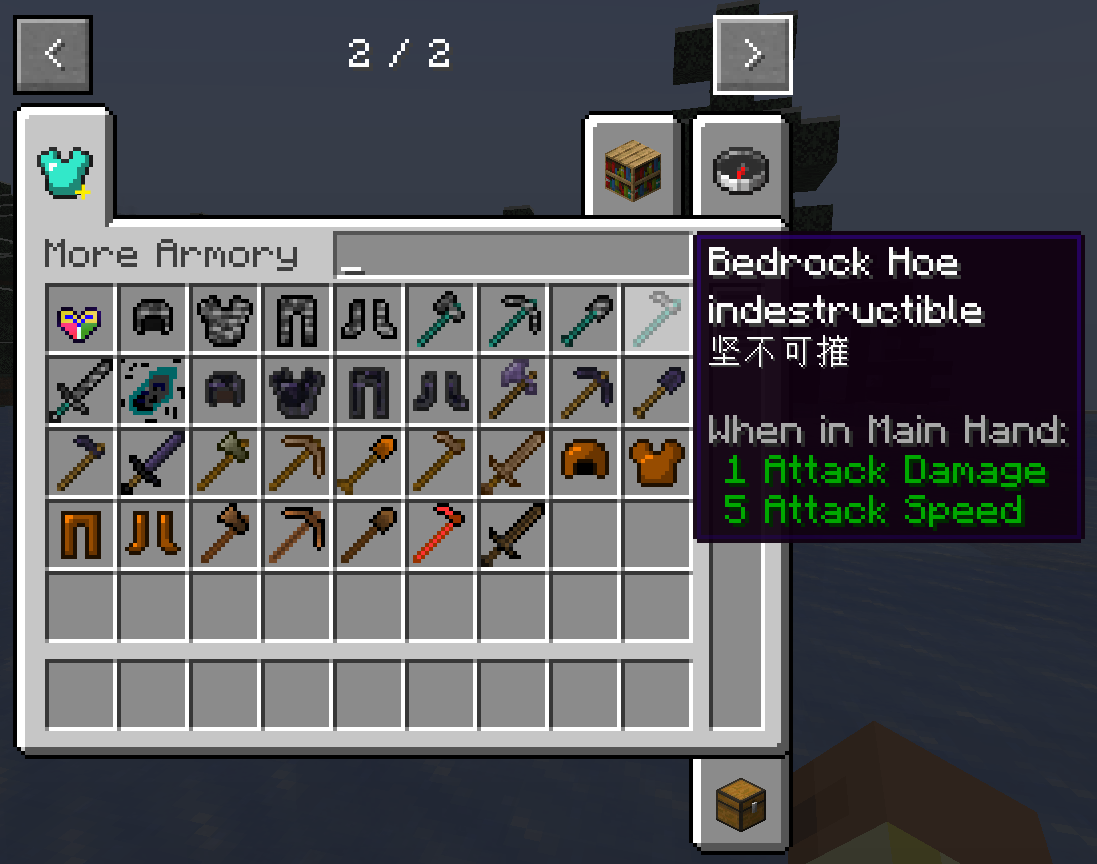
The following items are added to this mod:
NO.1: Dirt tools and armor, no special skills at the moment
NO.2: Terracotta tools, fired from clay tools, excavation level 2
No.3:copper tools and armor
NO.4: Obsidian tools and armor, of which [Obsidian Pickaxe] can be combined with 4 [Obsidian] Discord to craft 1 [Bedrock Shard]
NO.5: Bedrock tools and armor, in which [Bedrock Pickaxe] right-click on bedrock to collect [Bedrock] and enter 250 ticks of cooldown. [Bedrock Sword] right-click air to generate a [Bedrock] block under your feet, cooldown: 400 ticks
NO.6: 4 [Sticks] can be combined into 2 [Oak Planks], 4 [Planks] can be combined into 1 [Oak Log]
NO.7: Heart of the World: Right-click the block to consume itself and replace the block with [Command Block], which is used to craft [Origin Artifact]
The progress added to this module is as follows:
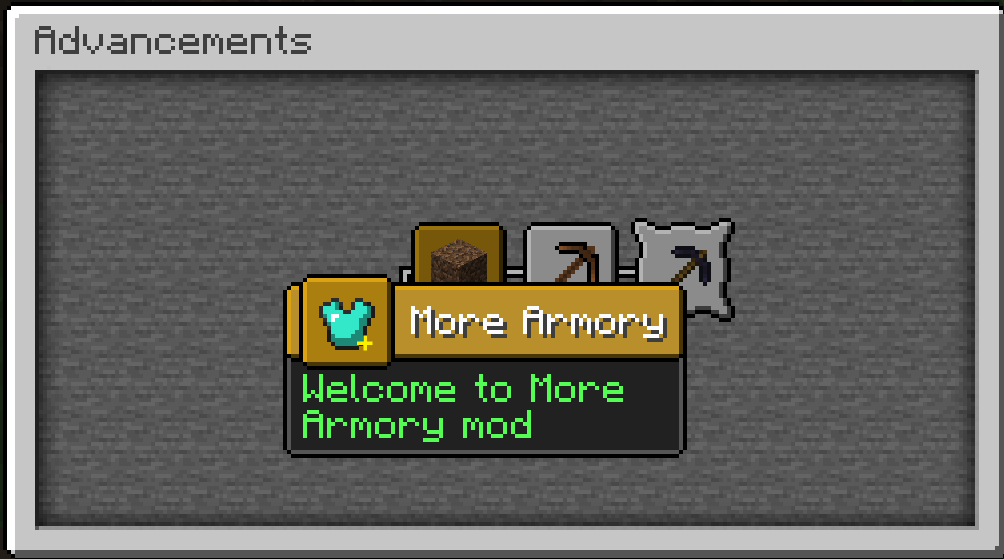
NO.1: "More Equipment": The initial progress of this mod is achieved after picking up 1 [Dirt].
NO.2: "Poor to Eat Soil": Achieved after picking up 1 [Dirt], 20 experience points will be awarded
NO.3: "Unstable Tools": Achieved after obtaining a full set of dirt tools and armor, 30 experience points will be awarded
NO.4: "Tools Stronger Than Diamonds": Achieved after obtaining a full set of obsidian tools and armor, 150 experience points will be awarded
NO.5: "Eternal Tools": Achieved after obtaining a full set of bedrock tools and armor, 500 experience points will be awarded
NO.6: "World Core": Achieved after obtaining [Heart of the World], the experience point is 999
NO.7: "The Return of the Emperor": Achieved after obtaining [Enchanted Golden Apple], rewarding experience points of 300
PS: 1.8.0 and above continue to improve. It is not recommended by authors below 1.8.0, they are considered imperfect and wrong. The author is not responsible for them
This mod is made using MCreator, please forgive me
Changed its name to Minecraft Add in 11.2
For Chinese(写给中国人):
如果你想赞助或查看各版本的详细区别,请打开下方链接
https://afdian.com/a/newmyshuaibi
Available Versions
How to Install Minecraft Add on Your Server
Order Server
Order a Minecraft Java server with at least 3 GB RAM (4 GB recommended).
Set forge Loader
In the panel under "Egg", select the forge loader and matching Minecraft version (1.21.3).
Install Mod
Open the mod browser in the dashboard and search for "Minecraft Add". Click "Install" – done! Alternatively, upload the .jar via SFTP to the /mods folder.
Compatibility
Mod Loaders
Minecraft Versions
1.21.3, 1.21.2, 1.21.1 (+1 more)
Server-side
✓ RequiredRecommended RAM
4 GB(min. 3 GB)Frequently Asked Questions
Minecraft Add server crashes on startup – what to do?
Most common cause: wrong forge version or insufficient RAM. Check the server log (latest.log) for "OutOfMemoryError" or "Mixin" errors. With Mado Hosting: ensure at least 3 GB RAM is allocated and the loader matches the mod version (1.21.3). You can switch loaders with one click in the panel.
Is Minecraft Add compatible with forge and neoforge?
Minecraft Add officially supports forge, neoforge for Minecraft 1.21.3, 1.21.2, 1.21.1. The Mado dashboard automatically detects incompatible loader combinations.
Server lagging with Minecraft Add – how to optimize performance?
Recommended RAM: 4 GB (per 8 players). Use /spark profiler to check if Minecraft Add consumes the most tick time. Common fixes: reduce server view-distance to 8-10, install "performant" or "starlight" as supplementary mods on Forge. With Mado Hosting, your server runs on NVMe SSDs with dedicated CPU cores for minimal latency.
Similar Mods




![[TaCZ] Timeless and Classics Zero](https://cdn.modrinth.com/data/SzzJttH8/fd27766d2bb8390d284696b1dbd358f87e081439_96.webp)

Rent Modded Server
Install Minecraft Add with just one click on your server.