
Minecraft Authentication
Allow users to link their Minecraft accounts to various services and automatically whitelist them based on specified conditions
Screenshots
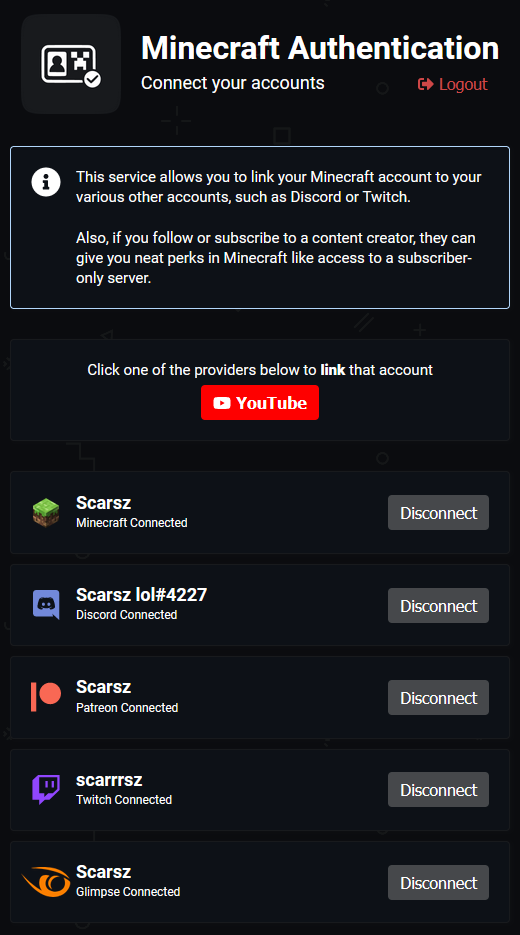

About this Mod
The official plugin/mod for the Minecraft Authentication service.
Automatically whitelist your server
This plugin/mod can completely automate your subscriber/follower/patron server whitelist process. Users simply link their accounts at minecraftauth.me and join your server. If they don't have a proper subscription to join your server, they're denied entry. Otherwise, game on.
Control server access based on 3rd-party services
- Has specified Discord role?
DiscordRole(000000000000000000)(requires Discord bot present in server) - Is in specified Discord server?
DiscordServer(000000000000000000)(requires Discord bot present in server) - Is following you on Twitch?
TwitchFollower() - Is subscribed to you on Twitch?
TwitchSubscriber() - Is a tier 2 subscriber to you on Twitch?
TwitchSubscriber(2) - Is a YouTube subscriber?
YouTubeSubscriber() - Is a YouTube channel member (paid subscription)?
YouTubeMember() - Is a member of your Patreon campaign?
PatreonMember() - Is a member of your Patreon campaign at level "Diamond"?
PatreonMember("Diamond")
Not enough customization? Combine conditions.
- Allow anyone who hasn't been naughty?
not(DiscordRole("naughty"))(requires Discord bot present in server) - Is subscribed to you on Twitch and doesn't have the "naughty" Discord role?
TwitchSubscriber() and not(DiscordRole("naughty"))(requires Discord bot present in server) - Is subscribed to you on Twitch and is in your Discord server?
TwitchSubscriber() and DiscordServer(000000000000000000)(requires Discord bot present in server)
Listing multiple conditions will allow access if any condition passes
Your staff team doesn't need to be a subscriber to join your server (though they should...)
Conditions:
  - TwitchSubscriber()
  # multiple conditions = OR
  - DiscordRole("staff")
Installation
- Head over to minecraftauth.me and link all of your relevant accounts
- Install the Bukkit plugin for Bukkit/Spigot/Paper-based servers or the respective Forge/Sponge mod for your version
- Start the server to generate a fresh config
- Replace
tokenon the first line of your config with the text from https://minecraftauth.me/api/token - Configure your entry conditions as you'd like
- Run
/minecraftauth reloadin-game to load your changes and start controlling entry to your server
Notes:
- Other plugins/mods you have installed are also able to control access to the server at the same time as Minecraft Authentication. If you have a ban plugin, your ban plugin will still be able to deny banned players.
- Ensure any other whitelisting systems, including plugins, mods, and vanilla whitelist, are disabled if you only want Minecraft Authentication to control entry.
Available Versions
How to Install Minecraft Authentication on Your Server
Order Server
Order a Minecraft Java server with at least 3 GB RAM (4 GB recommended).
Set bukkit Loader
In the panel under "Egg", select the bukkit loader and matching Minecraft version (1.19.2).
Install Mod
Open the mod browser in the dashboard and search for "Minecraft Authentication". Click "Install" – done! Alternatively, upload the .jar via SFTP to the /mods folder.
Compatibility
Mod Loaders
Minecraft Versions
1.19.2, 1.19.1, 1.19 (+47 more)
Server-side
✗ UnsupportedRecommended RAM
4 GB(min. 3 GB)Frequently Asked Questions
Minecraft Authentication server crashes on startup – what to do?
Most common cause: wrong bukkit version or insufficient RAM. Check the server log (latest.log) for "OutOfMemoryError" or "Mixin" errors. With Mado Hosting: ensure at least 3 GB RAM is allocated and the loader matches the mod version (1.19.2). You can switch loaders with one click in the panel.
Is Minecraft Authentication compatible with bukkit and forge and paper and purpur and spigot and sponge?
Minecraft Authentication officially supports bukkit, forge, paper, purpur, spigot, sponge for Minecraft 1.19.2, 1.19.1, 1.19. The Mado dashboard automatically detects incompatible loader combinations.
Server lagging with Minecraft Authentication – how to optimize performance?
Recommended RAM: 4 GB (per 8 players). Use /spark profiler to check if Minecraft Authentication consumes the most tick time. Common fixes: reduce server view-distance to 8-10, install "performant" or "starlight" as supplementary mods on Forge. With Mado Hosting, your server runs on NVMe SSDs with dedicated CPU cores for minimal latency.
Similar Mods






Rent Modded Server
Install Minecraft Authentication with just one click on your server.