
MC Classic: Resurrected
A work-in-progress project that aims to recreate the old alpha/beta Minecraft features by adding new blocks, dimensions, biomes, and items!
Screenshots
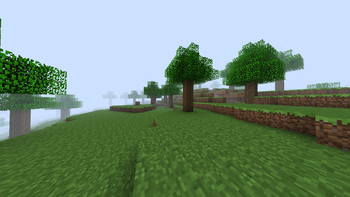
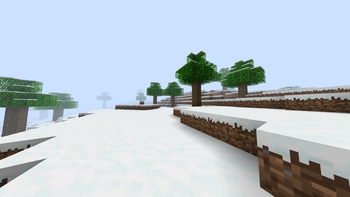
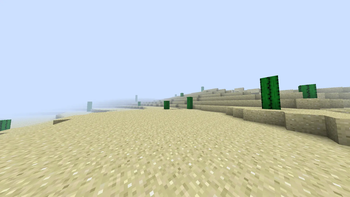
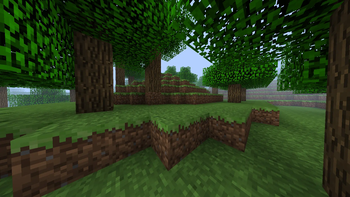
About this Mod
Minecraft Classic: Resurrected, A blast from the past mod made just for people who love nostalgia, but don't want to give up the newer features 1.20 Minecraft has to offer.
This work in progress project aims to recreate the old Minecraft Alpha/Beta look and feel by adding new items, blocks, dimensions, and biomes.
Reading the changelogs when a new update comes out can really help clear up any confusion on newly added features.
Playing this mod with a classic texture pack (Like programmer art or Golden Days) can really take away from the mod's features, as it makes it a lot harder to tell which features are vanilla and which features are modded.
This mod currently adds:
A variety of new blocks, some craftable and some generating naturally.
A variety of new items, tools, weapons, and foods.
New plants and crops
New biomes and dimensions to explore
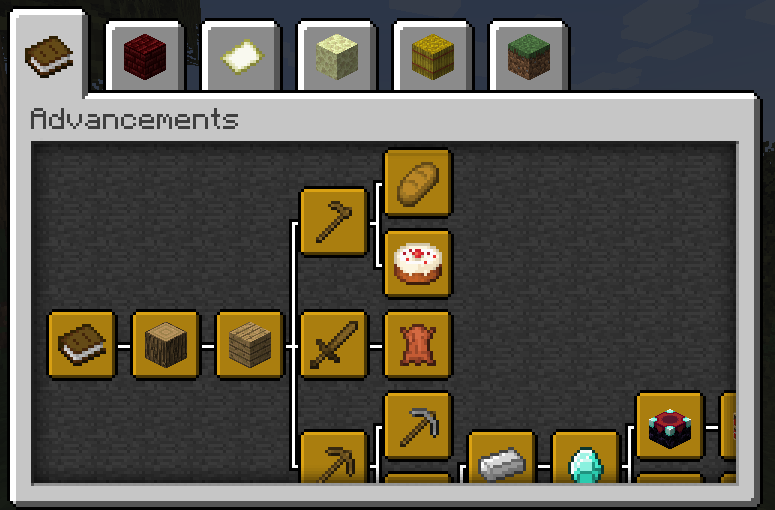
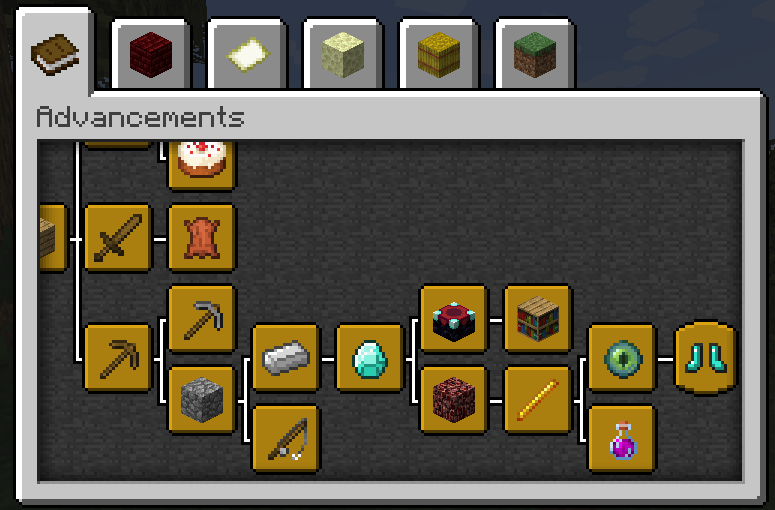
A brand new acievement tab with 21 new achievements to obtain
This mod works really good when paired with other mods like Nostalgia Tweaks. If you are looking for a Classic Minecraft experience but you don't want to give up the modern game and features, then look no further! Using this mod basically lets you play dual-versions of Minecraft. You could make a house with a Classic Cobblestone floor, and a modern cobblestone roof. So this mod is for people who want old features and new features at the same time.
I'm stuck and dont know what this mod does!
To get started, create a new world. Don't use any mods that add their own world type (Like Moderner Beta) because then the biomes from this mod won't generate, and you won't be able to get anything from this project. Once your world is created, explore around and look for one of the naturally-generating Classic biomes. Once a Classic biome is discovered, you can enter a cave in the biome and look for chunks of Classic Obsidian, Classic Gravel and Classic Iron Ore. Once you've found at least 10 Classic Obsidian, 1 Classic Iron Ingot and 1 Classic Flint, you can build a Classic Nether Portal Frame and craft Classic Flint & Steel. If you light the portal with the Classic Flint & Steel, you will be taken to the Classic Nether (which currently has no features yet, but is still cool.) If you wish to visit infinite versions of the Classic Biomes, look in the Crafting Table recipe book for instructions on how to craft the respective Flint & Steel versions for each biome. The mod Just Enough Items can help with this as well.
Information about the new Achievement Tree:
All achievements are based off the classic items not the modern ones, And the achievements are just ripped from beta Java Minecraft.
The 'Taking Inventory' achievement is still WIP until I figure out how to make a function in MCreator for it.
Some features will be a work-in-progress for a while because there are some limitations to MCreator that I need to find workarounds for. And some workarounds take longer than others because I have close to zero MCreator experience and when I use ChatGPT for help it has errors and issues a lot more than I'd like to admit.
Away from that, and last but not least, Enjoy!
Available Versions
How to Install MC Classic: Resurrected on Your Server
Order Server
Order a Minecraft Java server with at least 4 GB RAM (6 GB recommended).
Set forge Loader
In the panel under "Egg", select the forge loader and matching Minecraft version (1.20.1).
Install Mod
Open the mod browser in the dashboard and search for "MC Classic: Resurrected". Click "Install" – done! Alternatively, upload the .jar via SFTP to the /mods folder.
Compatibility
Mod Loaders
Minecraft Versions
1.20.1
Server-side
✓ RequiredRecommended RAM
6 GB(min. 4 GB)Frequently Asked Questions
MC Classic: Resurrected server crashes on startup – what to do?
Most common cause: wrong forge version or insufficient RAM. Check the server log (latest.log) for "OutOfMemoryError" or "Mixin" errors. With Mado Hosting: ensure at least 4 GB RAM is allocated and the loader matches the mod version (1.20.1). You can switch loaders with one click in the panel.
Is MC Classic: Resurrected compatible with forge?
MC Classic: Resurrected officially supports forge for Minecraft 1.20.1. The Mado dashboard automatically detects incompatible loader combinations.
Server lagging with MC Classic: Resurrected – how to optimize performance?
Recommended RAM: 6 GB (per 5 players). Use /spark profiler to check if MC Classic: Resurrected consumes the most tick time. Common fixes: reduce server view-distance to 8-10, install "performant" or "starlight" as supplementary mods on Forge. With Mado Hosting, your server runs on NVMe SSDs with dedicated CPU cores for minimal latency.
Similar Mods




Rent Modded Server
Install MC Classic: Resurrected with just one click on your server.