
Dungeons Artifacts
A datapack that adds the artifacts of Minecaft Dungeon
About this Mod
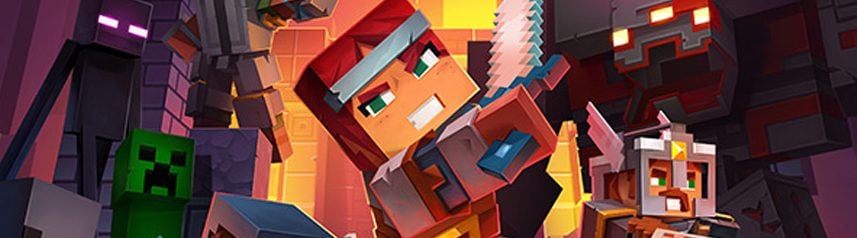

If you’re a Minecraft fan and like the idea of adding a touch of adventure and strategy to your game, then our Data Pack / Mod that brings the artifacts from Minecraft Dungeons into the world of Minecraft is for you!
These artifacts not only add an extra dimension to your gaming experience, but also offer new ways to tackle your enemies. Prepare your resources, collect artifacts and face more exciting challenges than ever before, with a cooldown system that keeps the gameplay balanced and fun!

Currently, artifacts can be obtained by command for easy experimentation.
Each artifact has a similar cooldown to that of Minecraft Dungeons, but slightly adapted to be balanced in Minecraft. The harder the level of play (difficulty), the longer the ability recharge time will be, leading to a continuous challenge to balance the strategic use of artifacts.
Available Artifacts
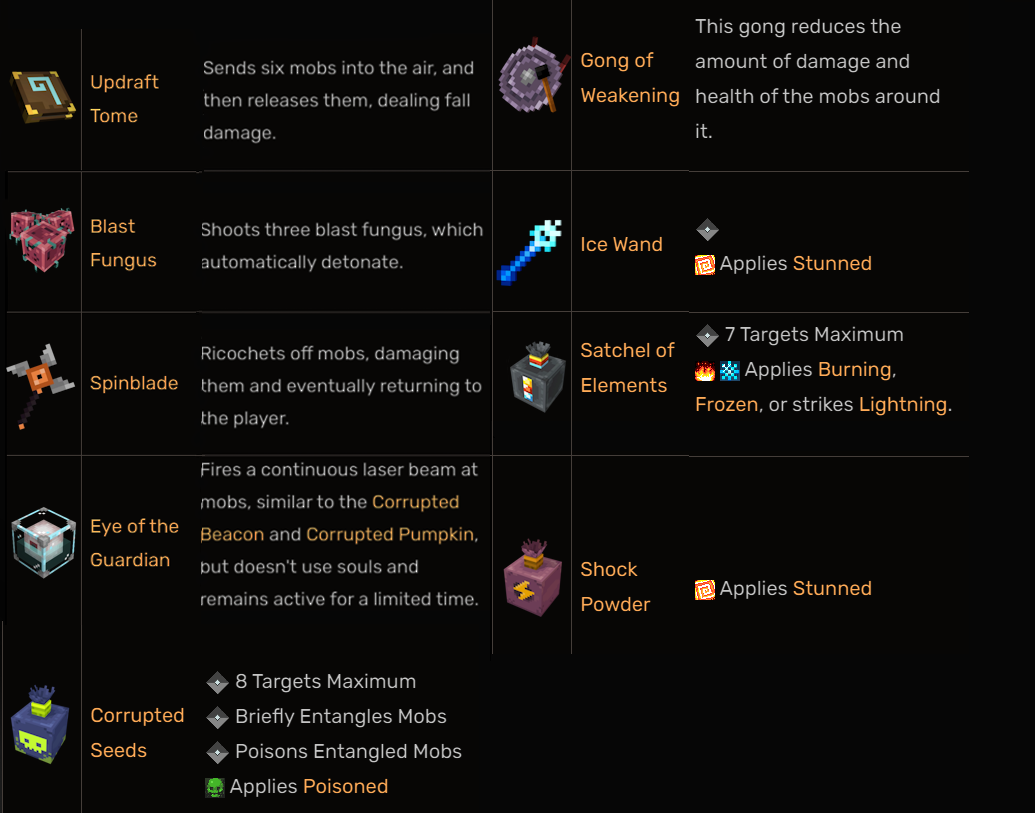
Each artifact is suitable for different styles of play: those who love to attack from the front, those who prefer to protect themselves and those who seek tactics in the escape and recovery phases.
How to get the artifacts
To get the artifacts, use the command:
/function diesse:mcda/a_give/...
Typing this command in the chat will appears all the available artifacts in this pack.
Website
If you have any questions, need assistance, or simply want to share your thoughts or feedback, feel free to reach out. We're always here to help and would love to hear from you – whether you're looking for answers, suggestions, or just want to let us know how we're doing.

Other links


Available Versions
How to Install Dungeons Artifacts on Your Server
Order Server
Order a Minecraft Java server with at least 3 GB RAM (4 GB recommended).
Set datapack Loader
In the panel under "Egg", select the datapack loader and matching Minecraft version (1.21.3).
Install Mod
Open the mod browser in the dashboard and search for "Dungeons Artifacts". Click "Install" – done! Alternatively, upload the .jar via SFTP to the /mods folder.
Compatibility
Mod Loaders
Minecraft Versions
1.21.3, 1.21.2, 1.21.1 (+1 more)
Server-side
✓ RequiredRecommended RAM
4 GB(min. 3 GB)Frequently Asked Questions
Dungeons Artifacts server crashes on startup – what to do?
Most common cause: wrong datapack version or insufficient RAM. Check the server log (latest.log) for "OutOfMemoryError" or "Mixin" errors. With Mado Hosting: ensure at least 3 GB RAM is allocated and the loader matches the mod version (1.21.3). You can switch loaders with one click in the panel.
Is Dungeons Artifacts compatible with datapack and fabric and forge and neoforge and quilt?
Dungeons Artifacts officially supports datapack, fabric, forge, neoforge, quilt for Minecraft 1.21.3, 1.21.2, 1.21.1. Note: Forge and Fabric mods are NOT cross-compatible – pick one loader and stick with it. The Mado dashboard automatically detects incompatible loader combinations.
Server lagging with Dungeons Artifacts – how to optimize performance?
Recommended RAM: 4 GB (per 8 players). Use /spark profiler to check if Dungeons Artifacts consumes the most tick time. Common fixes: reduce server view-distance to 8-10, install "performant" or "starlight" as supplementary mods on Forge. With Mado Hosting, your server runs on NVMe SSDs with dedicated CPU cores for minimal latency.
Similar Mods




Rent Modded Server
Install Dungeons Artifacts with just one click on your server.