
Minecraft Extra Keybinds
Extra keybinds for commonly used Minecraft settings. Keybinds for distance, sound, zoom and more.
Screenshots
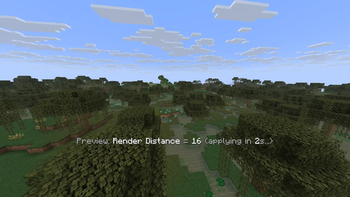
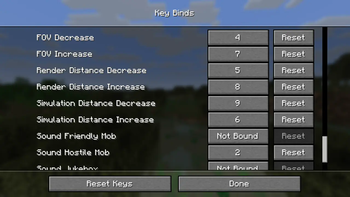
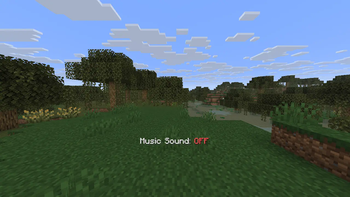
About this Mod
A Minecraft Fabric mod that provides convenient hotkeys for quickly adjusting game settings without opening the settings menu. Perfect for streamers, content creators, and players who frequently need to adjust their game settings on the fly.
⚙️ Features:
- 🎵 Sound Controls: Toggle hostile mobs, friendly mobs, music, and jukebox sounds with dedicated hotkeys
- 🌟 Brightness Control: Adjust gamma/brightness from 0% to 1200% with fullbright support
- 🔍 Zoom Feature: Hold-to-zoom functionality for better visibility
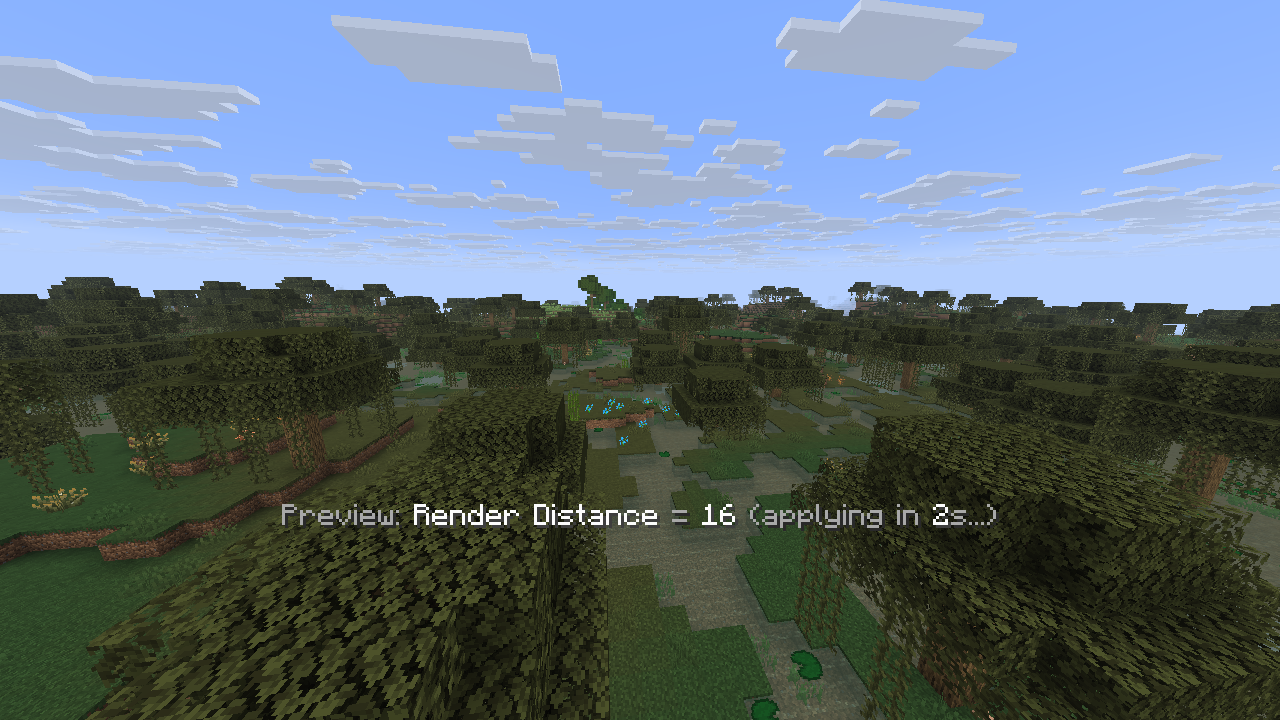
- 📏 Distance Settings: Quick adjustment of render distance (2-32 chunks) and simulation distance (5-32 chunks)
- 👁️ FOV Control: Field of view adjustment from 30° to 110° with 5° increments
- 💾 Smart Config: Automatically saves user preferences and restores them on game restart
- ⏱️ Debouncing: Prevents setting spam with 2-second delay for distance/FOV changes
- 🎯 Real-time Feedback: Shows current values and countdown timers for pending changes
📦 Requirements:
- Minecraft: 1.21.6
- Fabric Loader: 0.16.9 or higher
- Fabric API: Compatible version for 1.21.6
- Java: 21 or higher
🌍 Available Languages:
- English (en_us): Full translation support
- Vietnamese (vi_vn): Complete localization
- Extensible: Easy to add more languages via resource packs
⌨️ Setting Up Keybindings:
Important: This mod does not set any default hotkeys. You need to configure them manually in Minecraft's settings.
- Go to Options → Controls → Key Binds
- Scroll down to find the "Quick Setting Key Mod" category
- Assign your preferred keys to each feature:
- Brightness Increase/Decrease
- Render Distance Increase/Decrease
- Simulation Distance Increase/Decrease
- FOV Increase/Decrease
- Toggle Hostile Mob Sound
- Toggle Friendly Mob Sound
- Toggle Music Sound
- Toggle Jukebox Sound
- Toggle Subtitle
- Zoom (Hold to activate)
All keybindings are fully customizable to your preference.
📥 Installation:
- Install Fabric Loader
- Download Fabric API
- Download the latest release of Quick Setting Key Mod
- Place both
.jarfiles in yourmodsfolder - Launch Minecraft and enjoy!
🔧 Configuration:
The mod automatically creates a config/quicksettingkey.json file to store your preferences. All settings are saved automatically when changed.
Available Versions
How to Install Minecraft Extra Keybinds on Your Server
Order Server
Order a Minecraft Java server with at least 3 GB RAM (4 GB recommended).
Set fabric Loader
In the panel under "Egg", select the fabric loader and matching Minecraft version (1.21.8).
Install Mod
Open the mod browser in the dashboard and search for "Minecraft Extra Keybinds". Click "Install" – done! Alternatively, upload the .jar via SFTP to the /mods folder.
Compatibility
Mod Loaders
Minecraft Versions
1.21.8, 1.21.7, 1.21.6
Server-side
✗ UnsupportedRecommended RAM
4 GB(min. 3 GB)Frequently Asked Questions
Minecraft Extra Keybinds server crashes on startup – what to do?
Most common cause: wrong fabric version or insufficient RAM. Check the server log (latest.log) for "OutOfMemoryError" or "Mixin" errors. With Mado Hosting: ensure at least 3 GB RAM is allocated and the loader matches the mod version (1.21.8). You can switch loaders with one click in the panel.
Is Minecraft Extra Keybinds compatible with fabric?
Minecraft Extra Keybinds officially supports fabric for Minecraft 1.21.8, 1.21.7, 1.21.6. The Mado dashboard automatically detects incompatible loader combinations.
Server lagging with Minecraft Extra Keybinds – how to optimize performance?
Recommended RAM: 4 GB (per 8 players). Use /spark profiler to check if Minecraft Extra Keybinds consumes the most tick time. Common fixes: reduce server view-distance to 8-10, install "performant" or "starlight" as supplementary mods on Forge. With Mado Hosting, your server runs on NVMe SSDs with dedicated CPU cores for minimal latency.
Similar Mods





Rent Modded Server
Install Minecraft Extra Keybinds with just one click on your server.